“How to create a custom modifier in SciChart iOS?”
“How to get SeriesInfo out from RolloverModifier and into another ViewModel?”
“How to detect tap/click under the mouse/touch and get datapoints out into another ViewModel?”
While these scenarios aren’t supported out-of-the-box, they can all be achieved by customizing tooltips and creating a custom ChartModifier or SeriesInfoProvider. This guide demonstrates how.
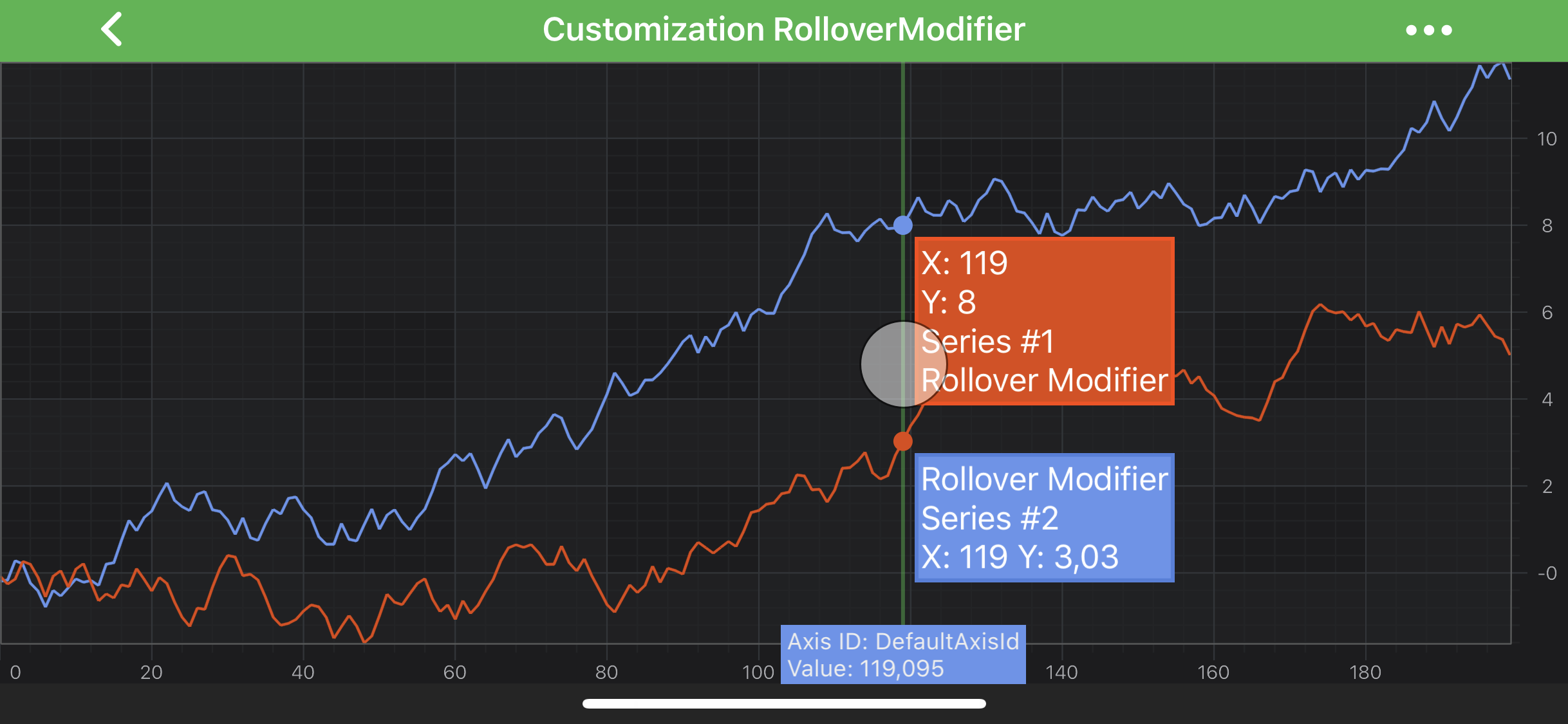
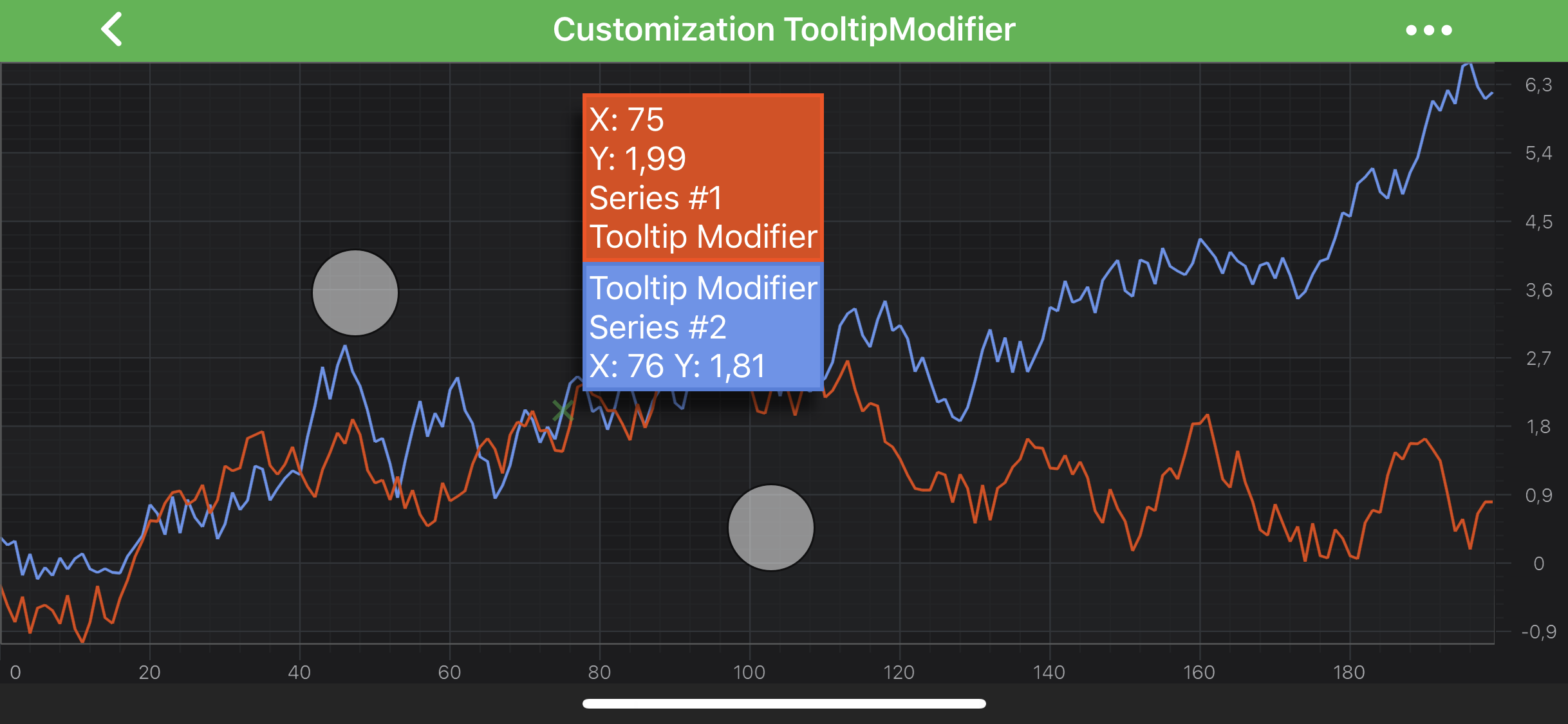
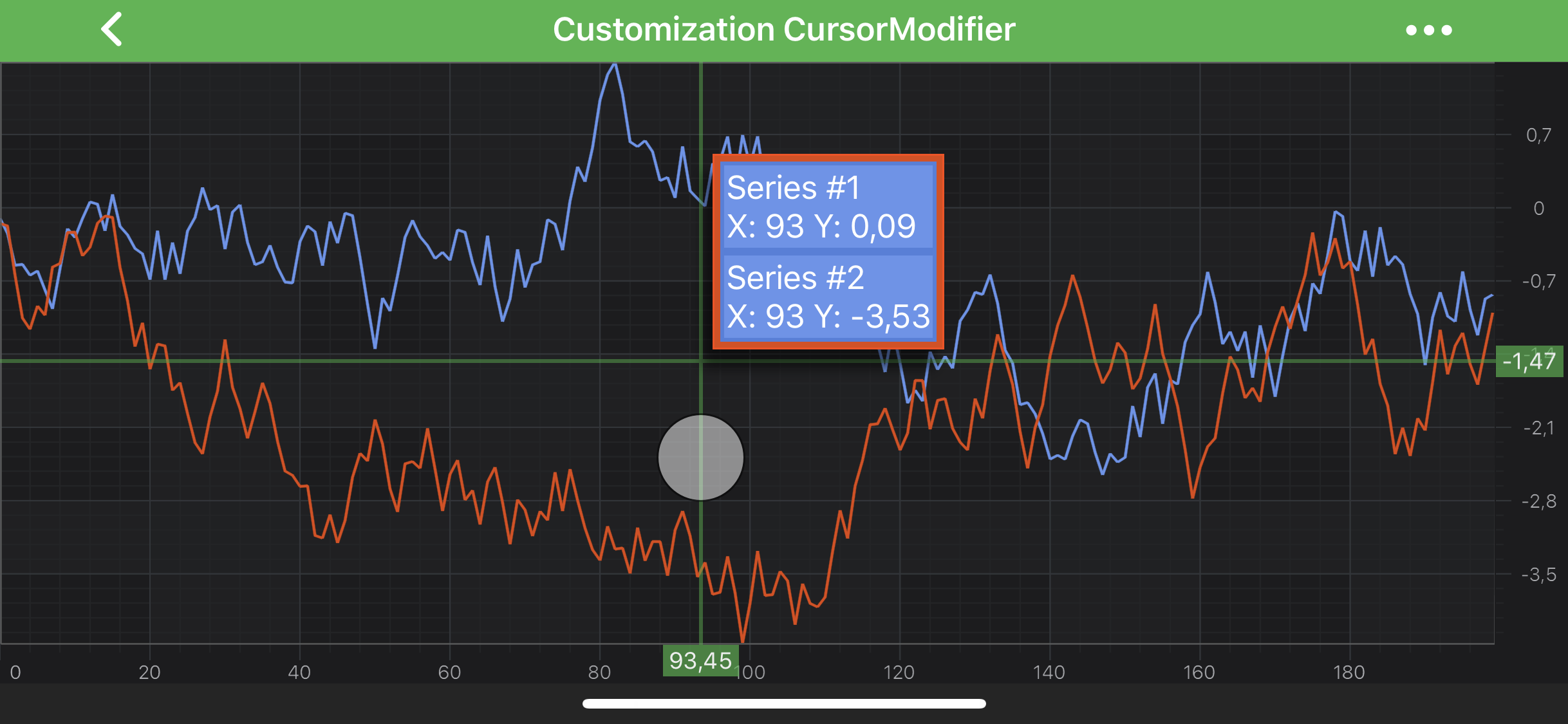
We have several examples (listed below) which shows how to customize tooltips for the modifiers:
To have fully custom tooltip for your modifier, you will need to provide customISCISeriesInfoProvider for your RenderableSeries via inheriting from SCISeriesInfoProviderBase which contains some base functionality.
From there - you might want to override one of the following (or both):
-getSeriesInfoInternal - allows to provide custom implementation of SCISeriesInfo, which simply contains information about a RenderableSeries and should be created based on it
-getSeriesTooltipInternalWithSeriesInfo:modifierType: - allows to provide custom tooltip for your series, based on seriesInfo and modifierType
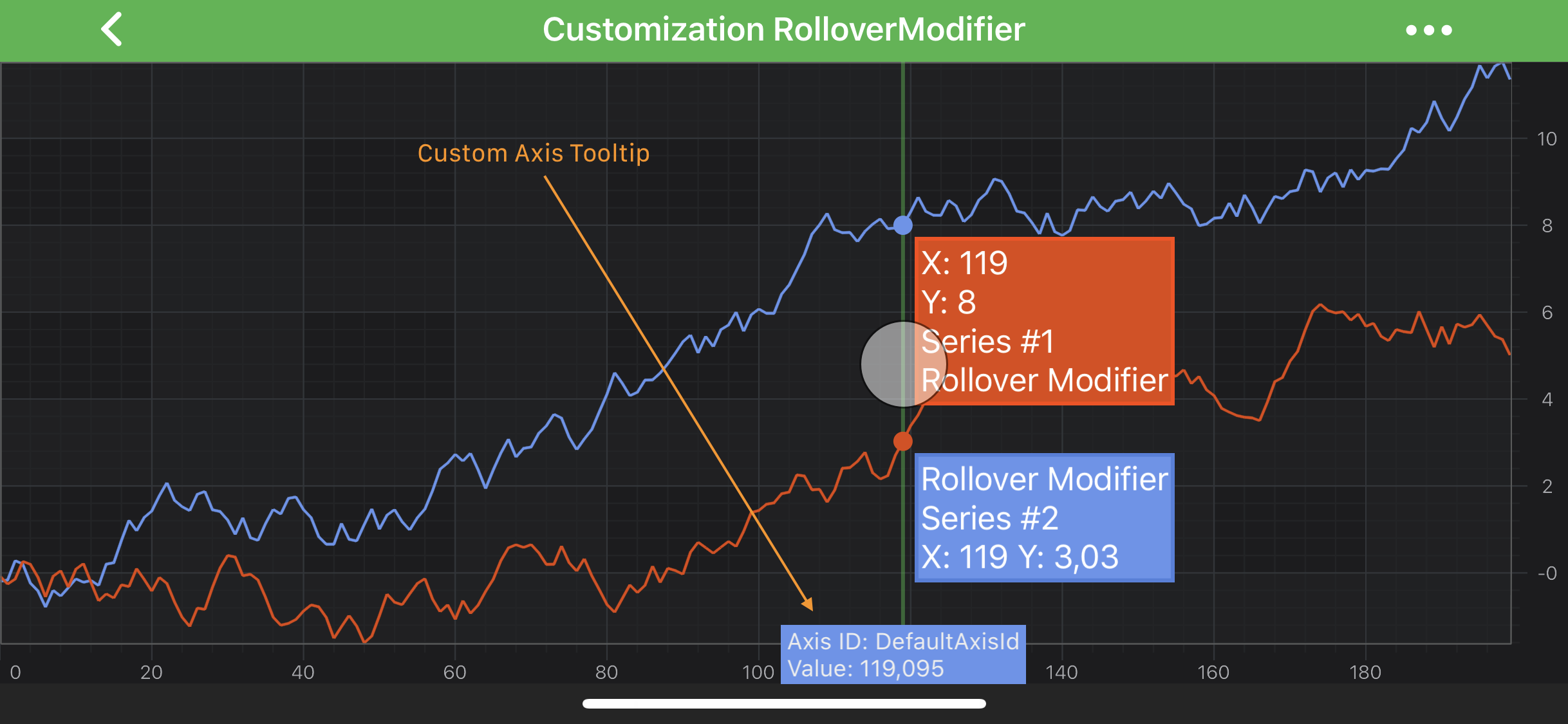
Customization of Rollover Modifier Tooltips
This is one of the most common areas where developers need more control over data interactions in SciChart.
For example, if you’re looking for “How to create a custom modifier in SciChart iOS?”, the solution is to subclass SCIDefaultXySeriesInfoProvider and SCIXySeriesTooltip and intercept the data when the tooltip updates.
First thing, we will need to create custom ISCISeriesTooltip and implement -internalUpdate: method in which we update tooltip instance based on passed in SCISeriesInfo instance.
Then, in custom ISCISeriesInfoProvider we override -getSeriesTooltipInternalWithSeriesInfo:modifierType and provide our custom tooltip for SCIRolloverModifier type, since we want to customize tooltips only for RolloverModifier.
Finally, we provide our custom SeriesInfoProvider to our RenderableSeries instance via the corresponding property.
class CustomAxisSeriesInfoProvider : SCIDefaultAxisInfoProvider
{
class CustomAxisTooltip : SCIAxisTooltip
{
public CustomAxisTooltip(SCIAxisInfo axisInfo) : base(axisInfo) { }
protected override bool UpdateInternal(SCIAxisInfo axisInfo)
{
Text = $“Axis ID: {axisInfo.AxisId ?? ”“} \nValue: {axisInfo.AxisFormattedDataValue.RawString ?? ”“}”;
SetTooltipBackground(0xff6495ed);
return true;
}
}
protected override IISCIAxisTooltip GetAxisTooltipInternal(SCIAxisInfo axisInfo, Class modifierType)
{
if (modifierType == typeof(SCIRolloverModifier).ToClass())
{
return new CustomAxisTooltip(axisInfo);
}
else
{
return base.GetAxisTooltipInternal(axisInfo, modifierType);
}
}
}
…
var xAxis = new SCINumericAxis();
xAxis.AxisInfoProvider = new CustomAxisSeriesInfoProvider();
Reading Series Information with Tooltip Interactions
This is key when you’re trying to detect tap/click under the mouse/touch and get datapoints or SeriesInfo out from the modifier and into another ViewModel.
To extract data point information when a tooltip is displayed or updated, implement a custom SeriesInfoProvider. This approach enables you to intercept tooltip updates and access formatted values such as X and Y, which can then be forwarded to your chart view, model or another handler.
This approach allows you to:
Intercept updates when the tooltip is shown or refreshed.
Extract the formatted X/Y values of the touched data point.
Forward that information to your chart view or any other handler.
NOTE: This approach works with all tooltip-based modifiers, including SCITooltipModifier, SCIRolloverModifier, and SCICursorModifier.
To begin, implement the required protocols and subclass SCIDefaultXySeriesInfoProvider and SCIXySeriesTooltip:
let customSeriesInfoProvider = CustomSeriesInfoProvider()
customSeriesInfoProvider.delegate = self
rSeries.seriesInfoProvider = customSeriesInfoProvider
NOTE: If you are using multiple series, create a separate instance of CustomSeriesInfoProvider for each series.
FAQ
Q: How to get SeriesInfo out from RolloverModifier and into another ViewModel?
A: You can extract the SCIXySeriesInfo from RolloverModifier by creating a custom ISCISeriesInfoProvider, then overriding the getSeriesTooltipInternal method and notifying your ViewModel via delegation or closure.
For more details, see the documentation:
Reading Series Info via Rollover or Touch Events
Check out a working example on GitHub
Q: How to detect tap/click under the mouse/touch for RolloverModifier and get datapoints out into another ViewModel?
A: If you override internalUpdate(with:) in a custom tooltip, you can detect the exact data point being touched or clicked. From there, delegate the data (e.g., formatted X/Y values) to another ViewModel or any handler.
For more details, see the documentation:
Reading Series Info via Rollover or Touch Events
Check out a working example on GitHub
 View on GitHub