The PitchforkAnnotation
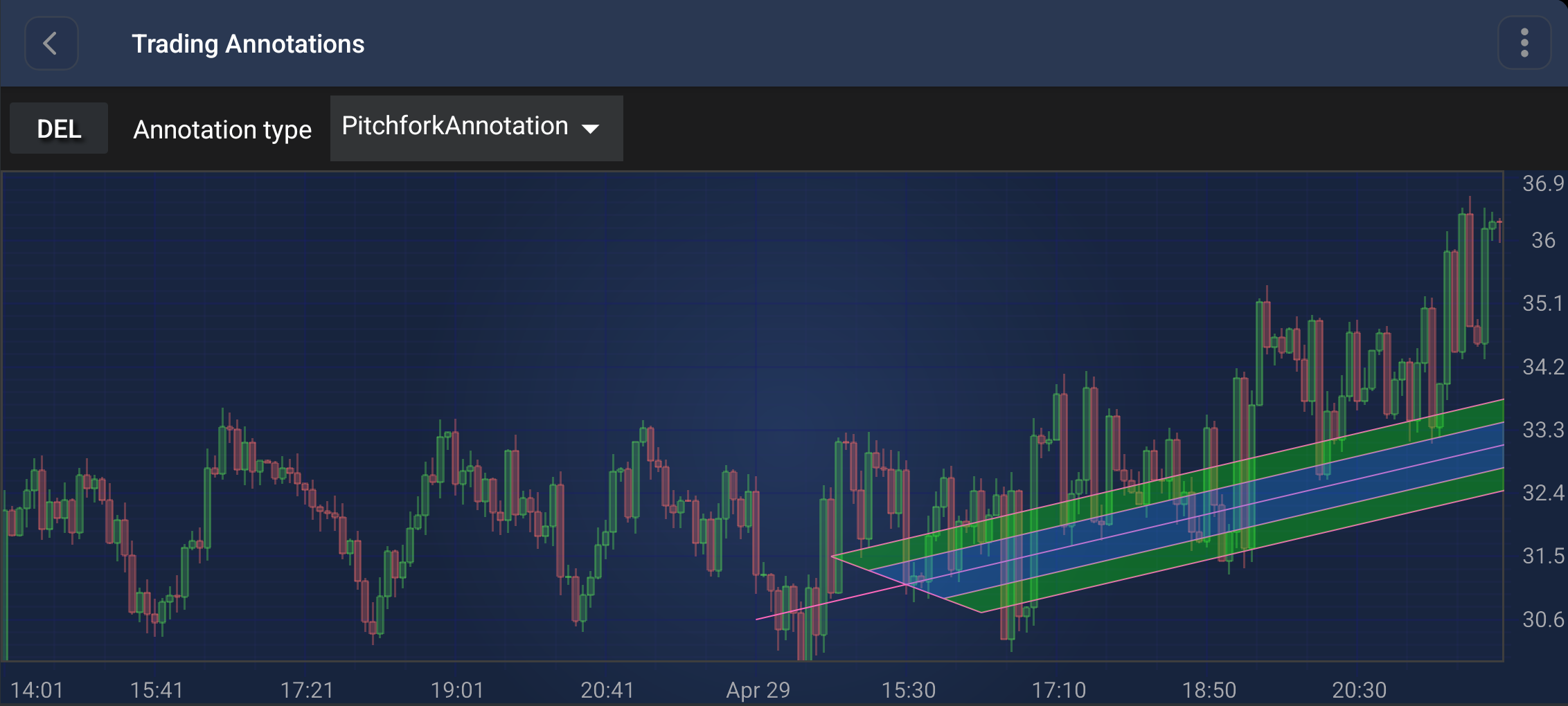
The PitchforkAnnotation (also known as Andrew's Pitchfork) is a specialized trading annotation that uses three points to identify support and resistance levels.
Note
Examples of the Annotations usage can be found in the SciChart Android Examples Suite as well as on GitHub:
Structure and Points
The PitchforkAnnotation is defined by 3 base points:
- Point 0 (Handle): The starting point of the median line.
- Point 1 (High/Low): The first point of the cross-line.
- Point 2 (Low/High): The second point of the cross-line.
The median line starts at Point 0 and passes through the midpoint of the segment connecting Point 1 and Point 2. Two additional lines are drawn parallel to the median line, starting from Point 1 and Point 2.
Appearance Properties
The following properties can be used to customize the appearance of the PitchforkAnnotation:
- stroke: Sets the pen style for all the lines in the pitchfork.
- fullWidthZoneFill: Sets the brush style for the outer full-width filled zones (the regions alongside the outer tine lines).
- halfWidthZoneFill: Sets the brush style for the inner half-width filled zone around the median line.
Create a PitchforkAnnotation
A PitchforkAnnotation can be added onto a chart using the following code:
// Assume a surface has been created and configured somewhere
// Create a PitchforkAnnotation
final PitchforkAnnotation pitchforkAnnotation = new PitchforkAnnotation(getContext());

// Allow to interact with the annotation in run-time
pitchforkAnnotation.setIsEditable(true);

// Specify the stroke and fill styles
pitchforkAnnotation.setStroke(new SolidPenStyle(Color.RED, true, 2f, null));
pitchforkAnnotation.setFullWidthZoneFill(new SolidBrushStyle(Color.GREEN));
pitchforkAnnotation.setHalfWidthZoneFill(new SolidBrushStyle(Color.BLUE));

// Add 3 points to define the pitchfork
pitchforkAnnotation.setBasePoint(10, 30.6); // Handle (Point 0)
pitchforkAnnotation.setBasePoint(30, 31.5); // High (Point 1)
pitchforkAnnotation.setBasePoint(50, 30.3); // Low (Point 2)

// Add the annotation to the AnnotationsCollection of a surface
surface.getAnnotations().add(pitchforkAnnotation);
Note
For interactive creation of the PitchforkAnnotation, use the PitchforkAnnotationCreationModifier.
Note
To learn more about other Annotation Types, available out of the box in SciChart, please find the comprehensive list in the Annotation APIs article.