RolloverModifier
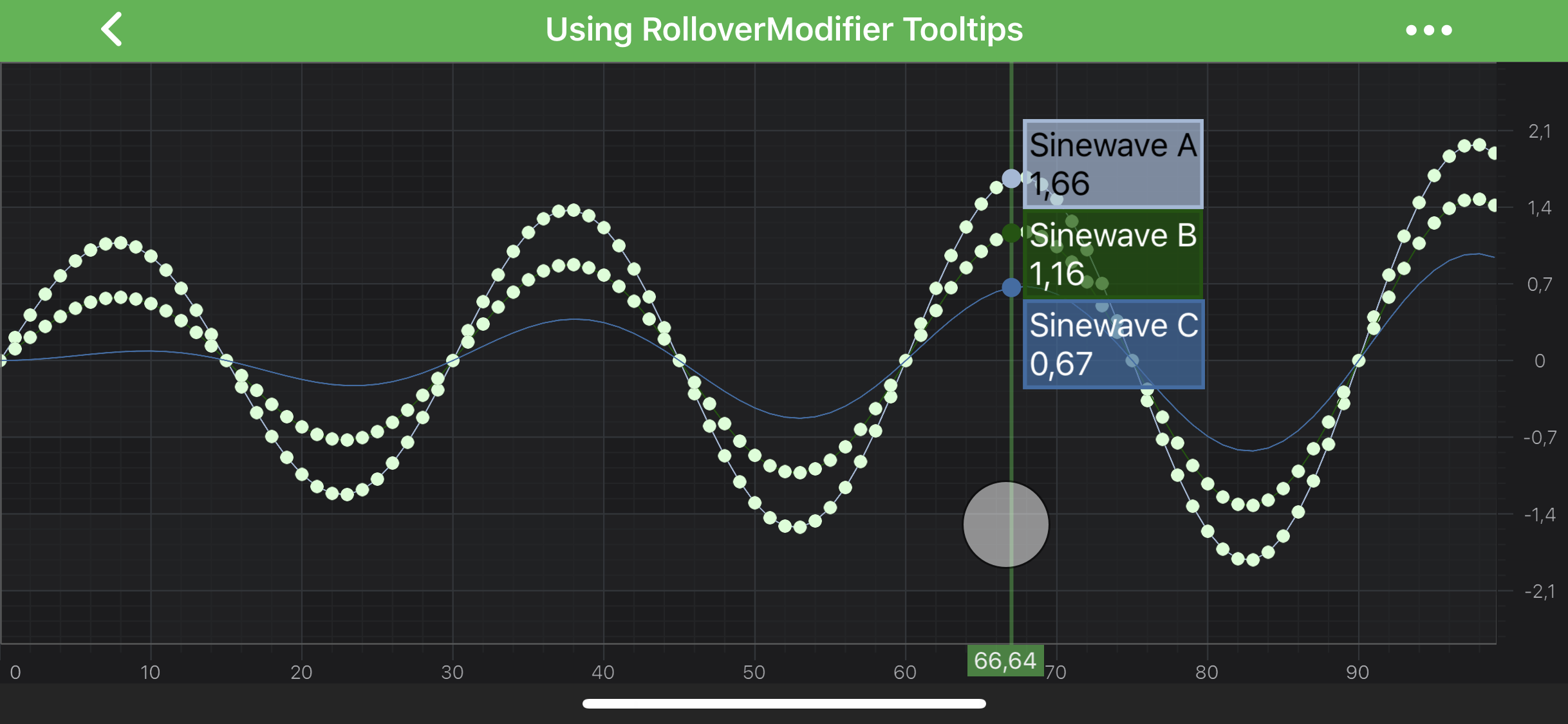
The RolloverModifier can be used to show tooltips for all the series under the vertical line drawn at the touch position:
Note
The RolloverModifier is specifically suited to inspect data across many series are the same. For scatter charts, or irregular charts, please try the TooltipModifier.
Note
Examples of the RolloverModifier usage can be found in the SciChart Android Examples Suite as well as on GitHub
RolloverModifier Features
Besides the RolloverModifier specific features, there are some common features which are shared between TooltipModifier, RolloverModifier and CursorModifier via common TooltipModifierBase class.
Common Features
| Feature | Description |
|---|---|
| setShowTooltip(boolean showTooltip) | Allows to hide or show modifier's Tooltips. |
| setUseInterpolation(boolean useInterpolation) | Allows to show interpolated values between data points. It is a true by default. If false - modifier's Tooltips will report the info about closest data points. |
| setSourceMode(SourceMode sourceMode) | Allows to specify which IRenderableSeries are to be inspected by a modifier, e.g. Visible, Selected, etc. Other will be ignored by the modifier. Expects a member of the SourceMode enumeration. |
Specific Features
| Feature | Description |
|---|---|
| setShowAxisLabels(boolean showAxisLabels) | Allows to hide or show Rollover's axis label |
| setDrawVerticalLine(boolean drawVerticalLine) | Allows to hide or show Rollover's vertical line. |
| getVerticalLinePaint() | Returns the Paint object for the Rollover's vertical line. Can be used to change style and color properties of the line. |
Adding a RolloverModifier to a Chart
Any Chart Modifier can be added to a SciChartSurface via the chartModifiers property and RolloverModifier is no difference:
// Assume a surface has been created and configured somewhere
surface.getChartModifiers().add(new RolloverModifier());
Creating a Custom RolloverModifier tooltip
Below is the example to create a custom RolloverModifier tooltip
private static class CustomSeriesInfoProvider extends DefaultXySeriesInfoProvider {
    @Override
    protected ISeriesTooltip getSeriesTooltipInternal(Context context, XySeriesInfo<?> seriesInfo, Class<?> modifierType) {
        if (modifierType == RolloverModifier.class) {
            return new CustomXySeriesTooltip(context, seriesInfo);
        } else {
            return super.getSeriesTooltipInternal(context, seriesInfo, modifierType);
        }
    }

    private static class CustomXySeriesTooltip extends XySeriesTooltip {
        public CustomXySeriesTooltip(Context context, XySeriesInfo<?> seriesInfo) {
            super(context, seriesInfo);
        }

        @Override
        protected void internalUpdate(XySeriesInfo seriesInfo) {
            final SpannableStringBuilder sb = new SpannableStringBuilder();

            sb.append("X: ").append(seriesInfo.getFormattedXValue()).append(StringUtil.NEW_LINE);
            sb.append("Y: ").append(seriesInfo.getFormattedYValue()).append(StringUtil.NEW_LINE);

            if (seriesInfo.seriesName != null) {
                sb.append(seriesInfo.seriesName).append(StringUtil.NEW_LINE);
            }
            sb.append("RolloverModifier");
            setText(sb);

            setTooltipBackgroundColor(0xffe97064);
            setTooltipStroke(0xfff4840b);
            setTooltipTextColor(ColorUtil.White);
        }
    }
}
Then use it with your series like shown below
// Assume a fastLineRenderableSeries has been created and configured somewhere
fastLineRenderableSeries.setSeriesInfoProvider(new CustomSeriesInfoProvider());
Including/Excluding Series from RolloverModifier
You can include or exclude series from being affected by the RolloverModifier using the includeRenderableSeries method. Below is an example of including/excluding series from RolloverModifier.
// Assume a rolloverModifier has been created and configured somewhere

// To include a series in the rolloverModifier hit-test
rolloverModifier.includeRenderableSeries(seriesX, true);

// To exclude a series from the rolloverModifier hit-test
rolloverModifier.includeRenderableSeries(seriesY, false);
Note
To learn more about features available, please visit the Chart Modifier APIs article.
Note
To allow or prevent modifiers when inside a scroll view, please visit the isDisallowInterceptTouchEvent api. Example of the scroll view can be found on GitHub