CustomAnnotation
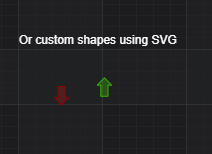
The CustomAnnotation type📘 draws a custom shape defined by SVG at the x1, y1 location where coordinates are data-values.
Coordinates may be relative, absolute or data-value based, to both xCoordinateMode📘, yCoordinateMode📘 properties as values of ECoordinateMode📘 enum.
Declaring a CustomAnnotation in code
The following code will declare a a CustomAnnotation📘 with a Rocket icon rendered in SVG. This is added to the chart at specific X and Y locations.
- TS
- Builder API (JSON Config)
const {
    CustomAnnotation,
    NumericAxis,
    SciChartSurface,
    EHorizontalAnchorPoint,
    EVerticalAnchorPoint,
    SciChartJsNavyTheme
} = SciChart;
// or for npm import { SciChartSurface, ... } from "scichart"

async function addAnnotationToChart(divElementId) {
    const { wasmContext, sciChartSurface } = await SciChartSurface.create(divElementId, {
        theme: new SciChartJsNavyTheme()
    });

    sciChartSurface.xAxes.add(new NumericAxis(wasmContext));
    sciChartSurface.yAxes.add(new NumericAxis(wasmContext));

    const rocketSvg = `<?xml version="1.0" ?><!DOCTYPE svg  PUBLIC '-//W3C//DTD SVG 1.1//EN'  'http://www.w3.org/Graphics/SVG/1.1/DTD/svg11.dtd'>
    <svg height="64.013px" id="Layer_1" style="enable-background:new 0 0 64.02 64.013;" version="1.1" viewBox="0 0 64.02 64.013" width="64.02px" xml:space="preserve" xmlns="http://www.w3.org/2000/svg" xmlns:xlink="http://www.w3.org/1999/xlink">
        <g id="Legs"><g><path d="M38,36.013l-6,6l-4,4v6l-6,10l4,2l14-14L38,36.013z     M28,26.013l-14-2l-14,14l2,4l10-6h6l4-4L28,26.013z" style="fill-rule:evenodd;clip-rule:evenodd;fill:#CCCCCC;"/></g></g>
        <g id="Flames"><g><path d="M10,44.013c-3.939,5.748-9.974,12.835-10,16c-0.021,2.403,1.576,4.021,4,4    c3.217-0.027,10.011-6.031,16-10L10,44.013z" style="fill:#FFCC66;"/></g></g><g id="Flames_1_"><g><path d="M16,42.013c-3.939,5.748-12,12.835-12,16c0,2.091,0.201,2,2,2c3.217,0,10.011-8.031,16-12    L16,42.013z" style="fill:#ED7161;"/></g></g>
        <g id="Body_2_"><g><path d="M60,0.013c-6.286,0.389-17.138,1.137-30,14C20.539,23.474,12.239,37.231,8.348,46.36l9.367,9.367    C26.793,51.874,40.459,43.553,50,34.013c12.779-12.779,13.507-23.669,14-30C64.22,1.187,62.614-0.149,60,0.013z" style="fill:#387AA7;"/></g></g>
        <g id="Body_3_"><g><path d="M60,0.013c-6.286,0.389-17.138,1.137-30,14c-7.724,7.723-14.664,18.307-19.078,26.905    l12.235,12.235C31.703,48.751,42.222,41.791,50,34.013c12.779-12.779,13.507-23.669,14-30C64.22,1.187,62.614-0.149,60,0.013z" style="fill:#48A0DC;"/></g></g>
        <g id="Glass"><g><circle cx="48" cy="16.013" r="8" style="fill:#4D4D4D;"/></g></g>
        <g id="Glass_1_"><g><circle cx="48" cy="16.013" r="4" style="fill:#FFFFFF;"/></g></g>
    </svg>`;

    // Add a selection of annotations to the chart
    sciChartSurface.annotations.add(
        new CustomAnnotation({
            x1: 4,
            y1: 5,
            svgString: rocketSvg
        })
    );
}

addAnnotationToChart("scichart-root");
const { chartBuilder, EAnnotationType } = SciChart;
// or for npm import { SciChartSurface, ... } from "scichart"

const rocketSvg = `<?xml version="1.0" ?><!DOCTYPE svg  PUBLIC '-//W3C//DTD SVG 1.1//EN'  'http://www.w3.org/Graphics/SVG/1.1/DTD/svg11.dtd'>
<svg height="64.013px" id="Layer_1" style="enable-background:new 0 0 64.02 64.013;" version="1.1" viewBox="0 0 64.02 64.013" width="64.02px" xml:space="preserve" xmlns="http://www.w3.org/2000/svg" xmlns:xlink="http://www.w3.org/1999/xlink">
    <g id="Legs"><g><path d="M38,36.013l-6,6l-4,4v6l-6,10l4,2l14-14L38,36.013z     M28,26.013l-14-2l-14,14l2,4l10-6h6l4-4L28,26.013z" style="fill-rule:evenodd;clip-rule:evenodd;fill:#CCCCCC;"/></g></g>
    <g id="Flames"><g><path d="M10,44.013c-3.939,5.748-9.974,12.835-10,16c-0.021,2.403,1.576,4.021,4,4    c3.217-0.027,10.011-6.031,16-10L10,44.013z" style="fill:#FFCC66;"/></g></g><g id="Flames_1_"><g><path d="M16,42.013c-3.939,5.748-12,12.835-12,16c0,2.091,0.201,2,2,2c3.217,0,10.011-8.031,16-12    L16,42.013z" style="fill:#ED7161;"/></g></g>
    <g id="Body_2_"><g><path d="M60,0.013c-6.286,0.389-17.138,1.137-30,14C20.539,23.474,12.239,37.231,8.348,46.36l9.367,9.367    C26.793,51.874,40.459,43.553,50,34.013c12.779-12.779,13.507-23.669,14-30C64.22,1.187,62.614-0.149,60,0.013z" style="fill:#387AA7;"/></g></g>
    <g id="Body_3_"><g><path d="M60,0.013c-6.286,0.389-17.138,1.137-30,14c-7.724,7.723-14.664,18.307-19.078,26.905    l12.235,12.235C31.703,48.751,42.222,41.791,50,34.013c12.779-12.779,13.507-23.669,14-30C64.22,1.187,62.614-0.149,60,0.013z" style="fill:#48A0DC;"/></g></g>
    <g id="Glass"><g><circle cx="48" cy="16.013" r="8" style="fill:#4D4D4D;"/></g></g>
    <g id="Glass_1_"><g><circle cx="48" cy="16.013" r="4" style="fill:#FFFFFF;"/></g></g>
</svg>`;

const { wasmContext, sciChartSurface } = await chartBuilder.build2DChart(divElementId, {
    annotations: [
        {
            type: EAnnotationType.SVGCustomAnnotation,
            options: {
                x1: 5,
                y1: 5,
                verticalAnchorPoint: EVerticalAnchorPoint.Top,
                horizontalAnchorPoint: EHorizontalAnchorPoint.Center,
                svgString: rocketSvg
            }
        }
    ]
});
This results in the following output:
Notice that the SVG string is W3C compliant SVG. Lots of sources online have SVG icons that you can download, or you can create your own vector graphics using a tool like Figma, Inkscape or Adobe Illustrator.
Positioning a CustomAnnotation with horizontal/vertical Anchor Points
A CustomAnnotation📘 only requires coordinates x1, y1 to be set. The alignment of the annotation around this coordinate is controlled by the horizontalAnchorPoint📘, verticalAnchorPoint📘 properties.

Above: Set the horizontalAnchorPoint📘, and verticalAnchorPoint📘 property to determine which anchor point (horizontal: left, center, right or vertical: top, center, bottom) the x1, y2 coordinate is bound to.
Aligning a CustomAnnotation with x/yCoordinateModes
Like other annotation types, the CustomAnnotation📘 can be positioned relatively or absolute using xCoordinateMode, yCoordinateMode property.
For example. The TradeMarkers demo in the SciChart.js Examples Suite places a number of custom annotations for buy/sell markers, but also places news bullet annotations at the bottom of the chart using yCoordinateMode.
- TS
const {
    CustomAnnotation,
    NumericAxis,
    SciChartSurface,
    EHorizontalAnchorPoint,
    EVerticalAnchorPoint,
    ECoordinateMode,
    SciChartJsNavyTheme,
    FastCandlestickRenderableSeries,
    OhlcDataSeries,
    CategoryAxis,
    SmartDateLabelProvider
} = SciChart;
// or for npm import { SciChartSurface, ... } from "scichart"

async function addAnnotationToChart(divElementId) {
    const { wasmContext, sciChartSurface } = await SciChartSurface.create(divElementId, {
        theme: new SciChartJsNavyTheme()
    });
    sciChartSurface.xAxes.add(
        new CategoryAxis(wasmContext, {
            labelProvider: new SmartDateLabelProvider()
        })
    );
    sciChartSurface.yAxes.add(new NumericAxis(wasmContext));

    const { dateValues, openValues, highValues, lowValues, closeValues } = candlestickData;
    // console.log(multiPaneDataSlice);

    sciChartSurface.renderableSeries.add(
        new FastCandlestickRenderableSeries(wasmContext, {
            dataSeries: new OhlcDataSeries(wasmContext, {
                xValues: dateValues,
                openValues,
                highValues,
                lowValues,
                closeValues
            })
        })
    );

    // Returns a CustomAnnotation that represents a buy marker arrow
    // The CustomAnnotation supports SVG as content. Using Inkscape or similar you can create SVG content for annotations
    const buyMarkerAnnotation = (x1, y1) => {
        return new CustomAnnotation({
            x1,
            y1,
            verticalAnchorPoint: EVerticalAnchorPoint.Top,
            horizontalAnchorPoint: EHorizontalAnchorPoint.Center,
            svgString: '<svg id="Capa_1" xmlns="http://www.w3.org/2000/svg">' +
                '<g transform="translate(-53.867218,-75.091687)">' +
                '<path style="fill:#1cb61c;fill-opacity:0.34117647;stroke:#00b400;stroke-width:1px;stroke-linecap:butt;stroke-linejoin:miter;stroke-opacity:1"' +
                'd="m 55.47431,83.481251 c 7.158904,-7.408333 7.158904,-7.408333 7.158904,-7.408333 l 7.158906,7.408333 H 66.212668 V 94.593756 H 59.053761 V 83.481251 Z"' +
                "/>" +
                "</g>" +
            "</svg>"
        });
    };

    // Returns a CustomAnnotation that represents a sell marker arrow
    // The CustomAnnotation supports SVG as content. Using Inkscape or similar you can create SVG content for annotations
    const sellMarkerAnnotation = (x1, y1) => {
        return new CustomAnnotation({
            x1,
            y1,
            verticalAnchorPoint: EVerticalAnchorPoint.Bottom,
            horizontalAnchorPoint: EHorizontalAnchorPoint.Center,
            svgString: '<svg id="Capa_1" xmlns="http://www.w3.org/2000/svg">' +
                '<g transform="translate(-54.616083,-75.548914)">' +
                '<path style="fill:#b22020;fill-opacity:0.34117648;stroke:#990000;stroke-width:1px;stroke-linecap:butt;stroke-linejoin:miter;stroke-opacity:1"' +
                'd="m 55.47431,87.025547 c 7.158904,7.408333 7.158904,7.408333 7.158904,7.408333 L 69.79212,87.025547 H 66.212668 V 75.913042 h -7.158907 v 11.112505 z"' +
                "/>" +
                "</g>" +
            "</svg>"
        });
    };

    const newsBulletAnnotation = x1 => {
        return new CustomAnnotation({
            x1,
            y1: 0.99, // using YCoordinateMode.Relative and 0.99, places the annotation at the bottom of the viewport
            yCoordinateMode: ECoordinateMode.Relative,
            verticalAnchorPoint: EVerticalAnchorPoint.Bottom,
            horizontalAnchorPoint: EHorizontalAnchorPoint.Center,
            svgString:
                '<svg id="Capa_1" xmlns="http://www.w3.org/2000/svg">' +
                "  <g" +
                '     inkscape:label="Layer 1"' +
                '     inkscape:groupmode="layer"' +
                '     id="layer1"' +
                '     transform="translate(-55.430212,-77.263552)">' +
                "    <rect" +
                '       style="fill:#C0D4EE;fill-opacity:1;stroke:#333333;stroke-width:0.26458332;stroke-miterlimit:4;stroke-dasharray:none;stroke-opacity:0.66666667"' +
                '       id="rect4528"' +
                '       width="13.229166"' +
                '       height="15.875"' +
                '       x="55.562504"' +
                '       y="77.395844"' +
                '       rx="2"' +
                '       ry="2" />' +
                "    <text" +
                '       xml:space="preserve"' +
                '       style="font-style:normal;font-weight:normal;font-size:10.58333302px;line-height:1.25;font-family:sans-serif;letter-spacing:0px;word-spacing:0px;fill:#333333;fill-opacity:1;stroke:none;stroke-width:0.26458332"' +
                '       x="57.688622"' +
                '       y="89.160347"' +
                '       id="text4540"><tspan' +
                '         sodipodi:role="line"' +
                '         id="tspan4538"' +
                '         x="57.688622"' +
                '         y="89.160347"' +
                "         style=\"font-style:normal;font-variant:normal;font-weight:bold;font-stretch:normal;font-family:sans-serif;-inkscape-font-specification:'sans-serif Bold';fill:#333333;fill-opacity:1;stroke-width:0.26458332\">N</tspan></text>" +
                "  </g>" +
                "</svg>"
        });
    };

    // Add some trades to the chart using the Annotations API
    for (let i = 0; i < dateValues.length; i++) {
        // Every 4th bar, add a buy annotation
        if (i % 4 === 0) {
            sciChartSurface.annotations.add(buyMarkerAnnotation(i, lowValues[i]));
        }
        // Every 4th bar between buys, add a sell annotation
        if ((i + 2) % 4 === 0) {
            sciChartSurface.annotations.add(sellMarkerAnnotation(i, highValues[i]));
        }
        // Every 10th bar, add a news bullet
        if (i % 10 === 0) {
            sciChartSurface.annotations.add(newsBulletAnnotation(i));
        }
    }
}

addAnnotationToChart("scichart-root");
This results in the following output: