Activating a Purchased Developer License
To allow localhost Development of SciChart.js applications without a watermark and to comply with the terms for commercial use,
you will need to activate a purchased developer license on your machine where you develop your application(s).
Products purchased from our store that enable SciChart.js developer licensing include:
- SciChart JS 2D
- SciChart JS 2D & 3D
- SciChart Bundle 2D Pro
- SciChart Bundle 2D/3D Pro
- SciChart Bundle 2D/3D Source
For purchasing, please visit scichart.com/shop. For pre-sales enquiries contact technical sales and for licensing support post-sales please contact technical support.
Activating a paid developer license
Instruct developers to follow these steps to activate a paid developer license. This will enable access to technical support, and allow localhost IDE development with SciChart.js.
- Download and install the cross platform licensing wizard application.
- Once installed, log in with a scichart account (create an account at scichart.com/register)
- Select the tab "Activation" in the licensing wizard app
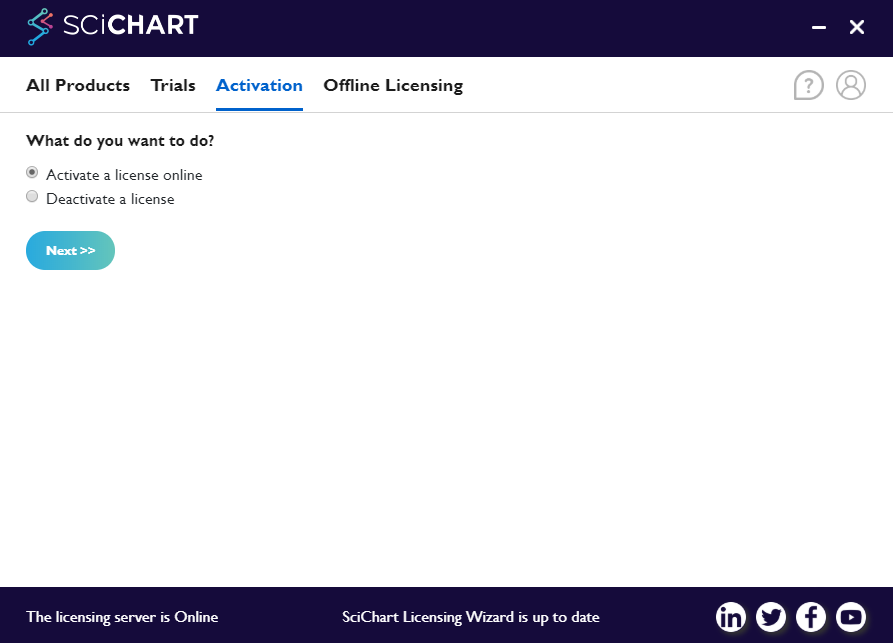
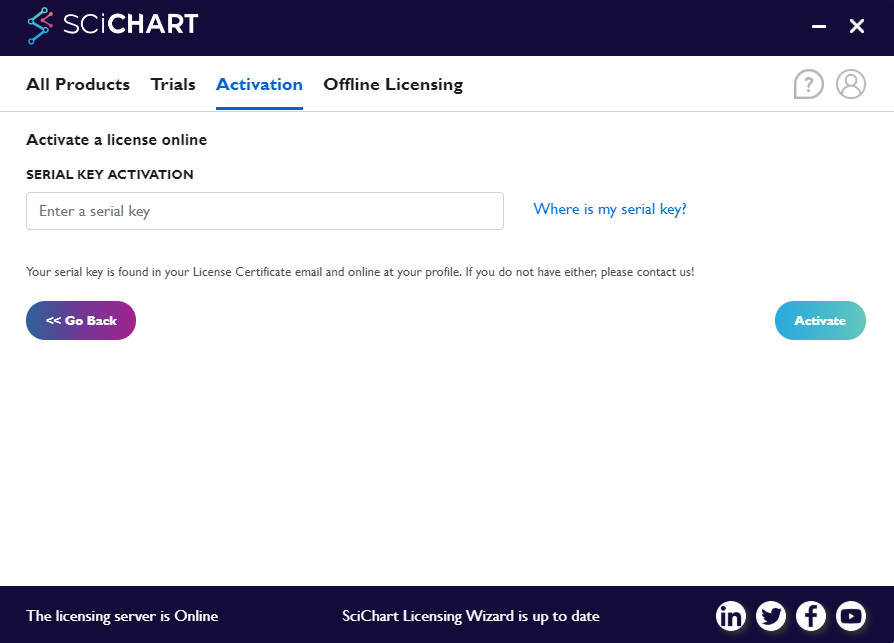
- Enter your license serial key and click "Activate"
If your license has been applied correctly, you should be able to run your application on devices and without seeing the "Powered by SciChart" watermark.
Note: Your SciChart.js applications on localhost will search for the licensing wizard validate the trial license locally. Leave the licensing wizard open or minimise to tray while developing!
Troubleshooting activated developer licenses
I cannot find my license key after purchase, where is it?
Full steps to locate your license keys can be found in the page where are my SciChart.js license keys?
I have paid but did not receive a license email, where is it?
Check your spam folders for license emails if you are the purchaser/customer. For further instructions, see where are my SciChart.js license keys?
I have activated a developer license but still see the trial / community watermark?
Full troubleshooting steps can be found at the page scichart.js licensing troubleshooting
The machine I'm trying to activate is offline or cannot reach the licensing servers
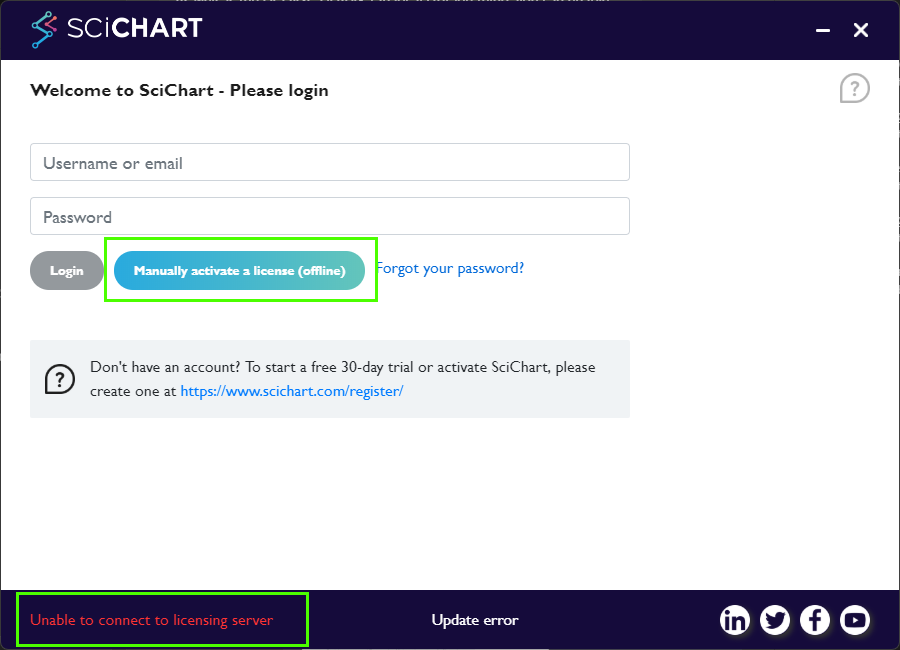
When starting the licensing wizard, if the server is unreachable (e.g. proxy settings or your internet connection), a warning will be displayed "Unable to connect to licensing server"
If the machine you are trying to activate is offline, airgapped, has no internet connection or otherwise cannot reach the activation servers, you can also use offline activation.
This uses an email service/loop to generate a license key for the machine.
- Start the licensing wizard and enter your scichart.com username and password Check these are correct before submitting
- Select the "Offline Licensing" tab in the licensing wizard
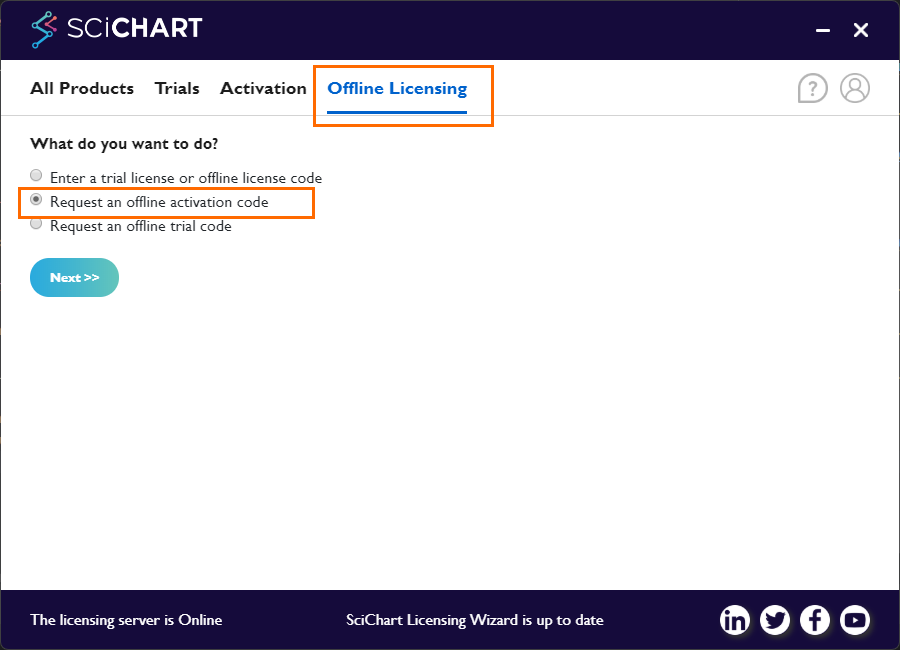
- Enter the developer serial key you are trying to activate. Click "Next"
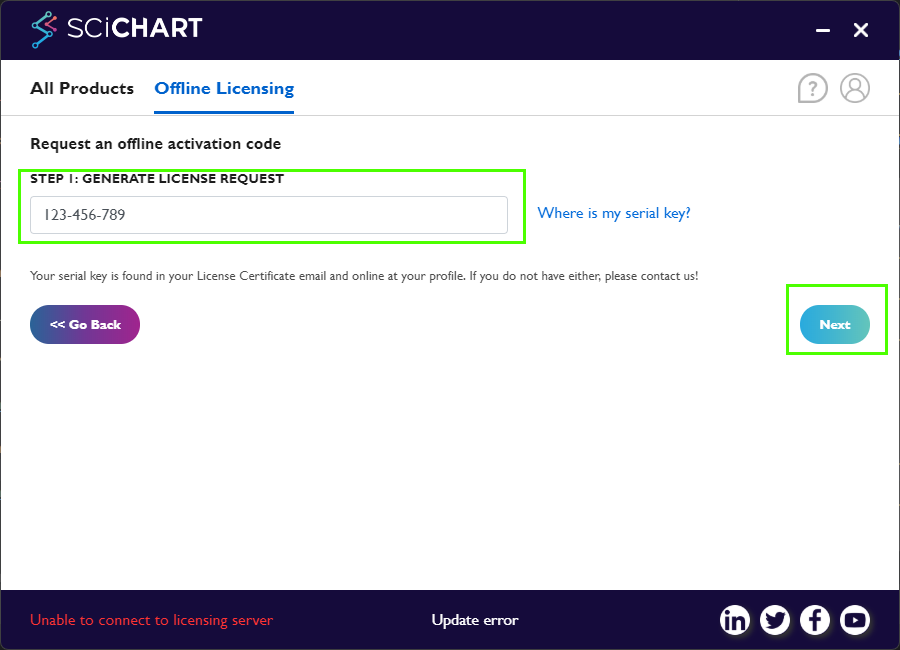
- This will generate a request code.
- Send this request code by email by clicking "Next"
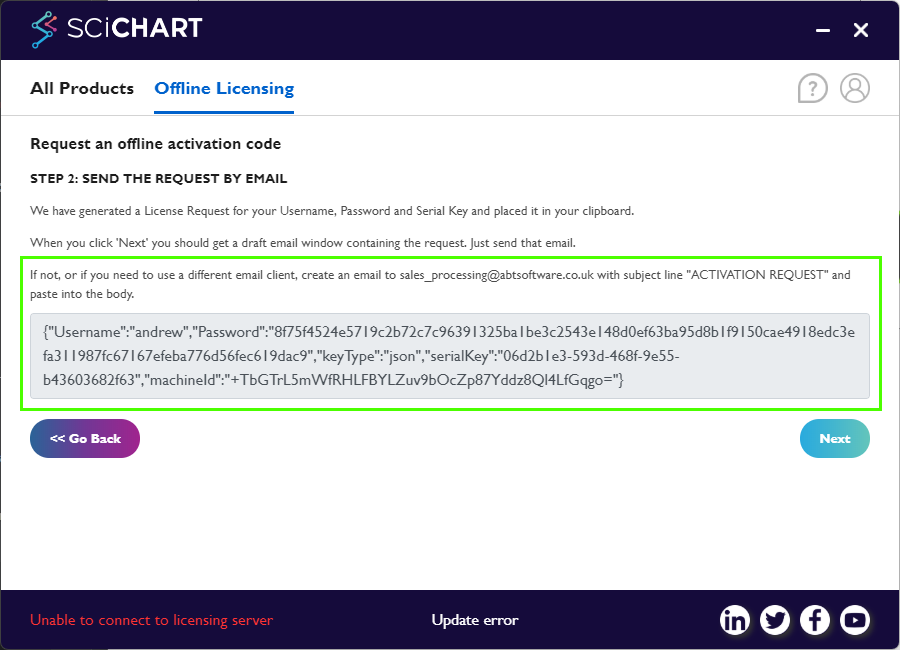
- Copy the request code and email it to sales_processing@abtsoftware.co.uk with the subject line ACTIVATION REQUEST
- You will be emailed a response code within 5 minutes.
- Once received, paste this response code into the licensing wizard to continue and complete the developer license activation.
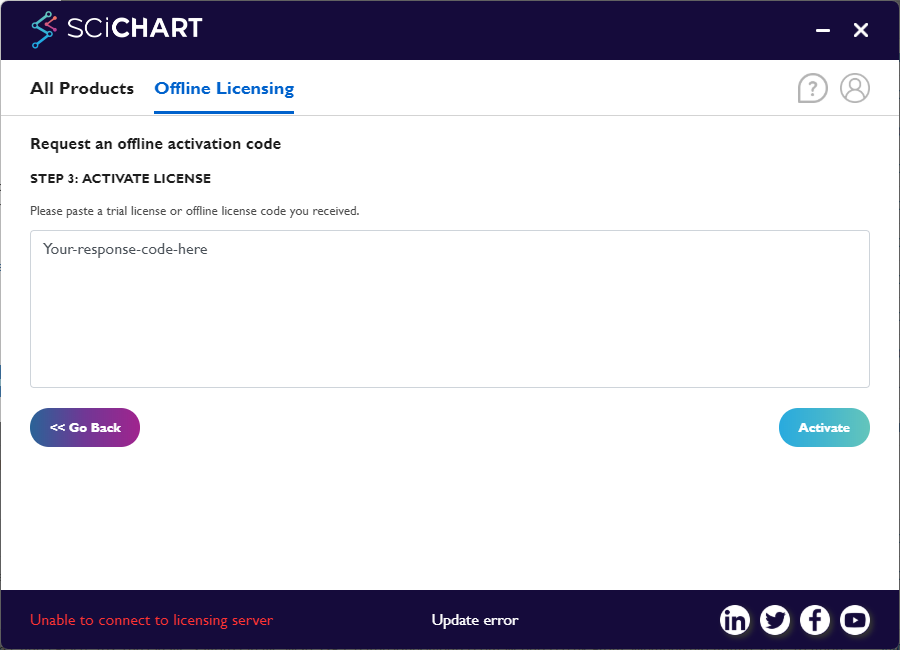
Note: The request code must be requested on the PC you will be developing on. The response code is machine-specific. When received in your email (another PC) - copy and paste the response code into the box above to proceed with the activation
Still need help activating SciChart.js developer licenses?
Follow the scichart.js licensing troubleshooting and if you're still stuck, contact tech support!