








2026 Scientific Data Visualization Libraries Comparison: Charting Libraries for Lab Instrument Software
How instrument software teams choose a charting library: consistency, analysis depth and supportability first, then performance.
Engineers build model-based design tools, digital twins, and hardware-in-the-loop rigs. Test teams build oscilloscopes, signal analyzers, and network analyzers. Both rely on SciChart to show their data clearly.
Off-the-shelf charts often can’t handle the speed or detail needed. SciChart’s API gives teams the tools to build charts that fit their exact needs.
Standard charting components struggle with high-frequency waveforms, hundreds of live channels and complex test dashboards. SciChart’s deep API lets engineering teams build the specialist visualization their design, emulation, and test software actually needs.

SciChart delivers real-time data visualization for complex systems like Super-X at CRAFT, supporting China’s CFETR fusion research. It handles high-frequency data for precise design, emulation, and testing of superconducting components. Flexible APIs and dashboards ensure reliable analysis and minimal data loss during demanding test runs.

MSIC runs advanced emulation, simulation and real-time hardware-in-the-loop testing for missile threat scenarios and guidance systems. Their High-Performance Computer System has powered over 330 million weapon simulations, pushing real-time telemetry and visualization to their limits.
MSIC, alongside Colsa Corporation and Radiance Technology, chose SciChart to build a bespoke visualization layer. It replaced off-the-shelf tools like MathWorks Simulink, delivering faster rendering and greater flexibility.
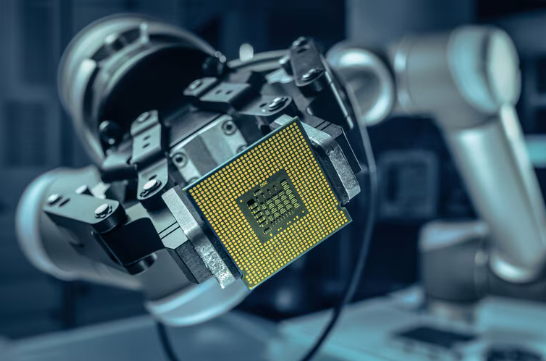
As microprocessors and SoCs grow more complex, generic testing methods fall short. SciChart addresses this for Intel’s HDMT and FPGA platforms with real-time visualization, customizable dashboards, and heatmaps for detailed analysis.
Its flexible API integrates with testing platforms for embedded processors, single-board computers and microcontroller units. Teams visualize, analyze, and optimize performance in real-time, accelerating development for systems where off-the-shelf charting tools cannot keep up.

Keysight, a leader in design, simulation, and testing, uses SciChart for high-performance visualization across its instrument GUIs, including oscilloscopes, signal analyzers, and vector network analyzers.
SciChart’s precision helps engineers detect signal integrity issues such as glitches, jitter and cross-talk, with real-time waveform analysis, zooming, and panning through large datasets.
For RF and microwave applications, SciChart also supports interactive Smith charts, visualizing impedance, admittance and reflection-coefficient data directly inside vector network analyzer software.

"Honestly one of those libraries that just gets out of your way. Performance with large datasets is genuinely impressive — smooth and responsive without any tricks or workarounds. The API clicked quickly and the docs are actually good, which is rarer than it should be. Every chart type I've needed has been there, and the visual quality is great. Hard to imagine reaching for anything else at this point.” Christian L

Start a trial today. See why engineering teams pick SciChart for their toughest design, simulation, emulation, and test projects.
From Smith Charts to displaying hundreds of channels in real time simultaneously, discover SciChart’s examples and capabilities.

SciChart.js supports interactive Smith charts for RF design, impedance matching and network analyzer software. Teams can plot impedance, admittance, reflection data and VSWR. They can also build matching networks step by step.
Custom markers, zoom, and other tools come standard. All of it uses SciChart.js’s normal API, with no internal changes needed. This means any SciChart developer can build the same kind of custom, domain-specific chart.

With deeply customizable and high-performance charts, SciChart allows you to create complex waveform analyses.
You can link chart panes, create legends, individually select series, and more.
Monitor performance in real time to observe how the system behaves, regardless of the data volume.
Our charts can handle up to billions of points in real-time, process demanding updates (sub-1 millisecond) and handle redraw events with zooming and panning from multiple data sources.
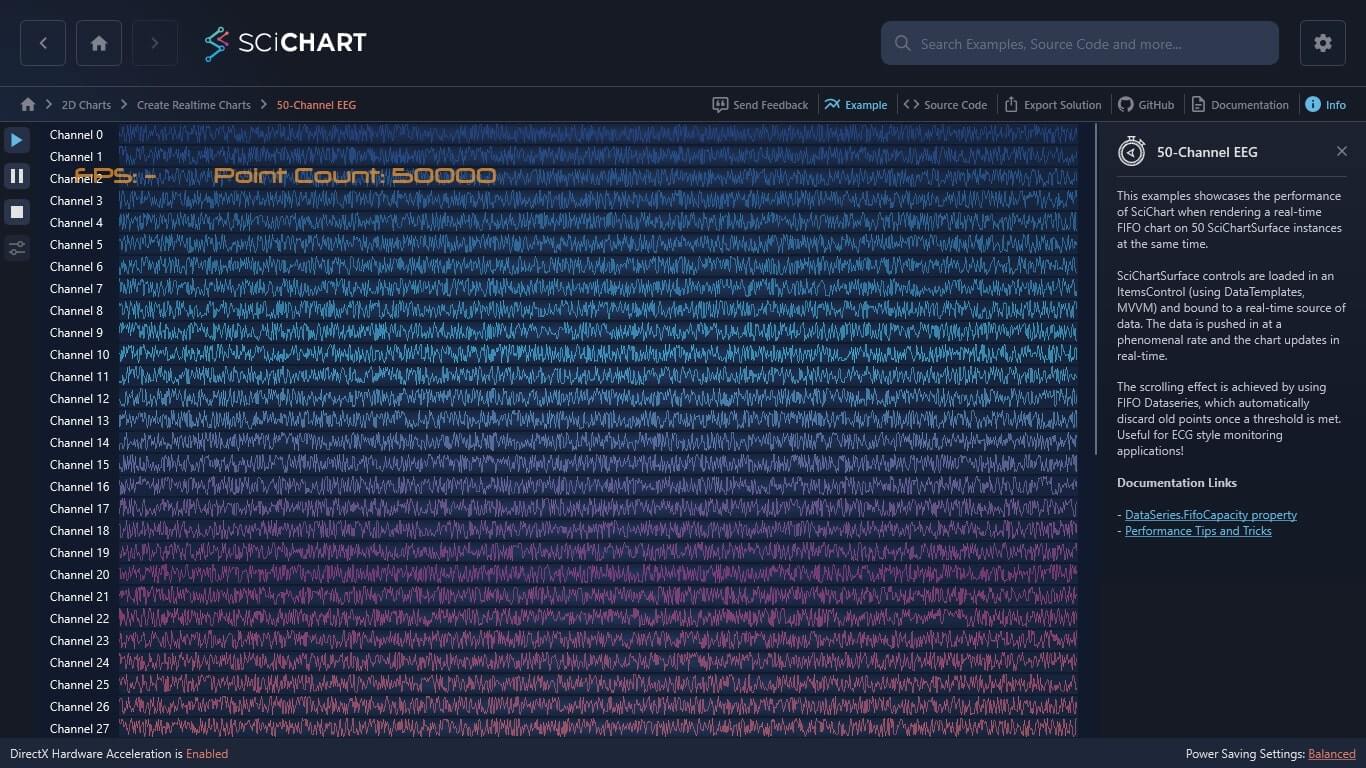
SciChart’s performance allows multichannel visualizations straight out of the box. As a data-source-agnostic product, your data source can be piped in directly, in real time for up to hundreds of channels simultaneously, allowing enhanced concurrent analysis.
Simply select charts, create coloration rules, zoom and pan in tandem, and detect outliers or interesting insights from your data in a glance.
Take a look at the chart performance you can achieve with SciChart and how our extensive charting features contribute to fully customizable charts.

See the level of support developers get when building real-time chart solutions. The support, features, and performance we offer helps our customers build top-rated apps.
 Responsive 5-Star Technical Support
With our 5-star technical support subscription, we aim to answer all support tickets within one business day* and often even faster.
 Get Answers Fast with our AI Assistant
Ask our AI Assistant anything about SciChart and it will answer your questions fast!
 Knowledgeable Support Forums
With nearly 4000 answered support requests on our public support forum, you’ll never be left without an answer.
 Extensive Documentation
1000s of pages of support documentation across all platforms for expert guidance on getting the most from SciChart.
 Tutorials & Videos
Our regularly updated YouTube channel will help you understand what’s possible and answers the most commonly asked questions.
 Hundreds of Example Charts
Over 350 chart examples will get you what you need to get out of the blocks more quickly.
JavaScript
Charts
Supporting TypeScript, React, Vue, Angular and more. Uses WebAssembly and WebGL for big-data performance.
WPF
Charts
For native windows apps. Supporting DirectX11, .netCore or .Net Framework, C# and VB apps on Windows 8, 10, 11.
 4.9 Average - 425 Reviews
  4.7 Average - 9 Reviews
 4.4 Average - 4 Reviews
With a rating of 4.8, SciChart is one of the highest rated chart libraries in the world*, used by over 10,000 expert developers worldwide.
Read All Reviews
Read the latest news with essential updates for developers and a deeper understanding of what you can achieve with SciChart.

Queen’s Award for Innovation
Winners of the Queen’s Award for Innovation, recognising SciChart’s high-performance graphics engine.

National Business Awards
Highly Commended at the Lloyds National Business Awards for innovation and customer growth.

National Technology Awards
Awarded Healthcare Tech of the Year at the 2025 National Technology Awards.

Reviews
Hundreds of verified third-party reviews from developers, engineers, and customers worldwide.