
Building a Smith Chart in JavaScript: Inside the Rendering Pipeline
See how SciChart.js was extended to build a fully interactive Smith chart using standard APIs. This article highlights the flexibility of custom rendering and advanced interactions.
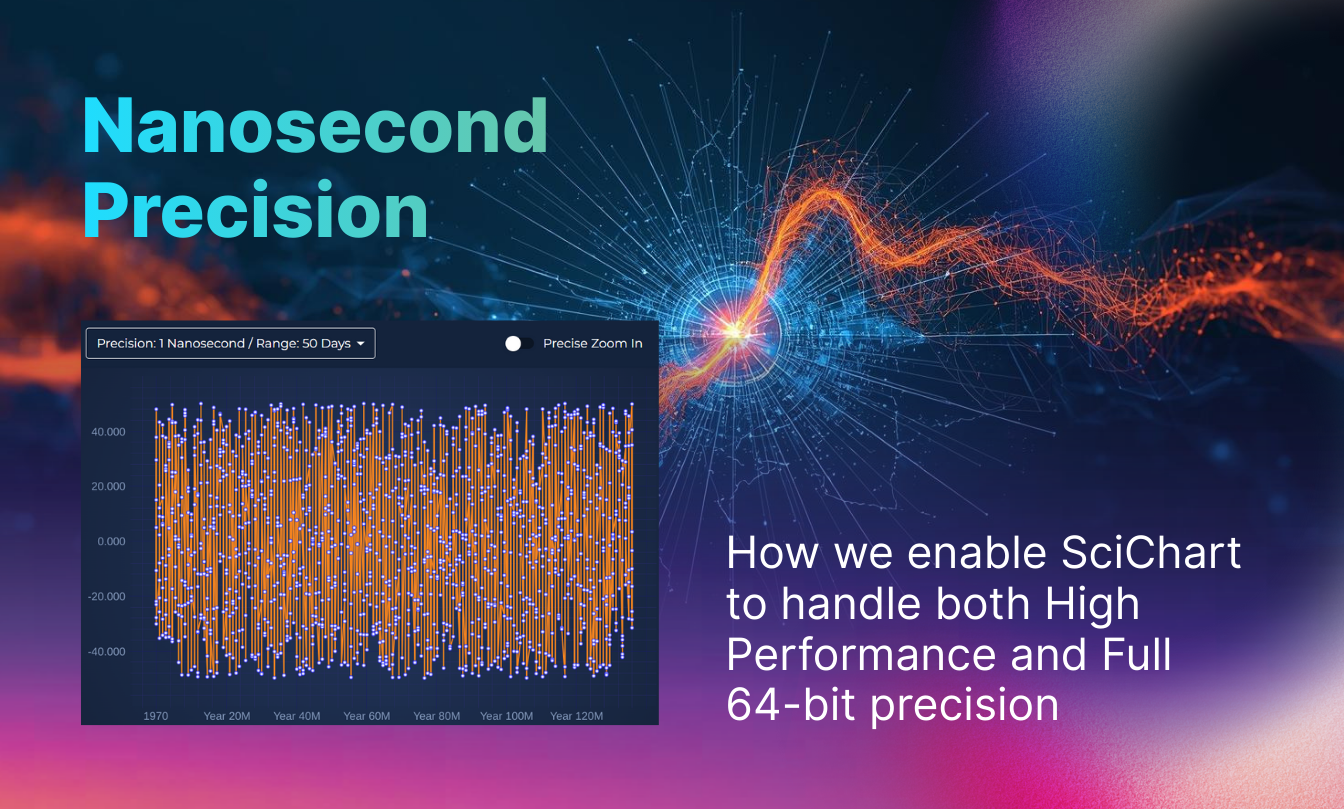
JavaScript Charts, and dashboards in scientific, industrial, telemetry or financial applications often need high performance. This is one area where SciChart.js excels – we’ve gone to considerable length to ensure our 2D & 3D JavaScript chart libraries have the highest possible performance. But an often overlooked area of importance in mission critical data visualisation is precision.
How far can you zoom into the chart before artefacts or errors occur? Can you visualise data with millisecond, microsecond or nanosecond timestamps in javascript charts? Or does the chart control break down when pushed to extremes of precision?
In this article we’re going to explain the limitations of common numeric types for high-precision plotting and how SciChart’s proprietary 64-bit coordinate pipeline preserves precision while maintaining high chart performance. The result enables accurate visualisation of timestamped data ranging from nanoseconds to years without visual artefacts.
All computers must store numeric formats in one of several available data formats. For example; Int, UInt, Char store integer data. Float, Double store floating-point data. There are varying levels of precision assigned to each one.
Let’s go through the differences of these and their numerical limits.
| Type | Min vs. Max Value | Precision / Notes | Max Safe Integer |
|---|---|---|---|
| Int32 (int) | −2,147,483,648 to +2,147,483,647 | Exact integer (32-bit) | 2,147,483,647 |
| Int64 (long) | −9,223,372,036,854,775,808 to +9,223,372,036,854,775,807 | Exact integer (64-bit) | 9,223,372,036,854,775,807 |
| Float32 (Single) | ≈ −3.4028235 × 10^38 to +3.4028235 x 10^38 | ~7 decimal digits (24-bit mantissa) | 16,777,216 (2^24) |
| Float64 (Double) | ≈ −1.7976931348623157 × 10^308 to +1.7976931348623157 x 10^308 | ~15–16 decimal digits (53-bit mantissa) | 9,007,199,254,740,992 (2^53) |
Integers store whole numbers while floating-point types have a mantissa and exponent, enabling a whole number part plus a power-of-ten to represent an extremely wide range of values.
For example, while Int32 can store whole numbers between −2,147,483,648 and + 2,147,483,647, Float32 can store −3.4028235 × 10³⁸ through to 3.4028235 × 10³⁸, however it does so at the expense of precision.
With only a 24-bit mantissa (whole number part) and 8-bit exponent, the max safe integer that a Float32 can store is around 2²⁴ or 16,777,216.
Similarly, for 64-bit types, Int64 can store whole numbers from −9,223,372,036,854,775,808 to +9,223,372,036,854,775,807 but Double or Float64 has a much wider dynamic range, from −1.7976931348623157 × 10^308 to +1.7976931348623157 × 10^308.
However, with a 53-bit mantissa and 11 bit exponent, the max safe integer you can store in a Float64 (type double in C# or number in JavaScript) is only 2^53 or 9,007,199,254,740,992.
In other words, if you try to store a whole number greater than Max Safe Integer in a floating-point type, you are going to start to see rounding errors, fractions or numerical errors, and this still can happen if you store numbers lower than Max Safe Integer and then perform mathematical operations.
Timestamps in computer science are typically stored in Int64 format (for example .NET Datetime, POSIX timestamp, Unix timestamp). One of the most popular timestamp formats in enterprise software development is .NET DateTime, which is stored as a 64-bit integer (Int64) and has a resolution of 100ns and a dynamic range of 0001-01-01 to 9999-12-31.
Another very popular is Unix timestamp, which has a resolution of 1 millisecond and is also stored as Int32 or Int64. Unix timestamps can have a dynamic range starting from the epoch of 1970-01-01 to the year 2038 when stored as Int32 or ~ 292 billion years when stored as Int64.
| Format | Underlying Datatype | Stored As | Resolution (Interval) | Epoch | Min / Max Representable Time |
|---|---|---|---|---|---|
| .NET DateTime | Int64 | Ticks (100 ns) | 100 ns | 0001-01-01 | 0001-01-01 → 9999-12-31 |
| JavaScript Date | Float64 | Milliseconds since Unix epoch | 1 ms | 1970-01-01 UTC | ~−271,821 BCE → ~275,760 CE |
| Unix timestamp (seconds) | Int32 (legacy) or Int64 | Seconds since epoch | 1 s | 1970-01-01 UTC | 1901 → 2038 (Int32) / ~292B years (Int64) |
| Unix timestamp (milliseconds) | Int64 | Milliseconds since epoch | 1 ms | 1970-01-01 UTC | 1970 → ~292 billion years |
| POSIX timestamp | Int64 (+ subsec) | Seconds (+ ns) | 1 s / 1 ns | 1970-01-01 UTC | ~292 billion years |
No matter what format your timestamps are stored, when performing data visualisation, somewhere internally we have to do mathematical operations. For example, coordinate calculation is a simple linear transformation y=mx+c, to convert from data-space to coordinate-space (pixel coordinates on the screen).
In order to handle subpixels and have the highest visual acuity, we need to perform those calculations using floating-point types. So, there will always be a drop in precision say if your numeric data is stored in Int64, but y=mx+c is performed where m, c are Float64, the resulting y will be a Float64.
This means that Int64 data will effectively be truncated to 53 bits (for the whole number part) losing some precision in the process.
Some chart libraries use purely the GPU to handle mathematical operations, performing everything in 32-bit precision. In this case, the precision drop is even worse, potentially losing tens of bits of precision over the whole-number part.
Chart libraries must act to limit the depth of zoom or limit the dynamic range of data on the chart to prevent numerical precision errors. How this manifests is at extremely deep zoom levels on the chart, where the dynamic range of the data is very high but the chart viewport is zoomed in, you can get visual corruption in data.
SciChart approaches this differently, resulting in significantly higher usable numeric precision when visusalising scientific data, or timestamp-based data in our charting libraries.
SciChart WPF (.NET) is built to handle the .NET DateTime type and can store data in Int64 (as well as Int32, Int16 Int8, UInt32, Float32, Float64 etc…) format in its DataSeries.
SciChart.js (JavaScript) is geared more towards Unix timestamps, and stores data using Float64 (JavaScript number format), but has flexibility in the timestamp step as provided by the axis.datePrecision property, which lets you specify seconds, milliseconds, microseconds or nanoseconds as the default step for each value.
Both of these (all platforms of SciChart: including iOS/Android, WPF and JavaScript) use a proprietary 64-bit coordinate pipeline to extend the limits of precision to the following time-ranges:
| Timestamp Interval | Maximum Data Range | Chart Dynamic Range |
|---|---|---|
| 1 nanosecond | 50 days | ~5-10 nanoseconds |
| 1 microsecond | 40 years | ~5-10 microseconds |
| 1 millisecond | 70,000 years | ~5-10 milliseconds |
| 1 second | 1 billion years | ~5-10 seconds |
In the above table, when the timestamp interval is 1-nanosecond, the maximum data range you can display in SciChart.js is approximately 50 days of data, and the maximum level of zoom (chart xAxis range max-min) is around ~5-10 nanoseconds depending on chart viewport size and aspect ratio. Or, for 1-microsecond data, the maximum data range in SciChart is ~40 years of data, and the maximum level of zoom is around 5-10 microseconds.
Here’s a demo you can run in your browser.
When doing this you will see the chart programmatically animate to a fine level of detail, zooming in on one precise area of the data where the timestamps are just 1 nanosecond apart. There isn’t any visual corruption, and all data can be viewed. Double clicking on the chart will return it to the default maximum range showing the entire range of data.
Have a try using the mousewheel to zoom in/out on the data in this demo, to see just how far the limits of precision go in SciChart!
LCJS uses a linear-highPrecision axis type which has a dateOffset property to mitigate numeric precision limits. While accepting data in BigInt64 format, the limits of precision at deep zoom are published in the docs as:
| time range | min interval |
|---|---|
| 8 hours | 10 nanoseconds |
| 1 week | 250 nanoseconds |
| 1 year | 12 microseconds |
Interpreted literally, this means that when operating at nanosecond-level resolution, the maximum continuous time range that can be represented without loss of precision is in the order of ~8 hours, and that the minimum resolvable interval increases as the visible range expands. This behaviour is consistent with what is commonly observed in floating-point based coordinate pipelines, where precision is gradually traded for dynamic range as axis values grow larger.
By comparison, SciChart.js maintains a 64-bit time representation internally and dynamically scales the chart’s coordinate system. This design allows large time ranges and fine-grained resolution to coexist without accumulating floating-point error during zoom and pan operations. As a result, the supported ranges in SciChart.js are:
| Timestamp Interval | Maximum Data Range | Typical Chart Resolution |
|---|---|---|
| 1 nanosecond | ~50 days | ~5–10 nanoseconds |
| 1 microsecond | ~40 years | ~5–10 microseconds |
| 1 millisecond | ~70,000 years | ~5–10 milliseconds |
| 1 second | ~1 billion years | ~5–10 seconds |
In practical terms, this means with SciChart, nanosecond-resolution data can be explored sparsely across weeks rather than hours, without visual instability or timestamp drift at deep zoom levels, representing a substantially higher dynamic range when visualising data with nanosecond timestamps.
Note: The figures and behaviours described above are based on publicly available documentation and reproducible observations at the time of writing. Precision characteristics may vary depending on configuration, hardware, browser, and rendering backend. Product capabilities may change over time; readers should consult vendor documentation and perform their own evaluations for specific use cases.
Not all charting libraries explicitly document their numeric precision limits for time-based axes. In the case of Plotly.js, published documentation focuses on supported date formats and interaction features rather than guaranteed precision at extreme zoom levels. As a result, behaviour at nanosecond resolution is best evaluated empirically.
Using a reproducible example (see codepen), we observe that when zooming into nanosecond-scale timestamps in Plotly.js:
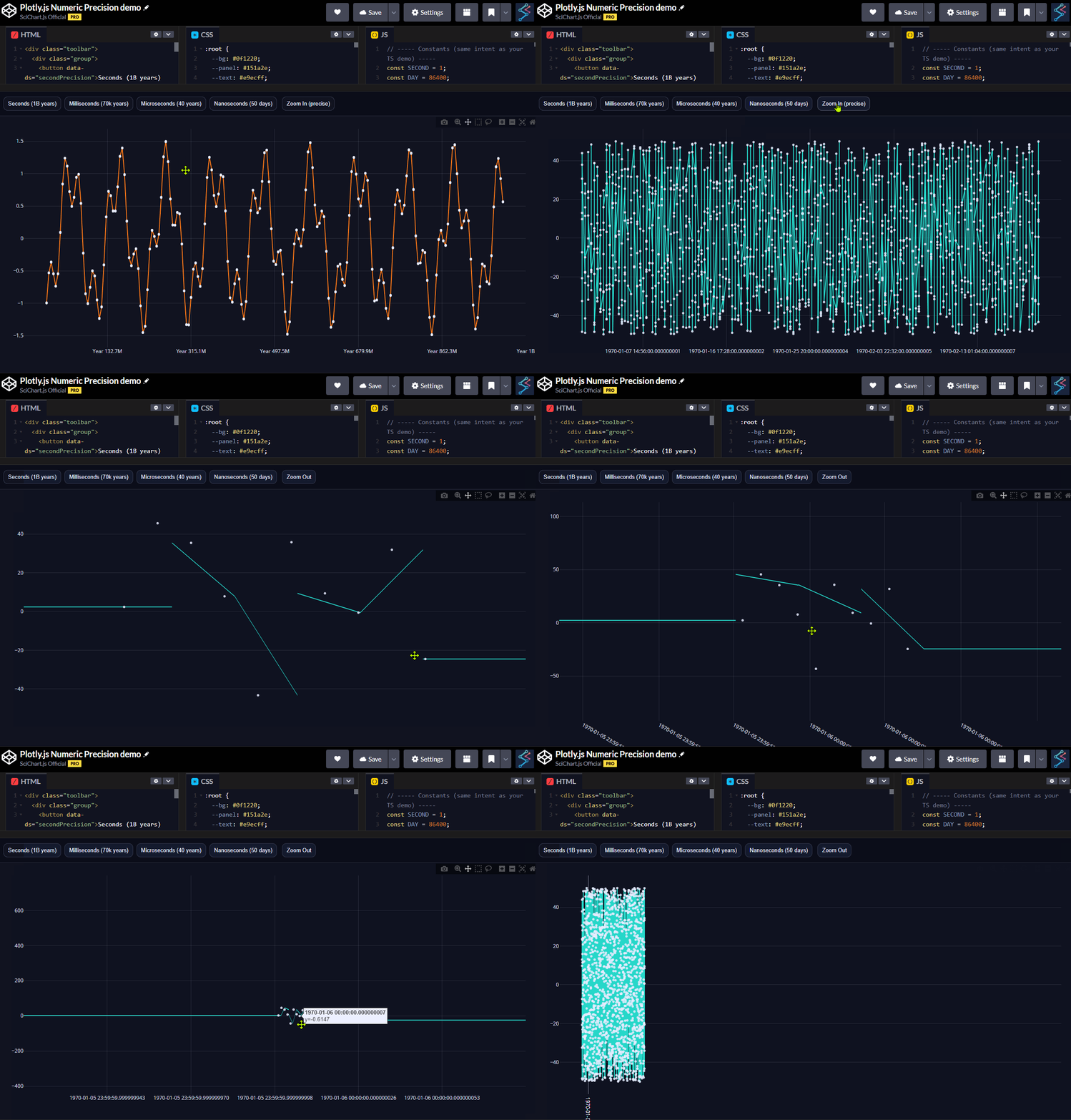
The demonstration uses a continuous dataset with no missing samples, making these discontinuities easy to observe and isolate.
Interpretation: These effects are not caused by missing data, but emerge as the visible time range approaches nanosecond resolution. This type of behaviour is commonly associated with floating-point precision limits in coordinate transforms when working across very large dynamic ranges.
No assumptions are made about Plotly.js’s internal implementation; the observations above are based solely on visible output using publicly available tooling.
SciChart is engineered for mission-critical dashboards in scientific, medical, industrial, automotive, and financial domains – environments where performance, numeric stability, and reliability cannot be compromised.
By supporting multiple timestamp formats (nanoseconds, microseconds, milliseconds, and seconds) while maintaining a wide usable data range, SciChart enables deep zoom into extremely fine levels of granularity – down to nanosecond timestamps – without the visual artefacts or instability commonly associated with numeric precision limits. This is achieved while preserving the high rendering performance, flexibility, and feature depth for which SciChart is known.
- At extreme zoom levels and very small time intervals, many systems implicitly trade precision for speed. SciChart is designed to avoid that trade-off. Its coordinate pipeline preserves numerical integrity across both large ranges and fine resolutions, allowing high-performance rendering without sacrificing precision.
- Rather than relying solely on 32-bit GPU math for coordinate transformations, SciChart maintains a 64-bit time representation prior to rendering, reducing the accumulation of rounding error when working across large dynamic ranges.
- This design is particularly relevant for time-series and telemetry data. Financial tick data, scientific instrumentation, and industrial sensor streams often require sub-millisecond, microsecond, or nanosecond accuracy while simultaneously visualising long histories – precisely the scenario SciChart is built to handle.
Recent Blogs

Queens Award for Innovation
Proud winners of the Queens Award for Innovation, 2019. Awarded on account of our innovative graphics engine which underpins the SciChart library and enables our world-beating charting performance

National Business Awards
Highly Commended for Lloyds National Business Awards, 2019. Awarded on account of our innovative graphics engine and impressive customer base

National Technology Awards
Awarded “Healthcare Tech of the Year” at the 2025 National Technology Awards – a top UK recognition for breakthrough innovation in technology.

Reviews
SciChart has received hundreds of verified, 3rd party reviews