

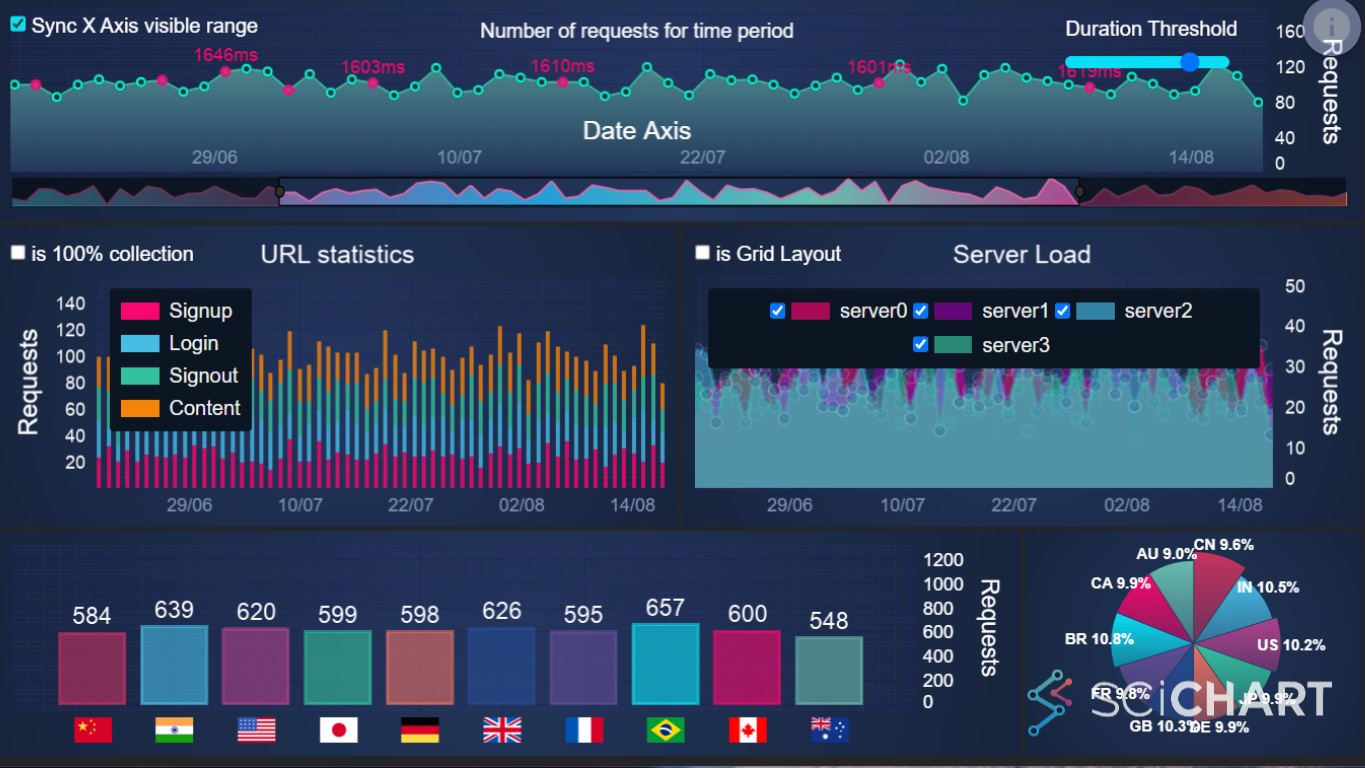
Building a Smith Chart in JavaScript: Inside the Rendering Pipeline
See how SciChart.js was extended to build a fully interactive Smith chart using standard APIs. This article highlights the flexibility of custom rendering and advanced interactions.

In this series we’re looking at comparisons of JavaScript chart libraries. JavaScript is a huge ecosystem with many frameworks, plugins and libraries allowing you to create charts and graphs in your applications. Choosing the right JavaScript chart for your application is something which requires careful consideration depending on your requirements. In these helpful guides, we’ll be comparing popular JavaScript Charts to help you make the right decision depending on your needs.
Today we’re looking at Apache eCharts, more commonly known as ‘eCharts’. We’re going to discuss what is eCharts, what are the pros and cons of eCharts, how to improve eCharts performance and, finally, an eCharts alternative for enterprise software applications.
eCharts is a free, open-source JavaScript library for data visualization, which supports a wide range of 2D and 3D chart types. It’s licensed under the permissive Apache 2.0 license and is renowned for being high performance and feature complete.
Based on HTML5 and Canvas, with some WebGL acceleration, for example in 3D charts, eCharts provides higher performance than standard SVG based or Canvas based libraries. It also has the ability to create complex dashboard visualizations.
For applications which have demanding requirements, complex dashboards, handling real-time streaming data or big data requirements one viable alternative is SciChart.js.
One of the differences about SciChart.js is it’s designed for demanding applications that require custom features, high performance, or complex visualizations and interactions.
We’ve carried out performance tests of SciChart.js vs. Apache eCharts using Chart Bench: an open-source JavaScript Chart Performance Comparison application on four test hardwares. This application measures FPS (Frames per second), Memory usage, Initialization Time (time to first frame) and Data Ingestion rate (datapoints per second).
Tests were carried out in a variety of demanding 2D/3D chart conditions, including Line Charts, Scatter Charts, Mountain/Area charts, Candlestick, Column, Multi-chart scenarios, 2D heatmaps, 3D Point Clouds and 3D Surface meshes.
These were then run on four pieces of hardware: Intel i9 / nVidia 4090 workstation ARM Snapdragon Mini PC, an Apple M1 Mini and a Raspberry Pi 5.
How Did SciChart Compare to eCharts in Performance Tests?
Choose the filters below to select which metric to analyze: FPS, Memory, Init time or Ingestion rate.
Filter by hardware to generate a new table and table summary of results.
Summary of FPS Results on Intel i9 + RTX 4090
When comparing the selected chart libraries (SciChart.js, eCharts) for the chosen metric (FPS – frames per second), in the specific tests performed by Chart Bench, the results were as follows:
- SciChart.js achieved the highest FPS in 98 out of 102 test configurations (96%), with an average of 153.4 FPS.
- eCharts placed second with 2 wins out of 102 configurations (avg 50.4 FPS).
- SciChart.js performed particularly well on Intel i9 + RTX 4090 for this metric, winning 98% of configurations — its strongest showing across all tested hardware.
Summary of Memory Results on Intel i9 + RTX 4090
When comparing the selected chart libraries (SciChart.js, eCharts) for the chosen metric (Memory – MB), in the specific tests performed by Chart Bench, the results were as follows:
- SciChart.js achieved the lowest memory usage in 86 out of 102 test configurations (84%), with an average of 419.9 MB.
- eCharts placed second with 14 wins out of 102 configurations (avg 371.6 MB).
- SciChart.js performed particularly well on Intel i9 + RTX 4090 for this metric, winning 86% of configurations — its strongest showing across all tested hardware.
Summary of Init Time Results on Intel i9 + RTX 4090
When comparing the selected chart libraries (SciChart.js, eCharts) for the chosen metric (Initialization Time – ms), in the specific tests performed by Chart Bench, the results were as follows:
- SciChart.js achieved the fastest initialization in 79 out of 102 test configurations (77%), with an average of 255 ms.
- eCharts placed second with 21 wins out of 102 configurations (avg 317 ms).
Summary of Ingestion Rate Results on Intel i9 + RTX 4090
When comparing the selected chart libraries (SciChart.js, eCharts) for the chosen metric (Data Ingestion Rate – points/sec), in the specific tests performed by Chart Bench, the results were as follows:
- SciChart.js achieved the highest ingestion rate in 90 out of 102 test configurations (88%), with an average of 35.6M pts/sec.
- eCharts placed second with 10 wins out of 102 configurations (avg 560K pts/sec).
| Test Case / Parameters | SciChart.js FPS | eCharts FPS | Fastest | % Faster |
|---|---|---|---|---|
| N line series M points | ||||
| 100 series × 100 pts | 235.3 | 83.0 | SciChart.js | +183% |
| 200 series × 200 pts | 235.9 | 36.7 | SciChart.js | +543% |
| 500 series × 500 pts | 129.0 | 7.9 | SciChart.js | +1533% |
| 1K series × 1K pts | 63.7 | 1.9 | SciChart.js | +3253% |
| 2K series × 2K pts | 27.4 | Hanging | SciChart.js | — |
| 4K series × 4K pts | 9.7 | Skipped | SciChart.js | — |
| 8K series × 8K pts | 2.2 | Skipped | SciChart.js | — |
| Brownian Motion Scatter Series | SciChart.js FPS | eCharts FPS | Fastest | % Faster |
| 1K pts | 237.0 | 210.2 | SciChart.js | +13% |
| 10K pts | 239.3 | 44.4 | SciChart.js | +439% |
| 50K pts | 239.2 | Hanging | SciChart.js | — |
| 100K pts | 239.4 | Skipped | SciChart.js | — |
| 200K pts | 237.5 | Skipped | SciChart.js | — |
| 500K pts | 98.7 | Skipped | SciChart.js | — |
| 1.0M pts | 59.3 | Skipped | SciChart.js | — |
| 5.0M pts | 10.5 | Skipped | SciChart.js | — |
| 10.0M pts | 5.4 | Skipped | SciChart.js | — |
| Line series which is unsorted in x | SciChart.js FPS | eCharts FPS | Fastest | % Faster |
| 1K pts | 237.0 | 62.4 | SciChart.js | +280% |
| 10K pts | 237.4 | 3.8 | SciChart.js | +6147% |
| 50K pts | 236.8 | 0.2 | SciChart.js | +118300% |
| 100K pts | 236.8 | Skipped | SciChart.js | — |
| 200K pts | 195.0 | Skipped | SciChart.js | — |
| 500K pts | 89.4 | Skipped | SciChart.js | — |
| 1.0M pts | 50.3 | Skipped | SciChart.js | — |
| 5.0M pts | 9.4 | Skipped | SciChart.js | — |
| 10.0M pts | 2.9 | Skipped | SciChart.js | — |
| Point series, sorted, updating y-values | SciChart.js FPS | eCharts FPS | Fastest | % Faster |
| 1K pts | 236.0 | 47.0 | SciChart.js | +402% |
| 10K pts | 237.0 | 5.8 | SciChart.js | +3986% |
| 50K pts | 236.9 | 0.6 | SciChart.js | +39383% |
| 100K pts | 236.7 | Skipped | SciChart.js | — |
| 200K pts | 235.6 | Skipped | SciChart.js | — |
| 500K pts | 127.0 | Skipped | SciChart.js | — |
| 1.0M pts | 84.6 | Skipped | SciChart.js | — |
| 5.0M pts | 19.4 | Skipped | SciChart.js | — |
| 10.0M pts | 10.1 | Skipped | SciChart.js | — |
| Column chart with data ascending in X | SciChart.js FPS | eCharts FPS | Fastest | % Faster |
| 1K pts | 235.5 | 20.8 | SciChart.js | +1032% |
| 10K pts | 238.6 | 95.3 | SciChart.js | +150% |
| 50K pts | 239.1 | 91.4 | SciChart.js | +162% |
| 100K pts | 239.1 | 34.1 | SciChart.js | +601% |
| 200K pts | 239.4 | Error | SciChart.js | — |
| 500K pts | 239.4 | Skipped | SciChart.js | — |
| 1.0M pts | 238.8 | Skipped | SciChart.js | — |
| 5.0M pts | 238.2 | Skipped | SciChart.js | — |
| 10.0M pts | 237.0 | Skipped | SciChart.js | — |
| Candlestick series test | SciChart.js FPS | eCharts FPS | Fastest | % Faster |
| 1K pts | 236.1 | 230.1 | SciChart.js | +3% |
| 10K pts | 236.2 | 139.5 | SciChart.js | +69% |
| 50K pts | 234.7 | 46.5 | SciChart.js | +405% |
| 100K pts | 234.8 | 28.3 | SciChart.js | +730% |
| 200K pts | 233.6 | 16.0 | SciChart.js | +1360% |
| 500K pts | 234.5 | 7.6 | SciChart.js | +2986% |
| 1.0M pts | 234.7 | 3.7 | SciChart.js | +6243% |
| 5.0M pts | 232.7 | Hanging | SciChart.js | — |
| 10.0M pts | 228.0 | Skipped | SciChart.js | — |
| FIFO / ECG Chart Performance Test | SciChart.js FPS | eCharts FPS | Fastest | % Faster |
| 5 series, 100 pts | 235.8 | 212.9 | SciChart.js | +11% |
| 5 series, 10K pts | 234.8 | 17.1 | SciChart.js | +1273% |
| 5 series, 100K pts | 206.7 | 1.6 | SciChart.js | +12819% |
| 5 series, 1.0M pts | 61.3 | Hanging | SciChart.js | — |
| 5 series, 5.0M pts | 22.3 | Skipped | SciChart.js | — |
| 5 series, 10.0M pts | 17.8 | Skipped | SciChart.js | — |
| Mountain Chart Performance Test | SciChart.js FPS | eCharts FPS | Fastest | % Faster |
| 1K pts | 238.3 | 197.7 | SciChart.js | +21% |
| 10K pts | 239.3 | 94.5 | SciChart.js | +153% |
| 50K pts | 238.8 | 30.4 | SciChart.js | +686% |
| 100K pts | 237.5 | 15.6 | SciChart.js | +1422% |
| 200K pts | 236.2 | 7.0 | SciChart.js | +3274% |
| 500K pts | 239.5 | 2.3 | SciChart.js | +10313% |
| 1.0M pts | 239.4 | 0.9 | SciChart.js | +26500% |
| 5.0M pts | 237.0 | Skipped | SciChart.js | — |
| 10.0M pts | 236.0 | Skipped | SciChart.js | — |
| Series Compression Test | SciChart.js FPS | eCharts FPS | Fastest | % Faster |
| 1K pts, incr 100 | 238.2 | 86.8 | SciChart.js | +174% |
| 10K pts, incr 1K | 239.1 | 26.9 | SciChart.js | +789% |
| 100K pts, incr 10K | 173.6 | 6.2 | SciChart.js | +2700% |
| 1.0M pts, incr 100K | 69.4 | 0.6 | SciChart.js | +11467% |
| 10.0M pts, incr 1.0M | 21.8 | Skipped | SciChart.js | — |
| Multi Chart Performance Test | SciChart.js FPS | eCharts FPS | Fastest | % Faster |
| 1 chart | 155.7 | 4.8 | SciChart.js | +3144% |
| 2 charts | 124.7 | Hanging | SciChart.js | — |
| 4 charts | 103.8 | Skipped | SciChart.js | — |
| 8 charts | 71.1 | Skipped | SciChart.js | — |
| 16 charts | 42.8 | Skipped | SciChart.js | — |
| 32 charts | 26.8 | Skipped | SciChart.js | — |
| 64 charts | 12.5 | Skipped | SciChart.js | — |
| 128 charts | 7.9 | Skipped | SciChart.js | — |
| Uniform Heatmap Performance Test | SciChart.js FPS | eCharts FPS | Fastest | % Faster |
| 100 pts | 235.7 | 19.2 | SciChart.js | +1128% |
| 200 pts | 235.8 | 5.2 | SciChart.js | +4435% |
| 500 pts | 143.6 | 0.7 | SciChart.js | +20414% |
| 1K pts | 40.0 | Skipped | SciChart.js | — |
| 2K pts | 9.5 | Skipped | SciChart.js | — |
| 4K pts | 2.3 | Skipped | SciChart.js | — |
| 8K pts | 0.5 | Skipped | SciChart.js | — |
| 16K pts | Skipped | Skipped | — | |
| 3D Point Cloud Performance Test | SciChart.js FPS | eCharts FPS | Fastest | % Faster |
| 100 pts | 228.3 | 229.4 | eCharts | +0% |
| 1K pts | 230.2 | 239.7 | eCharts | -4% |
| 10K pts | 229.5 | 82.4 | SciChart.js | +179% |
| 100K pts | 121.3 | 8.6 | SciChart.js | +1310% |
| 1.0M pts | 15.1 | 1.2 | SciChart.js | +1158% |
| 2.0M pts | 7.5 | 0.7 | SciChart.js | +971% |
| 4.0M pts | 3.5 | Skipped | SciChart.js | — |
| 3D Surface Performance Test | SciChart.js FPS | eCharts FPS | Fastest | % Faster |
| 100 pts | 229.2 | 40.9 | SciChart.js | +460% |
| 200 pts | 231.4 | 15.0 | SciChart.js | +1443% |
| 500 pts | 95.6 | 2.4 | SciChart.js | +3883% |
| 1K pts | 27.7 | 0.5 | SciChart.js | +5440% |
| 2K pts | 6.0 | Skipped | SciChart.js | — |
| 4K pts | 1.3 | Skipped | SciChart.js | — |
| 8K pts | Hanging | Skipped | — | |
| Average (all configs) | 153.4 | 50.4 | 1st SciChart.js × 98 2nd eCharts × 2 | +5956% |
Summary of FPS Results on ARM Snapdragon
When comparing the selected chart libraries (SciChart.js, eCharts) for the chosen metric (FPS – frames per second), in the specific tests performed by Chart Bench, the results were as follows:
- SciChart.js achieved the highest FPS in 90 out of 102 test configurations (88%), with an average of 46.5 FPS.
- eCharts placed second with 8 wins out of 102 configurations (avg 25.0 FPS).
Summary of Memory Results on ARM Snapdragon
When comparing the selected chart libraries (SciChart.js, eCharts) for the chosen metric (Memory – MB), in the specific tests performed by Chart Bench, the results were as follows:
- SciChart.js achieved the lowest memory usage in 77 out of 102 test configurations (75%), with an average of 359.4 MB.
- eCharts placed second with 21 wins out of 102 configurations (avg 351.3 MB).
Summary of Init Time Results on ARM Snapdragon
When comparing the selected chart libraries (SciChart.js, eCharts) for the chosen metric (Initialization Time – ms), in the specific tests performed by Chart Bench, the results were as follows:
- SciChart.js achieved the fastest initialization in 74 out of 102 test configurations (73%), with an average of 255 ms.
- eCharts placed second with 24 wins out of 102 configurations (avg 367 ms).
Summary of Ingestion Rate Results on ARM Snapdragon
When comparing the selected chart libraries (SciChart.js, eCharts) for the chosen metric (Data Ingestion Rate – points/sec), in the specific tests performed by Chart Bench, the results were as follows:
- SciChart.js achieved the highest ingestion rate in 87 out of 102 test configurations (85%), with an average of 22.3M pts/sec.
- eCharts placed second with 11 wins out of 102 configurations (avg 473K pts/sec).
| Test Case / Parameters | SciChart.js FPS | eCharts FPS | Fastest | % Faster |
|---|---|---|---|---|
| N line series M points | ||||
| 100 series × 100 pts | 58.8 | 56.5 | SciChart.js | +4% |
| 200 series × 200 pts | 58.7 | 30.2 | SciChart.js | +94% |
| 500 series × 500 pts | 57.7 | 6.9 | SciChart.js | +736% |
| 1K series × 1K pts | 41.6 | 1.9 | SciChart.js | +2089% |
| 2K series × 2K pts | 17.1 | Hanging | SciChart.js | — |
| 4K series × 4K pts | 3.9 | Skipped | SciChart.js | — |
| 8K series × 8K pts | Hanging | Skipped | — | |
| Brownian Motion Scatter Series | SciChart.js FPS | eCharts FPS | Fastest | % Faster |
| 1K pts | 59.3 | 56.9 | SciChart.js | +4% |
| 10K pts | 59.1 | 44.2 | SciChart.js | +34% |
| 50K pts | 59.1 | Hanging | SciChart.js | — |
| 100K pts | 59.1 | Skipped | SciChart.js | — |
| 200K pts | 59.2 | Skipped | SciChart.js | — |
| 500K pts | 59.5 | Skipped | SciChart.js | — |
| 1.0M pts | 39.7 | Skipped | SciChart.js | — |
| 5.0M pts | 7.1 | Skipped | SciChart.js | — |
| 10.0M pts | 3.6 | Skipped | SciChart.js | — |
| Line series which is unsorted in x | SciChart.js FPS | eCharts FPS | Fastest | % Faster |
| 1K pts | 59.0 | 57.2 | SciChart.js | +3% |
| 10K pts | 59.5 | 2.9 | SciChart.js | +1952% |
| 50K pts | 59.5 | 0.1 | SciChart.js | +59400% |
| 100K pts | 59.5 | Skipped | SciChart.js | — |
| 200K pts | 56.2 | Skipped | SciChart.js | — |
| 500K pts | 24.5 | Skipped | SciChart.js | — |
| 1.0M pts | 13.7 | Skipped | SciChart.js | — |
| 5.0M pts | 2.4 | Skipped | SciChart.js | — |
| 10.0M pts | 1.0 | Skipped | SciChart.js | — |
| Point series, sorted, updating y-values | SciChart.js FPS | eCharts FPS | Fastest | % Faster |
| 1K pts | 58.9 | 28.9 | SciChart.js | +104% |
| 10K pts | 59.1 | 3.2 | SciChart.js | +1747% |
| 50K pts | 59.1 | 0.6 | SciChart.js | +9750% |
| 100K pts | 59.1 | Skipped | SciChart.js | — |
| 200K pts | 59.1 | Skipped | SciChart.js | — |
| 500K pts | 58.9 | Skipped | SciChart.js | — |
| 1.0M pts | 54.8 | Skipped | SciChart.js | — |
| 5.0M pts | 8.8 | Skipped | SciChart.js | — |
| 10.0M pts | 3.3 | Skipped | SciChart.js | — |
| Column chart with data ascending in X | SciChart.js FPS | eCharts FPS | Fastest | % Faster |
| 1K pts | 55.5 | 4.9 | SciChart.js | +1033% |
| 10K pts | 59.1 | 51.9 | SciChart.js | +14% |
| 50K pts | 59.1 | 59.7 | eCharts | -1% |
| 100K pts | 59.1 | 59.5 | eCharts | -1% |
| 200K pts | 59.2 | Error | SciChart.js | — |
| 500K pts | 59.3 | Skipped | SciChart.js | — |
| 1.0M pts | 59.6 | Skipped | SciChart.js | — |
| 5.0M pts | 59.3 | Skipped | SciChart.js | — |
| 10.0M pts | 59.7 | Skipped | SciChart.js | — |
| Candlestick series test | SciChart.js FPS | eCharts FPS | Fastest | % Faster |
| 1K pts | 58.2 | 57.0 | SciChart.js | +2% |
| 10K pts | 59.0 | 59.3 | eCharts | -1% |
| 50K pts | 59.5 | 53.7 | SciChart.js | +11% |
| 100K pts | 59.2 | 31.6 | SciChart.js | +87% |
| 200K pts | 59.4 | 16.0 | SciChart.js | +271% |
| 500K pts | 59.0 | 6.9 | SciChart.js | +755% |
| 1.0M pts | 59.3 | 3.4 | SciChart.js | +1644% |
| 5.0M pts | 58.2 | Hanging | SciChart.js | — |
| 10.0M pts | 57.4 | Skipped | SciChart.js | — |
| FIFO / ECG Chart Performance Test | SciChart.js FPS | eCharts FPS | Fastest | % Faster |
| 5 series, 100 pts | 58.9 | 56.8 | SciChart.js | +4% |
| 5 series, 10K pts | 59.2 | 21.4 | SciChart.js | +177% |
| 5 series, 100K pts | 59.2 | 1.9 | SciChart.js | +3016% |
| 5 series, 1.0M pts | 59.3 | Hanging | SciChart.js | — |
| 5 series, 5.0M pts | 32.4 | Skipped | SciChart.js | — |
| 5 series, 10.0M pts | 25.7 | Skipped | SciChart.js | — |
| Mountain Chart Performance Test | SciChart.js FPS | eCharts FPS | Fastest | % Faster |
| 1K pts | 56.2 | 57.1 | eCharts | -2% |
| 10K pts | 59.1 | 59.5 | eCharts | -1% |
| 50K pts | 59.1 | 24.7 | SciChart.js | +139% |
| 100K pts | 59.1 | 12.2 | SciChart.js | +384% |
| 200K pts | 59.2 | 4.9 | SciChart.js | +1108% |
| 500K pts | 59.3 | 1.8 | SciChart.js | +3194% |
| 1.0M pts | 59.6 | 0.7 | SciChart.js | +8414% |
| 5.0M pts | 59.7 | Skipped | SciChart.js | — |
| 10.0M pts | 59.1 | Skipped | SciChart.js | — |
| Series Compression Test | SciChart.js FPS | eCharts FPS | Fastest | % Faster |
| 1K pts, incr 100 | 59.3 | 56.4 | SciChart.js | +5% |
| 10K pts, incr 1K | 59.1 | 22.5 | SciChart.js | +163% |
| 100K pts, incr 10K | 58.7 | 5.0 | SciChart.js | +1074% |
| 1.0M pts, incr 100K | 52.1 | 0.5 | SciChart.js | +10320% |
| 10.0M pts, incr 1.0M | 23.8 | Skipped | SciChart.js | — |
| Multi Chart Performance Test | SciChart.js FPS | eCharts FPS | Fastest | % Faster |
| 1 chart | 58.6 | 4.6 | SciChart.js | +1174% |
| 2 charts | 59.3 | Hanging | SciChart.js | — |
| 4 charts | 59.4 | Skipped | SciChart.js | — |
| 8 charts | 58.6 | Skipped | SciChart.js | — |
| 16 charts | 49.2 | Skipped | SciChart.js | — |
| 32 charts | 29.7 | Skipped | SciChart.js | — |
| 64 charts | 17.2 | Skipped | SciChart.js | — |
| 128 charts | 7.4 | Skipped | SciChart.js | — |
| Uniform Heatmap Performance Test | SciChart.js FPS | eCharts FPS | Fastest | % Faster |
| 100 pts | 58.8 | 14.8 | SciChart.js | +297% |
| 200 pts | 59.2 | 4.6 | SciChart.js | +1187% |
| 500 pts | 59.3 | 0.7 | SciChart.js | +8371% |
| 1K pts | 46.3 | Skipped | SciChart.js | — |
| 2K pts | 10.6 | Skipped | SciChart.js | — |
| 4K pts | 2.5 | Skipped | SciChart.js | — |
| 8K pts | Hanging | Skipped | — | |
| 16K pts | Skipped | Skipped | — | |
| 3D Point Cloud Performance Test | SciChart.js FPS | eCharts FPS | Fastest | % Faster |
| 100 pts | 55.7 | 57.1 | eCharts | -2% |
| 1K pts | 56.8 | 59.8 | eCharts | -5% |
| 10K pts | 57.9 | 59.2 | eCharts | -2% |
| 100K pts | 57.7 | 8.5 | SciChart.js | +579% |
| 1.0M pts | 12.4 | 1.2 | SciChart.js | +933% |
| 2.0M pts | 6.1 | 0.6 | SciChart.js | +917% |
| 4.0M pts | 2.8 | Skipped | SciChart.js | — |
| 3D Surface Performance Test | SciChart.js FPS | eCharts FPS | Fastest | % Faster |
| 100 pts | 55.9 | 30.8 | SciChart.js | +81% |
| 200 pts | 57.8 | 12.9 | SciChart.js | +348% |
| 500 pts | 57.5 | 2.2 | SciChart.js | +2514% |
| 1K pts | 21.0 | 0.5 | SciChart.js | +4100% |
| 2K pts | 5.0 | Skipped | SciChart.js | — |
| 4K pts | 1.1 | Skipped | SciChart.js | — |
| 8K pts | Hanging | Skipped | — | |
| Average (all configs) | 46.5 | 25.0 | 1st SciChart.js × 90 2nd eCharts × 8 | +2514% |
Summary of FPS Results on Apple M1 (8 GB)
When comparing the selected chart libraries (SciChart.js, eCharts) for the chosen metric (FPS – frames per second), in the specific tests performed by Chart Bench, the results were as follows:
- SciChart.js achieved the highest FPS in 91 out of 102 test configurations (89%), with an average of 45.5 FPS.
- eCharts placed second with 9 wins out of 102 configurations (avg 22.0 FPS).
Summary of Memory Results on Apple M1 (8 GB)
Memory data is not available for Apple M1. Tests on this hardware were recorded using Safari, which does not support the performance.memory JavaScript API used to measure memory consumption.
Summary of Init Time Results on Apple M1 (8 GB)
When comparing the selected chart libraries (SciChart.js, eCharts) for the chosen metric (Initialization Time – ms), in the specific tests performed by Chart Bench, the results were as follows:
- SciChart.js achieved the fastest initialization in 76 out of 102 test configurations (75%), with an average of 265 ms.
- eCharts placed second with 24 wins out of 102 configurations (avg 423 ms).
Summary of Ingestion Rate Results on Apple M1 (8 GB)
When comparing the selected chart libraries (SciChart.js, eCharts) for the chosen metric (Data Ingestion Rate – points/sec), in the specific tests performed by Chart Bench, the results were as follows:
- SciChart.js achieved the highest ingestion rate in 87 out of 102 test configurations (85%), with an average of 24.3M pts/sec.
- eCharts placed second with 13 wins out of 102 configurations (avg 727K pts/sec).
| Test Case / Parameters | SciChart.js FPS | eCharts FPS | Fastest | % Faster |
|---|---|---|---|---|
| N line series M points | ||||
| 100 series × 100 pts | 58.9 | 57.4 | SciChart.js | +3% |
| 200 series × 200 pts | 58.7 | 30.5 | SciChart.js | +92% |
| 500 series × 500 pts | 57.4 | 6.6 | SciChart.js | +770% |
| 1K series × 1K pts | 26.4 | 1.8 | SciChart.js | +1367% |
| 2K series × 2K pts | 10.3 | 0.4 | SciChart.js | +2475% |
| 4K series × 4K pts | 3.2 | Skipped | SciChart.js | — |
| 8K series × 8K pts | 0.6 | Skipped | SciChart.js | — |
| Brownian Motion Scatter Series | SciChart.js FPS | eCharts FPS | Fastest | % Faster |
| 1K pts | 57.5 | 57.7 | eCharts | +0% |
| 10K pts | 59.1 | 39.7 | SciChart.js | +49% |
| 50K pts | 59.2 | 6.9 | SciChart.js | +758% |
| 100K pts | 59.1 | 4.5 | SciChart.js | +1213% |
| 200K pts | 59.2 | 2.0 | SciChart.js | +2860% |
| 500K pts | 59.4 | 0.6 | SciChart.js | +9800% |
| 1.0M pts | 57.2 | Skipped | SciChart.js | — |
| 5.0M pts | 11.2 | Skipped | SciChart.js | — |
| 10.0M pts | 5.4 | Skipped | SciChart.js | — |
| Line series which is unsorted in x | SciChart.js FPS | eCharts FPS | Fastest | % Faster |
| 1K pts | 58.9 | 57.8 | SciChart.js | +2% |
| 10K pts | 58.9 | 59.4 | eCharts | -1% |
| 50K pts | 58.9 | 19.8 | SciChart.js | +197% |
| 100K pts | 58.5 | 10.2 | SciChart.js | +474% |
| 200K pts | 35.0 | 4.9 | SciChart.js | +614% |
| 500K pts | 15.4 | 1.9 | SciChart.js | +711% |
| 1.0M pts | 8.2 | 0.8 | SciChart.js | +925% |
| 5.0M pts | 1.6 | Skipped | SciChart.js | — |
| 10.0M pts | 0.8 | Skipped | SciChart.js | — |
| Point series, sorted, updating y-values | SciChart.js FPS | eCharts FPS | Fastest | % Faster |
| 1K pts | 58.7 | 57.7 | SciChart.js | +2% |
| 10K pts | 58.7 | 12.9 | SciChart.js | +355% |
| 50K pts | 58.9 | 2.5 | SciChart.js | +2256% |
| 100K pts | 58.9 | 1.3 | SciChart.js | +4431% |
| 200K pts | 58.9 | 0.7 | SciChart.js | +8314% |
| 500K pts | 58.8 | Skipped | SciChart.js | — |
| 1.0M pts | 58.9 | Skipped | SciChart.js | — |
| 5.0M pts | 40.9 | Skipped | SciChart.js | — |
| 10.0M pts | 23.4 | Skipped | SciChart.js | — |
| Column chart with data ascending in X | SciChart.js FPS | eCharts FPS | Fastest | % Faster |
| 1K pts | 56.0 | 55.8 | SciChart.js | +0% |
| 10K pts | 59.2 | 59.3 | eCharts | +0% |
| 50K pts | 59.2 | 56.0 | SciChart.js | +6% |
| 100K pts | 59.2 | 37.0 | SciChart.js | +60% |
| 200K pts | 59.2 | 17.8 | SciChart.js | +233% |
| 500K pts | 59.3 | 8.9 | SciChart.js | +566% |
| 1.0M pts | 59.4 | Error | SciChart.js | — |
| 5.0M pts | 59.4 | Skipped | SciChart.js | — |
| 10.0M pts | 59.5 | Skipped | SciChart.js | — |
| Candlestick series test | SciChart.js FPS | eCharts FPS | Fastest | % Faster |
| 1K pts | 58.5 | 57.8 | SciChart.js | +1% |
| 10K pts | 58.9 | 59.3 | eCharts | -1% |
| 50K pts | 58.8 | 52.8 | SciChart.js | +11% |
| 100K pts | 58.7 | 34.4 | SciChart.js | +71% |
| 200K pts | 58.8 | 19.4 | SciChart.js | +203% |
| 500K pts | 58.8 | 8.5 | SciChart.js | +592% |
| 1.0M pts | 58.6 | 4.3 | SciChart.js | +1263% |
| 5.0M pts | 57.9 | Hanging | SciChart.js | — |
| 10.0M pts | 53.3 | Skipped | SciChart.js | — |
| FIFO / ECG Chart Performance Test | SciChart.js FPS | eCharts FPS | Fastest | % Faster |
| 5 series, 100 pts | 58.9 | 57.7 | SciChart.js | +2% |
| 5 series, 10K pts | 59.0 | 19.3 | SciChart.js | +206% |
| 5 series, 100K pts | 58.8 | 1.8 | SciChart.js | +3167% |
| 5 series, 1.0M pts | 58.7 | Hanging | SciChart.js | — |
| 5 series, 5.0M pts | 58.1 | Skipped | SciChart.js | — |
| 5 series, 10.0M pts | 40.1 | Skipped | SciChart.js | — |
| Mountain Chart Performance Test | SciChart.js FPS | eCharts FPS | Fastest | % Faster |
| 1K pts | 55.3 | 57.9 | eCharts | -4% |
| 10K pts | 55.1 | 59.4 | eCharts | -7% |
| 50K pts | 59.4 | 22.4 | SciChart.js | +165% |
| 100K pts | 59.1 | 11.6 | SciChart.js | +409% |
| 200K pts | 59.2 | 5.7 | SciChart.js | +939% |
| 500K pts | 57.3 | 2.1 | SciChart.js | +2629% |
| 1.0M pts | 57.5 | 1.1 | SciChart.js | +5127% |
| 5.0M pts | 57.6 | Hanging | SciChart.js | — |
| 10.0M pts | 57.6 | Skipped | SciChart.js | — |
| Series Compression Test | SciChart.js FPS | eCharts FPS | Fastest | % Faster |
| 1K pts, incr 100 | 57.6 | 57.3 | SciChart.js | +1% |
| 10K pts, incr 1K | 59.1 | 24.6 | SciChart.js | +140% |
| 100K pts, incr 10K | 59.1 | 6.3 | SciChart.js | +838% |
| 1.0M pts, incr 100K | 56.6 | 0.8 | SciChart.js | +6975% |
| 10.0M pts, incr 1.0M | 29.8 | Skipped | SciChart.js | — |
| Multi Chart Performance Test | SciChart.js FPS | eCharts FPS | Fastest | % Faster |
| 1 chart | 59.4 | 5.9 | SciChart.js | +907% |
| 2 charts | 59.2 | 3.0 | SciChart.js | +1873% |
| 4 charts | 59.0 | 2.1 | SciChart.js | +2710% |
| 8 charts | 55.3 | 1.1 | SciChart.js | +4927% |
| 16 charts | 26.4 | 0.3 | SciChart.js | +8700% |
| 32 charts | 13.4 | Skipped | SciChart.js | — |
| 64 charts | 5.4 | Skipped | SciChart.js | — |
| 128 charts | 2.8 | Skipped | SciChart.js | — |
| Uniform Heatmap Performance Test | SciChart.js FPS | eCharts FPS | Fastest | % Faster |
| 100 pts | 58.7 | 26.9 | SciChart.js | +118% |
| 200 pts | 59.0 | 8.8 | SciChart.js | +570% |
| 500 pts | 59.0 | 1.4 | SciChart.js | +4114% |
| 1K pts | 42.2 | 0.3 | SciChart.js | +13967% |
| 2K pts | 7.0 | Skipped | SciChart.js | — |
| 4K pts | 1.7 | Skipped | SciChart.js | — |
| 8K pts | 1.9 | Skipped | SciChart.js | — |
| 16K pts | Hanging | Skipped | — | |
| 3D Point Cloud Performance Test | SciChart.js FPS | eCharts FPS | Fastest | % Faster |
| 100 pts | 51.4 | 57.8 | eCharts | -11% |
| 1K pts | 57.9 | 59.6 | eCharts | -3% |
| 10K pts | 57.8 | 59.6 | eCharts | -3% |
| 100K pts | 57.7 | 15.1 | SciChart.js | +282% |
| 1.0M pts | 16.7 | 2.6 | SciChart.js | +542% |
| 2.0M pts | 8.3 | 1.7 | SciChart.js | +388% |
| 4.0M pts | 4.2 | 0.3 | SciChart.js | +1300% |
| 3D Surface Performance Test | SciChart.js FPS | eCharts FPS | Fastest | % Faster |
| 100 pts | 54.7 | 36.8 | SciChart.js | +49% |
| 200 pts | 57.4 | 15.6 | SciChart.js | +268% |
| 500 pts | 56.8 | 2.4 | SciChart.js | +2267% |
| 1K pts | 27.3 | 0.7 | SciChart.js | +3800% |
| 2K pts | 8.4 | Skipped | SciChart.js | — |
| 4K pts | 1.7 | Skipped | SciChart.js | — |
| 8K pts | Hanging | Skipped | — | |
| Average (all configs) | 45.5 | 22.0 | 1st SciChart.js × 91 2nd eCharts × 9 | +1543% |
Summary of FPS Results on Raspberry Pi 5 (8 GB)
When comparing the selected chart libraries (SciChart.js, eCharts) for the chosen metric (FPS – frames per second), in the specific tests performed by Chart Bench, the results were as follows:
- SciChart.js achieved the highest FPS in 87 out of 102 test configurations (85%), with an average of 20.6 FPS.
- eCharts placed second with 4 wins out of 102 configurations (avg 12.1 FPS).
Summary of Memory Results on Raspberry Pi 5 (8 GB)
When comparing the selected chart libraries (SciChart.js, eCharts) for the chosen metric (Memory – MB), in the specific tests performed by Chart Bench, the results were as follows:
- SciChart.js achieved the lowest memory usage in 69 out of 102 test configurations (68%), with an average of 313.4 MB.
- eCharts placed second with 22 wins out of 102 configurations (avg 257.7 MB).
Summary of Init Time Results on Raspberry Pi 5 (8 GB)
When comparing the selected chart libraries (SciChart.js, eCharts) for the chosen metric (Initialization Time – ms), in the specific tests performed by Chart Bench, the results were as follows:
- SciChart.js achieved the fastest initialization in 75 out of 102 test configurations (74%), with an average of 441 ms.
- eCharts placed second with 16 wins out of 102 configurations (avg 588 ms).
- SciChart.js performed particularly well on Raspberry Pi 5 (8 GB) for this metric, winning 82% of configurations — its strongest showing across all tested hardware.
Summary of Ingestion Rate Results on Raspberry Pi 5 (8 GB)
When comparing the selected chart libraries (SciChart.js, eCharts) for the chosen metric (Data Ingestion Rate – points/sec), in the specific tests performed by Chart Bench, the results were as follows:
- SciChart.js achieved the highest ingestion rate in 84 out of 102 test configurations (82%), with an average of 4.6M pts/sec.
- eCharts placed second with 7 wins out of 102 configurations (avg 179K pts/sec).
- SciChart.js performed particularly well on Raspberry Pi 5 (8 GB) for this metric, winning 92% of configurations — its strongest showing across all tested hardware.
| Test Case / Parameters | SciChart.js FPS | eCharts FPS | Fastest | % Faster |
|---|---|---|---|---|
| N line series M points | ||||
| 100 series × 100 pts | 28.9 | 17.0 | SciChart.js | +70% |
| 200 series × 200 pts | 28.0 | 9.4 | SciChart.js | +198% |
| 500 series × 500 pts | 11.2 | 2.3 | SciChart.js | +387% |
| 1K series × 1K pts | 3.9 | 0.7 | SciChart.js | +457% |
| 2K series × 2K pts | 1.1 | Skipped | SciChart.js | — |
| 4K series × 4K pts | Hanging | Skipped | — | |
| 8K series × 8K pts | Skipped | Skipped | — | |
| Brownian Motion Scatter Series | SciChart.js FPS | eCharts FPS | Fastest | % Faster |
| 1K pts | 29.4 | 27.7 | SciChart.js | +6% |
| 10K pts | 29.2 | 20.5 | SciChart.js | +42% |
| 50K pts | 28.4 | Hanging | SciChart.js | — |
| 100K pts | 22.2 | Skipped | SciChart.js | — |
| 200K pts | 14.9 | Skipped | SciChart.js | — |
| 500K pts | 7.8 | Skipped | SciChart.js | — |
| 1.0M pts | 4.4 | Skipped | SciChart.js | — |
| 5.0M pts | 1.4 | Skipped | SciChart.js | — |
| 10.0M pts | Hanging | Skipped | — | |
| Line series which is unsorted in x | SciChart.js FPS | eCharts FPS | Fastest | % Faster |
| 1K pts | 29.2 | 27.4 | SciChart.js | +7% |
| 10K pts | 29.3 | 23.5 | SciChart.js | +25% |
| 50K pts | 14.3 | 5.2 | SciChart.js | +175% |
| 100K pts | 8.6 | 2.4 | SciChart.js | +258% |
| 200K pts | 4.7 | 1.2 | SciChart.js | +292% |
| 500K pts | 2.1 | 0.4 | SciChart.js | +425% |
| 1.0M pts | 1.0 | Skipped | SciChart.js | — |
| 5.0M pts | Skipped | Skipped | — | |
| 10.0M pts | Skipped | Skipped | — | |
| Point series, sorted, updating y-values | SciChart.js FPS | eCharts FPS | Fastest | % Faster |
| 1K pts | 28.7 | 19.2 | SciChart.js | +49% |
| 10K pts | 29.2 | 3.5 | SciChart.js | +734% |
| 50K pts | 25.9 | 0.5 | SciChart.js | +5080% |
| 100K pts | 18.0 | Skipped | SciChart.js | — |
| 200K pts | 11.1 | Skipped | SciChart.js | — |
| 500K pts | 5.3 | Skipped | SciChart.js | — |
| 1.0M pts | 3.2 | Skipped | SciChart.js | — |
| 5.0M pts | 0.8 | Skipped | SciChart.js | — |
| 10.0M pts | Skipped | Skipped | — | |
| Column chart with data ascending in X | SciChart.js FPS | eCharts FPS | Fastest | % Faster |
| 1K pts | 29.5 | 27.4 | SciChart.js | +8% |
| 10K pts | 29.2 | 29.5 | eCharts | -1% |
| 50K pts | 29.2 | 27.5 | SciChart.js | +6% |
| 100K pts | 29.2 | 22.4 | SciChart.js | +30% |
| 200K pts | 29.2 | Error | SciChart.js | — |
| 500K pts | 29.4 | Skipped | SciChart.js | — |
| 1.0M pts | 29.6 | Skipped | SciChart.js | — |
| 5.0M pts | 29.7 | Skipped | SciChart.js | — |
| 10.0M pts | 29.4 | Skipped | SciChart.js | — |
| Candlestick series test | SciChart.js FPS | eCharts FPS | Fastest | % Faster |
| 1K pts | 28.6 | 27.9 | SciChart.js | +3% |
| 10K pts | 29.0 | 29.4 | eCharts | -1% |
| 50K pts | 29.3 | 15.9 | SciChart.js | +84% |
| 100K pts | 29.3 | 9.2 | SciChart.js | +218% |
| 200K pts | 29.2 | 4.9 | SciChart.js | +496% |
| 500K pts | 29.4 | 2.0 | SciChart.js | +1370% |
| 1.0M pts | 29.1 | 1.0 | SciChart.js | +2810% |
| 5.0M pts | 28.9 | Skipped | SciChart.js | — |
| 10.0M pts | 28.3 | Skipped | SciChart.js | — |
| FIFO / ECG Chart Performance Test | SciChart.js FPS | eCharts FPS | Fastest | % Faster |
| 5 series, 100 pts | 29.0 | 27.6 | SciChart.js | +5% |
| 5 series, 10K pts | 29.3 | 6.3 | SciChart.js | +365% |
| 5 series, 100K pts | 28.0 | 0.5 | SciChart.js | +5500% |
| 5 series, 1.0M pts | 27.8 | Skipped | SciChart.js | — |
| 5 series, 5.0M pts | 12.4 | Skipped | SciChart.js | — |
| 5 series, 10.0M pts | 9.5 | Skipped | SciChart.js | — |
| Mountain Chart Performance Test | SciChart.js FPS | eCharts FPS | Fastest | % Faster |
| 1K pts | 29.6 | 27.8 | SciChart.js | +6% |
| 10K pts | 29.2 | 26.5 | SciChart.js | +10% |
| 50K pts | 29.1 | 8.1 | SciChart.js | +259% |
| 100K pts | 29.4 | 4.1 | SciChart.js | +617% |
| 200K pts | 29.2 | 2.0 | SciChart.js | +1360% |
| 500K pts | 29.3 | 0.7 | SciChart.js | +4086% |
| 1.0M pts | 29.6 | Skipped | SciChart.js | — |
| 5.0M pts | 29.7 | Skipped | SciChart.js | — |
| 10.0M pts | 29.4 | Skipped | SciChart.js | — |
| Series Compression Test | SciChart.js FPS | eCharts FPS | Fastest | % Faster |
| 1K pts, incr 100 | 29.1 | 27.0 | SciChart.js | +8% |
| 10K pts, incr 1K | 29.2 | 11.3 | SciChart.js | +158% |
| 100K pts, incr 10K | 29.1 | 2.1 | SciChart.js | +1286% |
| 1.0M pts, incr 100K | 28.9 | Hanging | SciChart.js | — |
| 10.0M pts, incr 1.0M | 11.8 | Skipped | SciChart.js | — |
| Multi Chart Performance Test | SciChart.js FPS | eCharts FPS | Fastest | % Faster |
| 1 chart | 29.3 | 1.9 | SciChart.js | +1442% |
| 2 charts | 20.1 | Hanging | SciChart.js | — |
| 4 charts | 17.0 | Skipped | SciChart.js | — |
| 8 charts | 11.6 | Skipped | SciChart.js | — |
| 16 charts | 6.3 | Skipped | SciChart.js | — |
| 32 charts | 3.4 | Skipped | SciChart.js | — |
| 64 charts | 1.6 | Skipped | SciChart.js | — |
| 128 charts | Hanging | Skipped | — | |
| Uniform Heatmap Performance Test | SciChart.js FPS | eCharts FPS | Fastest | % Faster |
| 100 pts | 29.4 | 3.6 | SciChart.js | +717% |
| 200 pts | 29.3 | 1.2 | SciChart.js | +2342% |
| 500 pts | 28.9 | 0.2 | SciChart.js | +14350% |
| 1K pts | 14.3 | Skipped | SciChart.js | — |
| 2K pts | 3.1 | Skipped | SciChart.js | — |
| 4K pts | 0.7 | Skipped | SciChart.js | — |
| 8K pts | Skipped | Skipped | — | |
| 16K pts | Skipped | Skipped | — | |
| 3D Point Cloud Performance Test | SciChart.js FPS | eCharts FPS | Fastest | % Faster |
| 100 pts | 27.4 | 27.5 | eCharts | +0% |
| 1K pts | 28.4 | 29.3 | eCharts | -3% |
| 10K pts | 28.3 | 20.4 | SciChart.js | +39% |
| 100K pts | 27.9 | 2.7 | SciChart.js | +933% |
| 1.0M pts | 4.5 | 0.4 | SciChart.js | +1025% |
| 2.0M pts | 2.4 | Skipped | SciChart.js | — |
| 4.0M pts | 0.9 | Skipped | SciChart.js | — |
| 3D Surface Performance Test | SciChart.js FPS | eCharts FPS | Fastest | % Faster |
| 100 pts | 27.5 | 9.2 | SciChart.js | +199% |
| 200 pts | 27.9 | 4.1 | SciChart.js | +580% |
| 500 pts | 18.1 | 0.6 | SciChart.js | +2917% |
| 1K pts | 5.2 | Skipped | SciChart.js | — |
| 2K pts | 0.6 | Skipped | SciChart.js | — |
| 4K pts | Skipped | Skipped | — | |
| 8K pts | Skipped | Skipped | — | |
| Average (all configs) | 20.6 | 12.1 | 1st SciChart.js × 87 2nd eCharts × 4 | +1029% |
Performance results will vary depending on hardware, browser, operating system, drivers, and chart configuration, and may include some measurement noise. Readers can reproduce these tests on their own machines using our open-source Chart Bench suite and are encouraged to carry out their own due diligence when evaluating a chart library.
More details on how to reproduce the benchmarks, along with a detailed explanation of the testing methodology, metrics, test cases, and hardware / browser / OS versions, can be found in the following blog post.
Learn more about SciChart's open source JavaScript Chart Performance Test suite and reproducing benchmarks … Continue reading Blog: Chart Bench: A Comprehensive Benchmark Suite to Compare JavaScript Chart Library Performances
When compared to eCharts, what are the advantages of SciChart.js?
SciChart is designed to handle large datasets efficiently and supports applications where data is continuously streaming or updating in real time, such as telemetry systems, financial trading platforms, IoT monitoring dashboards, medical signal analysis and scientific instrumentation.
The underlying rendering engine uses WebGL and WebAssembly, allowing it to maintain smooth frame rates while handling rapidly updating datasets.
eCharts can display dynamic data, but it is most commonly used for dashboard-style visualizations and analytics applications rather than high-frequency streaming datasets.
SciChart is widely used in industries where charts are not just presentation tools but core parts of the application workflow, including financial trading platforms, telemetry systems, industrial monitoring dashboards and scientific software.
These environments require extremely stable chart components capable of rendering large datasets continuously over long-running sessions. SciChart’s architecture is designed to support long-running dashboards and intensive data workloads and helps to maintain stable performance during long-running sessions.
eCharts is commonly used for business dashboards and reporting tools, rather than specialized scientific or engineering systems.
SciChart provides a very extensible API, giving developers low-level control over rendering pipelines, custom modifiers, annotations, and data series types.
This allows teams to build specialized visualization systems with custom layouts, interactions and precise custom labelling, annotation or presentation of charts.
Because of this extensibility, SciChart can often be integrated deeply into large software products rather than simply embedded as a visualization component.
Apache eCharts is open source and community supported, which is ideal for many projects.
However, SciChart offers commercial support and enterprise-grade SLAs, which can be important for companies building mission-critical applications.
Benefits include:
This can be valuable for organizations building products where charting functionality is a key component of their software.
Many enterprise applications require large dashboards with multiple synchronized charts, such as trading platforms with dozens of charts, monitoring dashboards with hundreds of signals, industrial control panels.
SciChart is designed so that many charts can coexist on a page while maintaining interactive performance even when multiple charts are displayed, allowing complex dashboards to remain responsive even with large datasets.
eCharts can support dashboards as well, but large numbers of charts or extremely dense datasets can introduce performance constraints.
SciChart includes features often required in engineering and scientific applications, including: per-point metadata and colouring, custom palette providers, annotations and overlays, specialised chart types such as polar charts, radar charts, advanced heatmaps and 2D/3D scientific charts.
These capabilities make it suitable for domain-specific visualization tools where the chart must represent complex scientific or telemetry data.
To learn more about SciChart.js or to discover its features, take a look at the following webpage:
Contact us to learn more
SciChart.js is a JavaScript Chart Library designed for complex, mission critical applications. Now with a free community edition. If you have a question or would like to learn more about our products and services, please contact us:
Recent Blogs

Queens Award for Innovation
Proud winners of the Queens Award for Innovation, 2019. Awarded on account of our innovative graphics engine which underpins the SciChart library and enables our world-beating charting performance

National Business Awards
Highly Commended for Lloyds National Business Awards, 2019. Awarded on account of our innovative graphics engine and impressive customer base

National Technology Awards
Awarded “Healthcare Tech of the Year” at the 2025 National Technology Awards – a top UK recognition for breakthrough innovation in technology.

Reviews
SciChart has received hundreds of verified, 3rd party reviews