
Light Conversion Standardizes on SciChart Across Desktop and Web Software
One of the world's leading manufacturers of ultrafast laser systems announces a collaboration with SciChart.
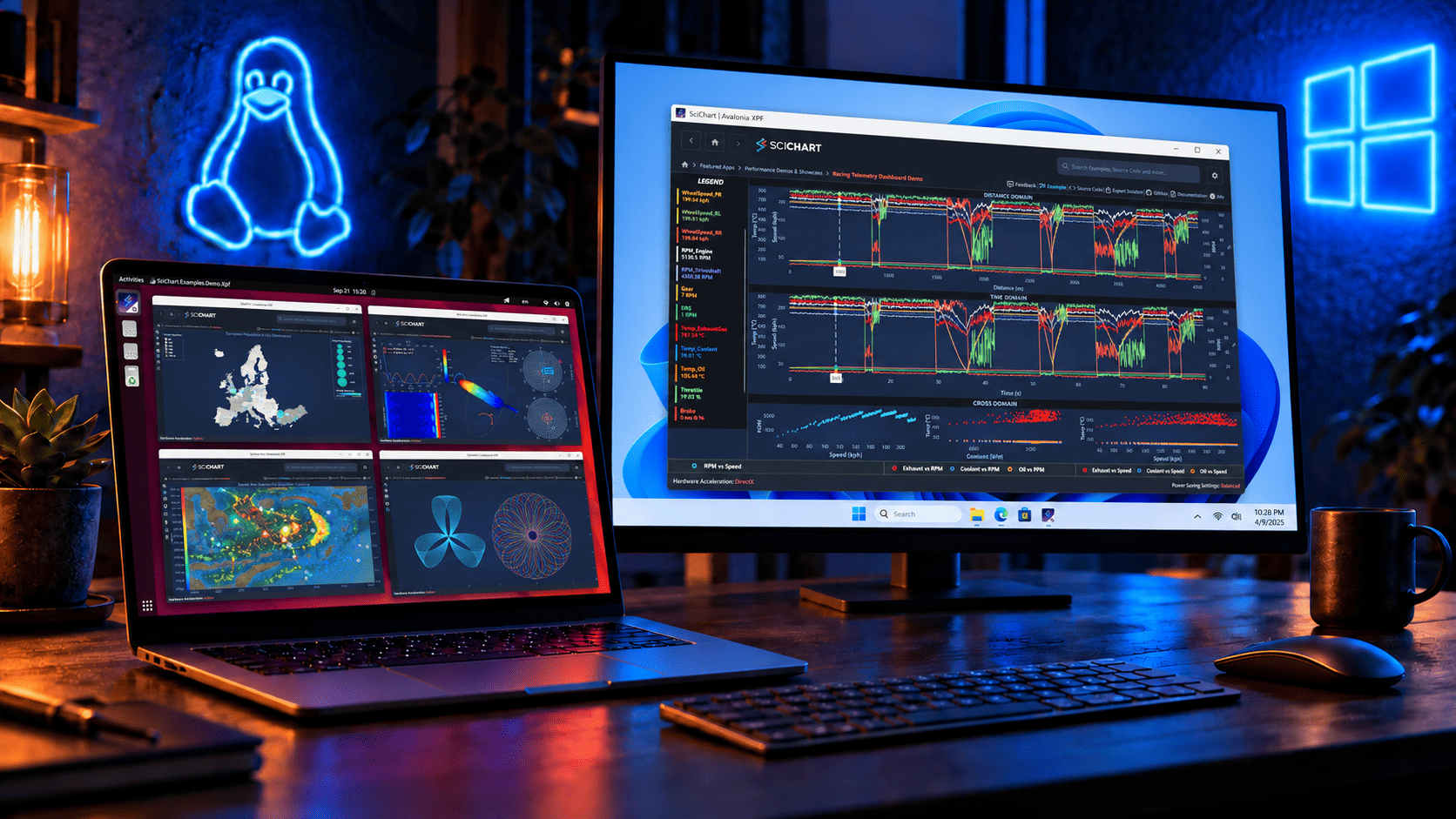
SciChart is delighted to announce the release of SciChart XPF v3 — a big step forward for the product. v3 brings every feature from the SciChart WPF v9.0 and v9.1 release cycles to Avalonia XPF, introduces a brand-new Vulkan rendering backend on Linux, and resolves many issues that have been reported for previous versions.
If you build cross-platform .NET applications and you want SciChart’s full WPF chart suite running natively on Windows and Linux, this is the release to upgrade to. This update is available on NuGet and runs on the cross-platform Avalonia XPF framework.
We’ve moved over to a new format for communicating our releases and updates, by publishing a rolling changelog of every fix or enhancement in SciChart. You can find the changelogs in the top menu at Developers -> Changelogs -> SciChart XPF ChangeLog
Below is a summary of the main features and changes in this release (v3.0.0 build 10777):
The headline change in v3 is a completely new Vulkan rendering backend for Linux, which fully replaces the previous OpenGL renderer. Vulkan is now the rendering path for SciChart XPF on Linux, and the OpenGL backend has been retired.
Why we made the move:
On Windows, nothing changes — SciChart XPF continues to render through DirectX, and Windows applications are unaffected by this work.
One of the most significant fixes in v3: 2D and 3D charts can now be used together in the same window on Linux.
Previously, combining a SciChartSurface and a SciChart3DSurface in the same window on Linux broke the rendering engine. The new Vulkan backend resolves the underlying resource conflict, and mixed 2D/3D views now work on Linux as they always have on Windows. If this issue held you back from adopting SciChart XPF on Linux, v3 is the release to revisit.
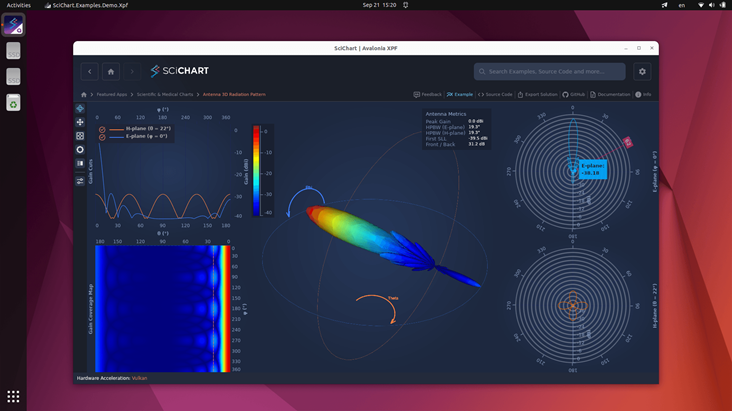
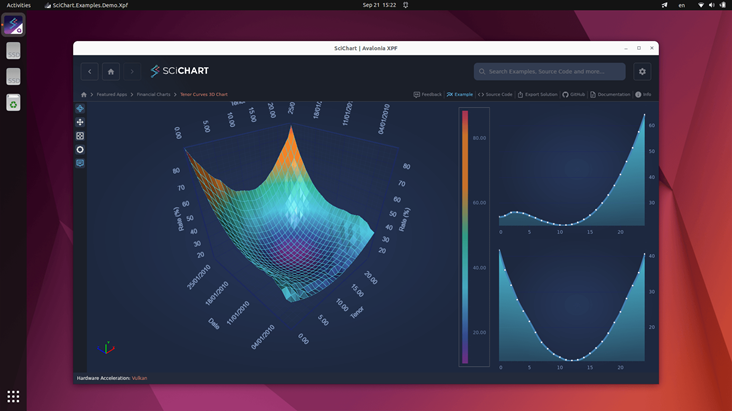
SciChart XPF v2.0 brought the product up to WPF v8.11.1. v3 closes the gap completely, porting the entire WPF v9.0 and v9.1 feature sets into Avalonia XPF. Everything below is now available to XPF developers, through the same APIs, on both Windows and Linux.
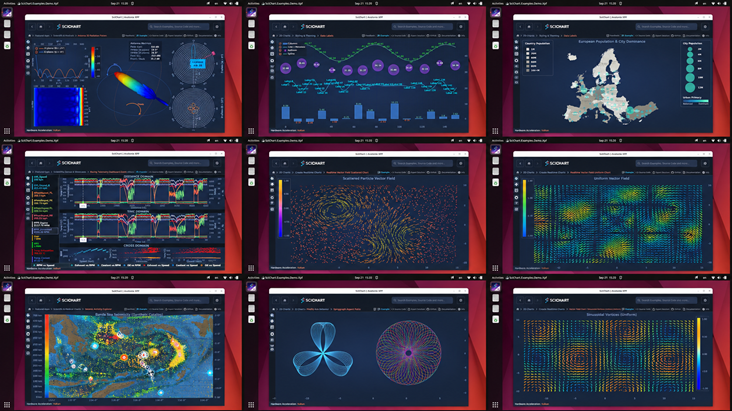
Each feature is summarised here; follow the links for the full write-ups.
VectorFieldRenderableSeries renders collections of arrows on a plane, where each arrow starts at an (X, Y) point and extends by its (DX, DY) displacement — ideal for wind, fluid flow, electric fields and gradient data. It ships with uniform and non-uniform data series, various colour modes and length modes for vectors, configurable arrowhead geometry, optimizations for large datasets and full MVVM support.
What’s New in SciChart WPF v9 — Vector Field Renderable Series
StackedBoxPlotRenderableSeries renders multiple box plots side by side at the same X position, making it easy to compare statistical distributions across categories or experimental conditions. Grouping works exactly like stacked columns, via StackedGroupId, with Spacing controlling the gap between adjacent boxes.
What’s New in SciChart WPF v9 — Stacked Box Plot Renderable Series
A completely new, provider-based DataPointLabel API brings per-point labelling to XPF, with precise control over label text, formatting and placement. A simple ShowDataLabels switch turns labels on; a DataLabelProvider customises everything else, including per-point text and positioning. Supported across the majority of series types, including line, column, stacked column, box plot and bubble series.
What’s New in SciChart WPF v9.1 — New DataPointLabel API
AspectRatioViewportManager locks the on-screen relationship between X and Y units, so your data keeps its true proportions regardless of zoom level or window size (circles and maps stay undistorted). It offers AspectRatio, AspectRatioMode (which axis is authoritative), Anchor, and an AspectRatioModifier so the lock behavior can be fine-tuned and toggled interactively.
What’s New in SciChart WPF v9.1 — AspectRatio Viewport Manager
FastBubbleRenderableSeries gets improved as a three-dimensional (X, Y, Z) visualisation tool, with a ColorMap that colours each bubble by its Z value, an auto-fitting ColorMapRangeMode, a ColorMapValueProvider for custom mapping and RadialGradientBrush fills.
What’s New in SciChart WPF v9.1 — Bubble Series: ColorMap and Styling
Two substantial MVVM additions:
IAxisViewModel now exposes RangeSyncGroupId. Axes sharing a group ID are linked automatically, with no code-behind and no event wiring. An IRangeSyncTransform interface handles synchronised axes in different units, and RangeSyncSourceOnZoomExtents controls how ZoomExtents propagates through a group.ZoomExtentsWhenReady() — an extension method on IRenderableSeriesViewModel that defers ZoomExtents until the surface has attached the view models, so it can be called straight from a ViewModel constructor with no reference to the surface.The MVVM Axes API also received significant optimisation — roughly 30% faster layout and rendering for charts using the MVVM axis binding pattern.
What’s New in SciChart WPF v9 — MVVM Axis Synchronization API
The Europe Population Map example shows how to build a full choropleth map: country polygons loaded from GeoJSON and projected into an equal-area projection, shaded by population; a second layer plotting every European city as a bubble sized by population; capitals labelled via the new DataPointLabel API; and the whole map kept true-to-scale by the AspectRatio ViewportManager. A ready-made template for GIS-style dashboards and territory maps.
What’s New in SciChart WPF v9.1 — Building Map Charts
Pie and Donut charts now participate fully in the SciChart theming system, so their backgrounds, labels and segment strokes are styled consistently across all built-in themes. Polar charts gain a dedicated PolarLineRenderableSeries with a ConnectionMode property (Arc or Straight), along with improved polar gridline and tick quality.
What’s New in SciChart WPF v9.1 — Pie and Donut Theming and Polar Chart Improvements
All of the examples introduced across WPF v9.0 and v9.1 are now in the SciChart XPF Examples Demo:
NativeDllLoader.IntegrityCheckMode.Alongside the new backend, v3 includes a list of fixes to issues reported against v2.0 and earlier. It also brings in the improvements ported from the WPF v9.0 and v9.1 cycles. Highlights:
TabItems containing SciChartSurfaces on Linux.LightMode = None not being honoured when customising 3D scene lighting.VisibleRange.For the fixes that were ported from SciChart WPF, please see the fix lists in What’s New in SciChart WPF v9 and What’s New in SciChart WPF v9.1.
We have taken care to keep SciChart XPF v3 a drop-in replacement for the large majority of applications. The changes below are the ones most likely to affect you:
SCRT* and TSR* naming patterns. Notable examples include SCRTRenderContext in SciChart 2D, SceneEntityCollection in SciChart 3D, and various engine resource types. For application code, we recommend using their corresponding C# types instead and the documented public abstractions.DirectXMode.DirectX9c is marked [Obsolete] as an error — code referencing it will no longer compile.NativeDllLoader.IntegrityCheckMode.v3 lays the groundwork for where SciChart XPF goes next:
and more we’re looking forward to sharing!
Ready to try SciChart for Avalonia XPF v3?
We’d love to hear your feedback! Reach out to us with questions, feature requests, or to share what you’re building with SciChart XPF.
Related Posts

Queen’s Award for Innovation
Winners of the Queen’s Award for Innovation, recognising SciChart’s high-performance graphics engine.

National Business Awards
Highly Commended at the Lloyds National Business Awards for innovation and customer growth.

National Technology Awards
Awarded Healthcare Tech of the Year at the 2025 National Technology Awards.

Reviews
Hundreds of verified third-party reviews from developers, engineers, and customers worldwide.