
SciChart for Avalonia XPF v3.0 Released!
SciChart is delighted to announce the release of SciChart XPF v3 — a big step forward for the product. v3 brings […]
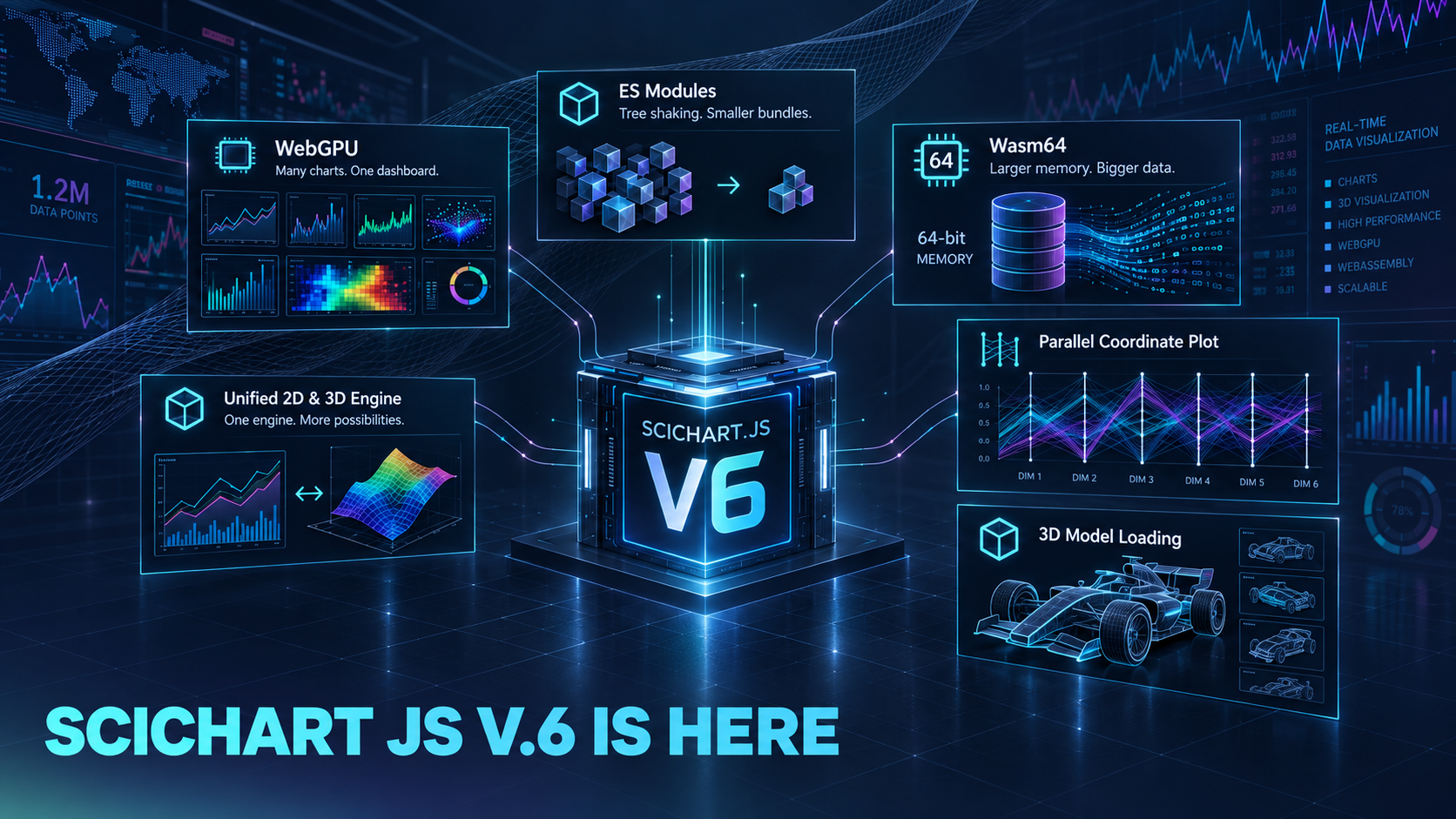
SciChart.js v6 is a major infrastructure release. Download SciChart.js v6 version now.
This release lays new foundations — WebGPU support, ES modules with tree shaking, 64-bit WebAssembly for much bigger in-browser datasets, a unified 2D/3D engine, and a new chart types — that the next generation of SciChart.js will build on.
Because it’s a major version, there’s more change under the hood than usual.
npm install scichart@6
An easy way to upgrade to the latest version is to point the AI at the Breaking Changes page.
Full details: What’s New in v6 | Breaking Changes from v5.2
| Machine | GPU | WebGPU | WebGL | WebGPU gain |
|---|---|---|---|---|
| MacBook Apple M4, 10-core | Apple M4 (integrated) | 58.1 fps† | 28.1 fps | 2.1× |
| Windows laptop Intel Core i7-11800H | Intel UHD Graphics (integrated) | 20.3 fps | 6.1 fps | 3.3× |
| NVIDIA RTX 3070 Laptop (discrete) | 58.3 fps† | 52.3 fps | 1.1× |
SciChart.js v6 adds support for WebGPU, a newer, more modern graphics API, alongside our existing WebGL renderer — you’re not locked into one or the other.
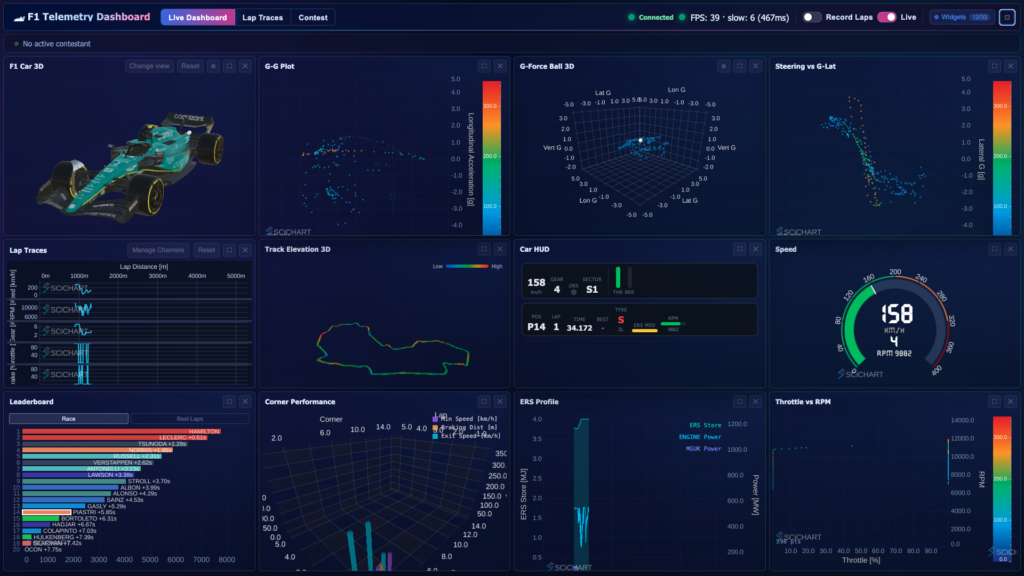
Where WebGPU really shines is dashboards with many charts on a single page. In internal testing on our Formula 1 telemetry demo, we rendered around 20 live charts on one page at 60 FPS — something that wasn’t achievable with WebGL.
WebGPU isn’t supported on all hardware, so v6 picks it automatically only where we know it is a win (Apple Silicon Macs today) and falls back to WebGL everywhere else — existing applications need no code change. You can pin either renderer yourself with a single flag.
Check out out dashboard demos with WebGPU (Server Traffic | Oil & Gas Explorer | Semiconductors) | WebGPU docs
We’ve upgraded SciChart.js’s module system from CommonJS to ES modules (both are still shipped, so existing CommonJS-based projects keep working).
| Boilerplate | v5 | v6 | Saved |
|---|---|---|---|
| webpack 5 + TypeScript | 509.1 KB | 219.2 KB | −57% |
| Angular | 554.4 KB | 302.2 KB | −46% |
| Next.js | 624.7 KB | 529.3 KB | −15% |
| Svelte + Vite | 457.8 KB | 396.2 KB | −13% |
| React + Vite | 484.8 KB | 428.2 KB | −12% |
| All five combined | 2,630.8 KB | 1,875.1 KB | −29% |
sideEffects map, so bundlers that honour it can drop unused chart types; the savings therefore depend on how much of the library an app actually references.The practical benefit is tree shaking: your bundler now includes only the parts of SciChart.js your application actually uses. Import strings are unchanged — import { SciChartSurface } from "scichart" keeps working and now shakes. The Builder API was the biggest blocker, since importing it registered every chart type; in v6 you register only the types your definitions name, which in our measurements took a Builder-based bundle from roughly 360 KB to 155 KB gzipped.
After upgrading, this should work with no changes for most projects: root imports shake automatically on webpack 5, Vite, Rollup and esbuild, all of which honour the package’s exports map and per-folder sideEffects list. Two things can silently switch it off. TypeScript projects compiling with "module": "commonjs" rewrite the import to require("scichart") before the bundler sees it, which resolves to the non-shakeable CommonJS build — set "module": "esnext" and "moduleResolution": "bundler" instead. And if you reached for registerAllTypes() as a quick migration step, remove it: it registers every built-in type again.
Check out updated boilerpates with tree shaking example | Tree shaking docs
SciChart.js v5 used a 32-bit WebAssembly build, whose linear memory is hard-capped at 4GB by the WebAssembly specification itself — and in practice less than that, since the same heap also holds the engine, textures, resampling and render buffers.
v6 adds an optional 64-bit Wasm build that raises the ceiling to 16GB — four times the addressable memory in the browser. Because SciChart stores data series values as doubles, that works out at roughly 16 bytes per point for an XY series:
| Build | Max heap | XY points | OHLC points |
|---|---|---|---|
| wasm32 (default) | 4 GB | ~250 million | ~100 million |
| wasm64 (opt-in) | 16 GB | ~1 billion | ~400 million |
64-bit mode is off by default and must be opted into, because it trades roughly 10% of throughput for 4× the memory ceiling. Enable it by setting one flag before you create any chart, then deploy scichart-64.wasm alongside your other binaries — copying the whole node_modules/scichart/_wasm/ directory covers it:
import { SciChartDefaults, EUseWasm64, SciChartSurface } from "scichart";

// wasm64 where the browser supports it, wasm32 everywhere else
SciChartDefaults.useWasm64 = EUseWasm64.Auto;

const { sciChartSurface, wasmContext } = await SciChartSurface.create("chart-div");
EUseWasm64.Auto is the setting you want: browsers with Memory64 get the 64-bit engine and everything else transparently falls back to 32-bit, with no branching in your code. EUseWasm64.Always skips feature detection and fails to load where Memory64 is missing, so reserve it for environments you control. Memory64 needs Chromium 133+ or Firefox 134+ and is not yet in Safari, so the 32-bit build remains the default path and the fallback must stay deployed.
For the background on Memory64 itself — why the 4GB wall exists, what the browser engines had to change, and where the 10% goes — see our blog post Memory64: Unlocking WebAssembly’s True Potential with 16GB of In-Browser Memory, or go straight to the Wasm 64 docs.
In SciChart.js v5, 2D and 3D charts ran on two separate WebAssembly engines, scichart2d.wasm and scichart3d.wasm. Each engine carried its own copy of the shared rendering code and its own memory heap. A page that showed both kinds of chart downloaded, compiled and started both engines. In v6 there is one core engine, scichart.wasm, and 3D is a small add-on, scichart-charting3d.wasm, loaded into that core the first time a 3D chart is created. 2D and 3D charts now run in the same engine instance and share its memory, so data and resources can be shared between them rather than kept in two isolated heaps. On a page with both 2D and 3D charts this saves at least 16 MB of browser memory, the starting heap of the second engine, plus the second copy of the compiled engine code. It also cuts the engine download by 22%. The saving grows as charts load more data, because v5 grew each engine’s heap separately. The single core is larger than v5’s 2D engine because it now contains the code shared by 2D and 3D, so a 2D-only page downloads about 140 KB more.
| Page contains | Measure | v5 | v6 | Change |
|---|---|---|---|---|
| 2D and 3D charts v5: scichart2d + scichart3d v6: scichart + charting3d add-on | Engine instances | 2 | 1 | −1 |
| Starting memory heap | 32 MB | 16 MB | −16 MB | |
| Engine download | 1.25 MB | 0.98 MB | −22% | |
| 2D charts only v5: scichart2d v6: scichart | Engine download | 602 KB | 742 KB | +23% |
| 3D charts only v5: scichart3d v6: scichart + charting3d add-on | Engine download | 673 KB | 999 KB | +48% |
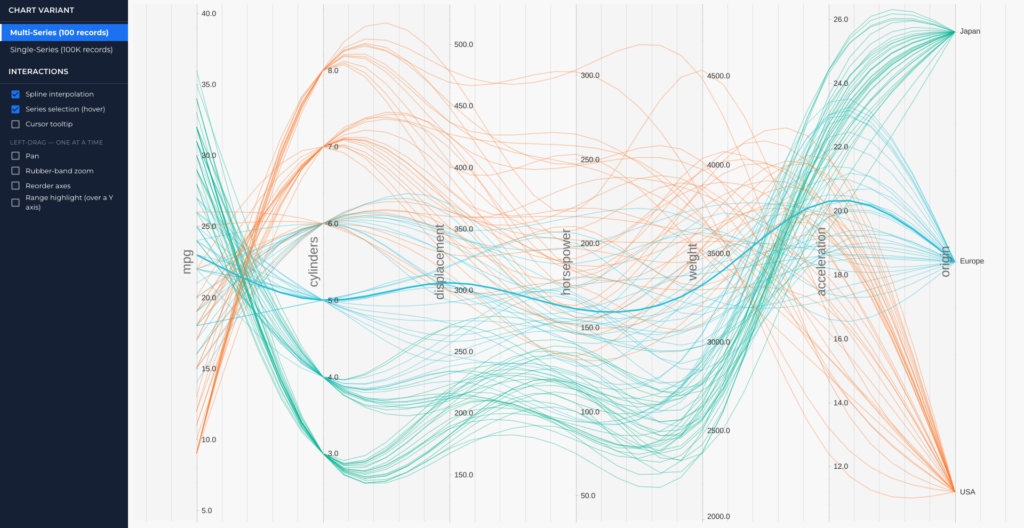
v6 introduces a brand new chart type: the Parallel Coordinate Plot, useful for visualising and comparing many variables across a dataset at once — from per-series comparison views to range highlighting across large numbers of series.
Parallel Coordinate Plot demo | Parallel Coordinate Plot docs
As part of our Formula 1 demo work, the underlying engine gained the ability to load 3D models (for example, the car model in that demo), and 3D mesh geometry can now be expressed in data space as a renderable series.
This is early — out of the box, arbitrary custom 3D models aren’t yet supported (that requires additional tooling for shaders/textures that we haven’t built yet). If loading your own 3D models into a SciChart.js scene is something you need, we’d love to hear from you — tell us about your use case and it’ll directly inform whether and how we build this out further.
XyNDataSeries is now TableDataSeries, and any data series can carry dictionary-encoded text columns.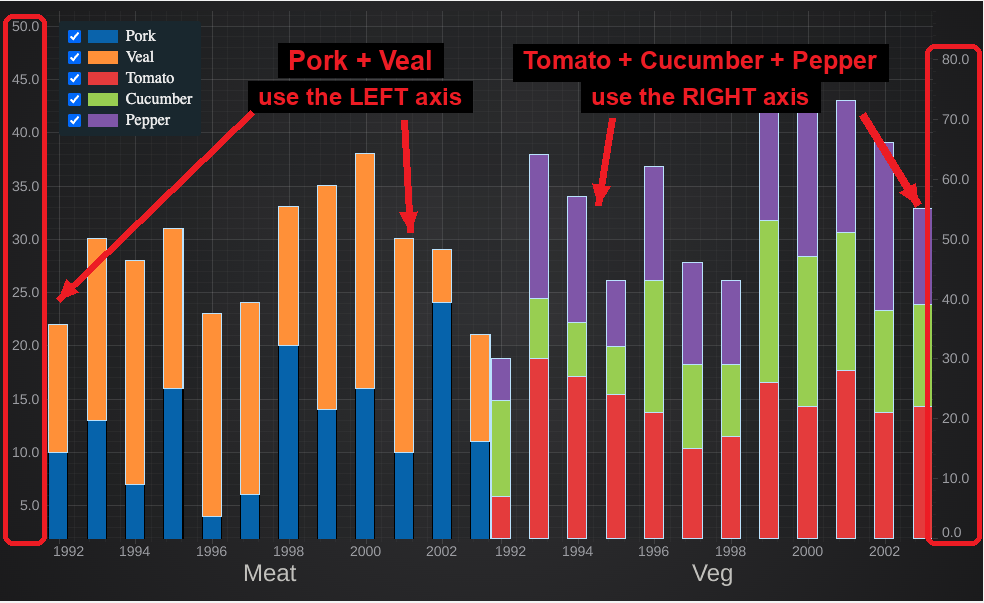
We would love to hear a feedback regarding v6. If you:
Please get in touch.
Forum | Support | Contact us
We read everything, and it shapes what ships in the final release.
Contact us to learn more
SciChart.js is a JavaScript Chart Library designed for complex, mission-critical applications. Now with a FREE community edition. If you have a question or would like to learn more about our products & services, please contact us:
Related Posts

Queen’s Award for Innovation
Winners of the Queen’s Award for Innovation, recognising SciChart’s high-performance graphics engine.

National Business Awards
Highly Commended at the Lloyds National Business Awards for innovation and customer growth.

National Technology Awards
Awarded Healthcare Tech of the Year at the 2025 National Technology Awards.

Reviews
Hundreds of verified third-party reviews from developers, engineers, and customers worldwide.