
SciChart’s Cross-Platform Vision Complete!
SciChart has achieved a great deal in the past year, notably the pace of large releases has really increase in […]
Today we’re excited to introduce SciChart-GPT, a new AI-powered assistant that makes it easier than ever to get help with SciChart.
Over the years, we’ve built an extensive body of documentation, examples, demos, and forum content across all our platforms – WPF, iOS, Android, and JavaScript. While that depth is valuable, we also recognize that finding the right answer quickly can sometimes be a challenge.
That’s where SciChart-GPT comes in.
SciChart-GPT is a custom-built AI assistant designed to answer your questions about using SciChart effectively. Whether you’re getting started for the first time, exploring advanced features, or trying to troubleshoot a specific issue, SciChart-GPT can guide you through it – by drawing from thousands of forum threads, detailed technical documentation, interactive demos, tutorials and sales/licensing FAQ across all supported platforms.
This isn’t a general-purpose chatbot. It’s trained on SciChart-specific content and optimized to help developers get high-quality, relevant answers – fast.
You can ask things like:
Q: “How do I create a real-time chart with SciChart.js?”
Q: “What’s the best way to overlay annotations in SciChart WPF?”
Q: “Is there a way to sync zoom across multiple iOS charts?”
…and it will respond with contextual information, links to relevant docs or samples, and top relevant articles or sources across our knowledgebase.

Based on a popular large-language model (LLM), SciChart-GPT can answer queries in multiple languages.
Try asking:
Q: 你能用中文回答问题吗?如何在 SciChart WPF 中创建折线图
or
Q: scichart.js でのリアルタイム更新の仕組みを説明する
and you will get answers in the same language you asked in.

SciChart-GPT is trained to answer questions about SciChart including implementation queries, pre-sales questions, licensing & product specific questions, resolving bugs or issues and provides a deep search across multiple sources: including our Forums, Documentation, Examples/demos and more.
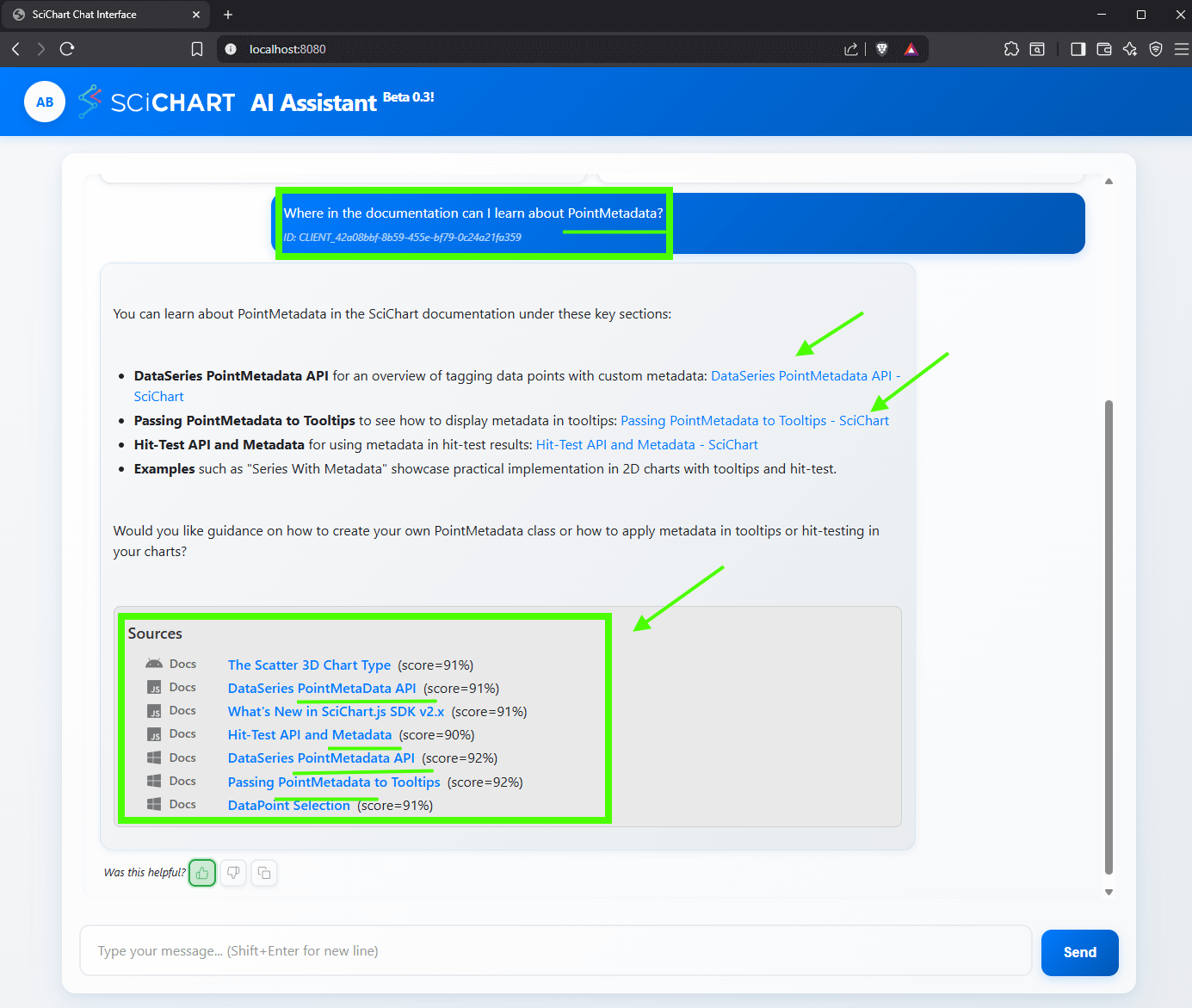
Each search query will come with a number of sources which match the search query. You can click on these to explore more. The results are fine-tuned to be SciChart specific and extract relevant info from the docs.
Q: Where in the documentation can I learn about PointMetadata?
NEW: In Beta 0.4 Code Sample generation has been enabled. Assistant can generate code samples, however since we’re using a small/fast model the results may not be as accurate as the largest full-fat models from Anthropic or OpenAI. The assistant will give you a helpful plan of where to find more information and answer questions/queries related to SciChart.
Q: “Give me a code sample for a heatmap chart in JS”

We are working to improving the accuracy of code-sample support ready in future iterations, which will be made available for FREE to support-active customers of SciChart.
There is no chat persistence, refresh page = new chat session for now. Depending on feedback we may build that in, for future releases.
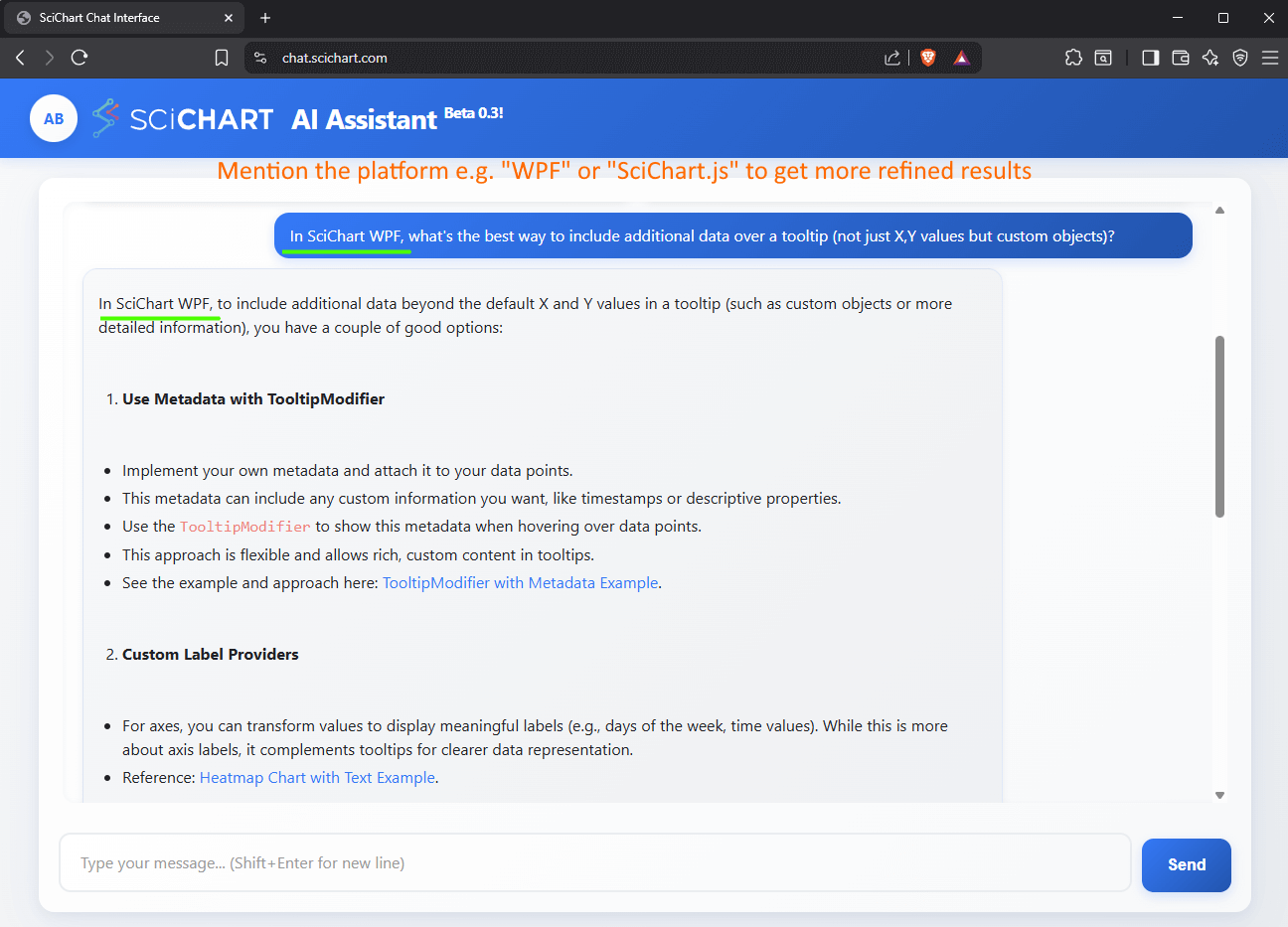
We suggest including what platform you’re working on: e.g. WPF, iOS, Android, JS/Javascript or React. This will help filter search results and help specific to the platform.
e.g. ask
In SciChart WPF, what’s the best way to include additional data over a tooltip (not just X,Y values but custom objects)?
SciChart-GPT is still in beta, and we’re actively improving it. During this phase, you might notice occasional inaccuracies or incomplete answers – especially for highly specific or niche scenarios. We’re monitoring feedback closely and continuously refining the assistant to make it more reliable and useful over time.
We encourage you to try it out, give it real questions from your workflow, and let us know where it’s helpful – or where it needs improvement.
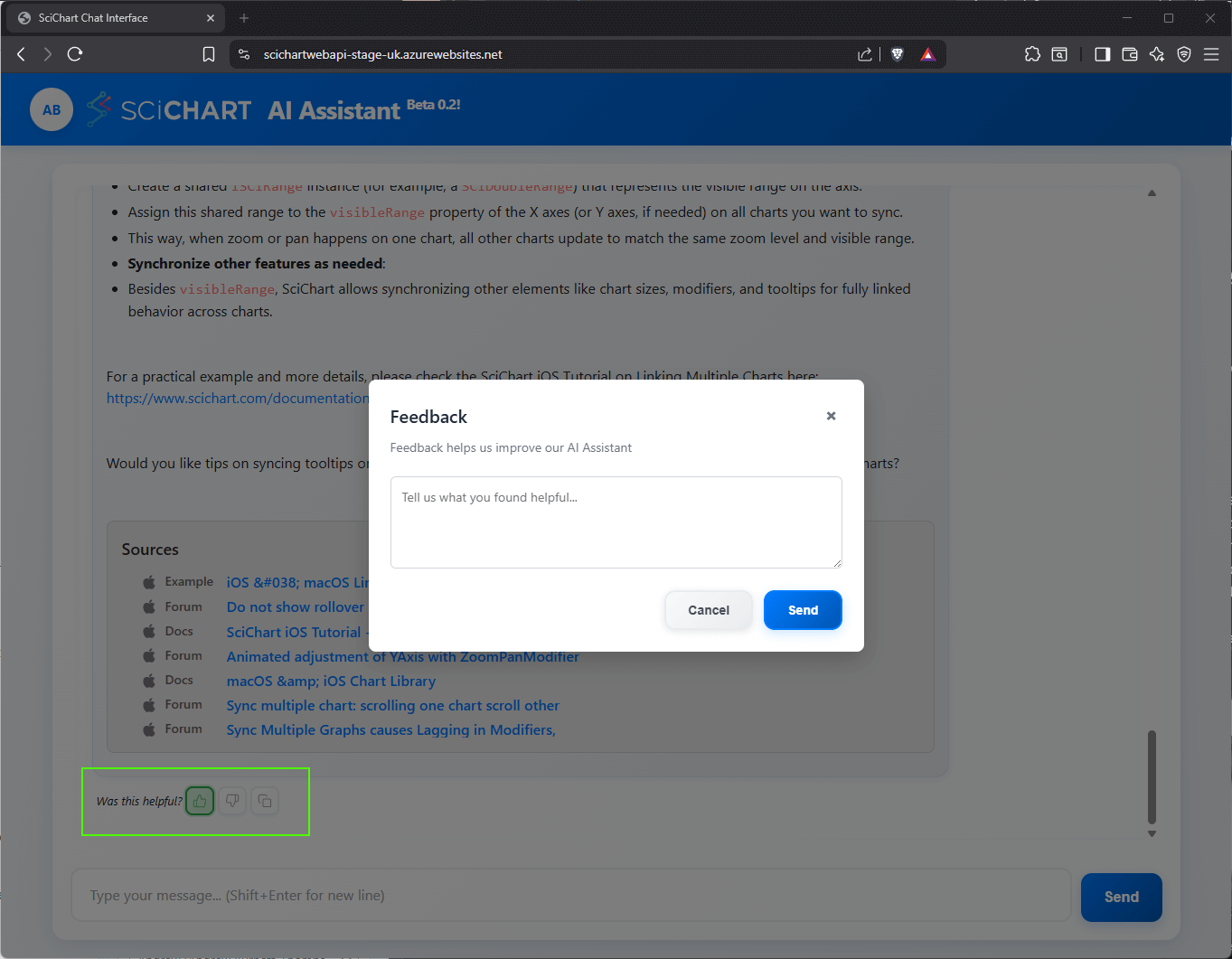
You can profile feedback directly in the app, by clicking the thumb-up or thumb-down icons next to “was this helpful”. Feedback is recorded so that we can improve the results.
Our goal has always been to make high-performance charting accessible to developers building demanding, data-rich applications. SciChart-GPT extends that mission by making it faster and easier to get support – directly from your browser, with no need to sift through dozens of search results.
Whether you’re evaluating SciChart for a new project or you’re a long-time user looking to unlock more advanced capabilities, we hope this tool makes your development experience smoother.
Finally, AI can make mistakes! We’re working hard to make the answers as accurate as possible, but if in doubt, contact Sales or Support.
You can try SciChart-GPT (Beta) today https://chat.scichart.com. It’s available for free to all users and doesn’t require a login.
As always, we’d love your feedback – whether it’s bug reports, suggestions, or feature requests. This is just the beginning of what we plan to offer with AI-assisted developer tooling, and your input will help shape what comes next.
– The SciChart Team
Related Posts

Queens Award for Innovation
Proud winners of the Queens Award for Innovation, 2019. Awarded on account of our innovative graphics engine which underpins the SciChart library and enables our world-beating charting performance

National Business Awards
Highly Commended for Lloyds National Business Awards, 2019. Awarded on account of our innovative graphics engine and impressive customer base

National Technology Awards
Awarded “Healthcare Tech of the Year” at the 2025 National Technology Awards – a top UK recognition for breakthrough innovation in technology.

Reviews
SciChart has received hundreds of verified, 3rd party reviews