
SciChart for Avalonia XPF v2.0 Released!
SciChart is thrilled to announce the release of SciChart for Avalonia XPF 2.0 – a major update that brings all features and improvements […]
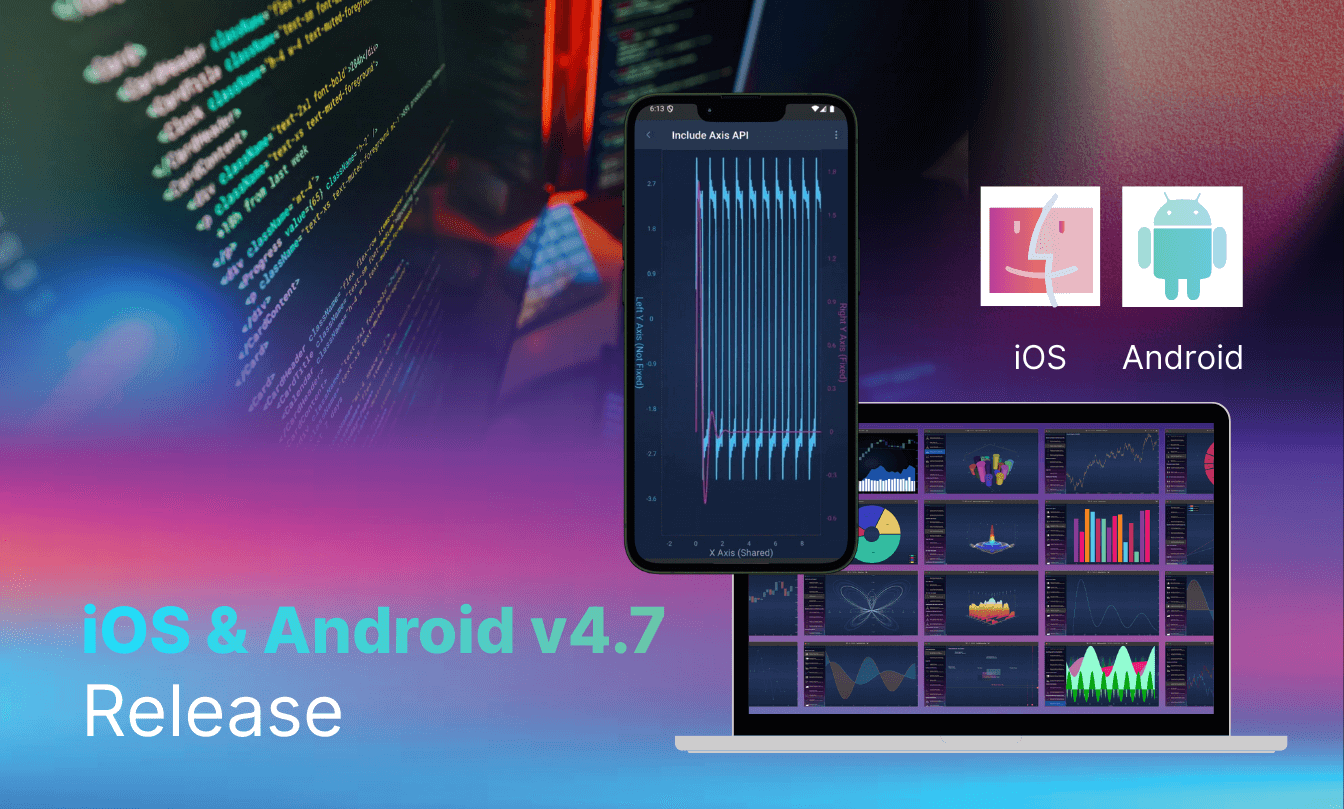
It’s a new year, and for mobile application developers, there’s now a new version of SciChart Mobile to download. This guide gives a quick-read summary of all the changes and upgrades we’ve made, including some exciting new examples. You can also view a complete history of our iOS chart library and Android chart library updates over on our iOS/Android changelog.
Discover all the bug fixes, new features and new examples that the SciChart team has been working on to improve the chart library experience for developers. If you’re still on version v4.6, or lower, we recommend making the switch to v4.7.
Find out what’s new and what you’re most interested in below:
Bugs are always the bain of any developer’s working day. That’s why we’re committed to resolving as many bugs as quickly and efficiently as possible. With an active team of in-house developers, it’s safe to say that we’ve been busy on this front, fixing around 20 SDK and example-related bugs reported by our customers and users. Take a look at the latest updates we’ve made.
Take a look at the new features with code samples that you can try straight away.
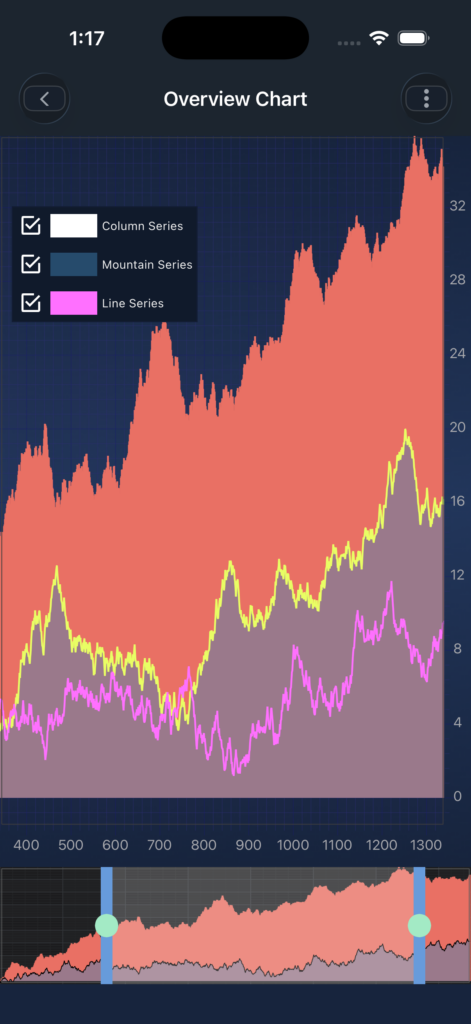
Introduced SCIChartOverview, a mini-chart that provides an overview of the entire dataset and allows users to quickly navigate, pan, and select the visible range of the main chart.
SCIChartOverview *overviewChart = [SCIChartOverview new];
    	[self.view addSubview:overviewChart];
self.overviewChart.createOverviewChart(forParentSurface: self.surface)
iOS Example Code | iOS Documentation | Android Example Code | Android Documentation
Added support for displaying borders around chart axes.
axis.axisBorderStyle = SCIAxisBorderStyle(color: 0xFFAD3D8D, thickness: 2.0)Example: AxisBorderView iOS Example Code | AxisBorderView Android Example Code | iOS Documentation | Android Documentation
Introduced an axis-specific API allowing modifiers to be applied to selected axes. Supported modifiers include Pinch, Pan, Axis Drag, and Zoom Extents.
// Exclude a specific axis from the pan zoom operation
pinchZoomModifier.includeXAxis(xAxis, isIncluded: false)
// Include a specific axis to the pan zoom operation
pinchZoomModifier.includeYAxis(yAxis, isIncluded: true)
Example: Axis API for Modifiers iOS Code | Axis API for Modifiers Android Code
Implemented a unified SCIAxisDragModifier with directional support, replacing the separate SCIXAxisDragModifier and SCIYAxisDragModifier classes.
let axisDragModifier = SCIAxisDragModifier()
axisDragModifier.direction = .xDirection // X axisFrom custom Overview Chart configurations to axis border support, take a look at the latest examples we’ve added to the library to help make your chart building efforts run more smoothly.
Demonstrates how to implement chart overview functionality with customizable configuration options.
Illustrates how to display Buy/Sell trade markers as annotations, including price labels, on a stock chart.
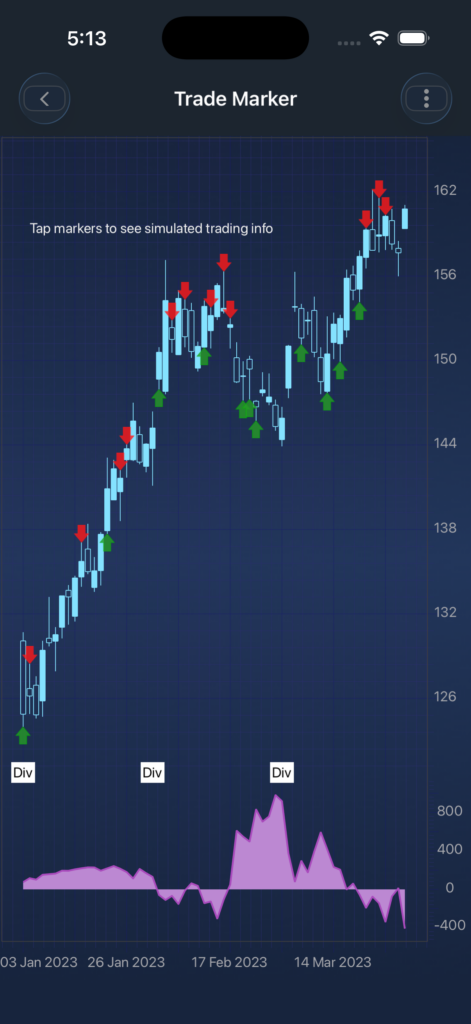
View iOS ExampleiOS TradeMarker Code
Demonstrates the creation of dynamic annotations using multiple gesture types via a custom chart modifier.

View iOS ExampleView iOS Dynamic Annotation Code
Highlights the use of axis border support in charts. Now you can set the style for your axis borders with the axis color and individual thickness for each side.

You can do this by using the AxisBorderStyle class and passing the color, antiAliasing, thickness to it.
val xAxis = NumericAxis(this)
xAxis.setBorderStyle(AxisBorderStyle(0xFF4FBEE6.toInt(), true, 3f))
Another constructor allows you to set individual thickness for each side (top, left, bottom, right).
xAxis.setBorderStyle(AxisBorderStyle(0xFF4FBEE6.toInt(), true, 0f, 1f, 2f, 3f))View iOS Example View Android Example
Demonstrates how to selectively include or exclude specific axes when applying chart interaction modifiers. You can control which axes a modifier affects using the includeAxis API. By default, all axes are included, so modifiers work on all axes unless you configure otherwise.

You can do this by using the includedXAxes, includedYAxes and includeAllAxes methods on the modifier, which provide methods to include or exclude specific axes.
val xAxis = NumericAxis(this)
val zoomPanModifier = ZoomPanModifier()
// below code excludes the provided axis
zoomPanModifier.includeXAxis(xAxis, false)
For cursor and rollover modifiers, you can control which renderable series the modifier affects using the includeRenderableSeries() method.
val cursorModifier = CursorModifier()
val series = FastLineRenderableSeries()
// below code excludes the provided series
cursorModifier.includeRenderableSeries(series, false)
View iOS Example View Android Example
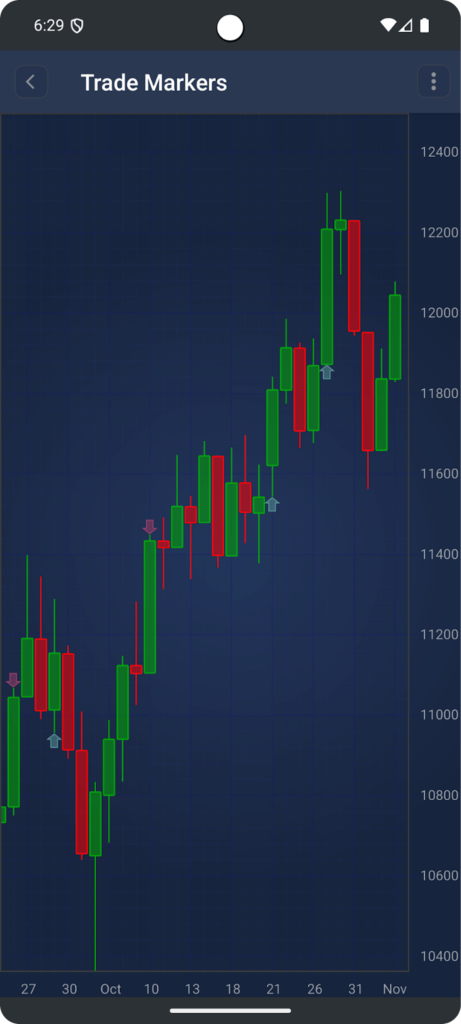
You can add trade markers (buy/sell arrows) to your charts using TradeMarkerAnnotation.
Create a TradeMarkerAnnotation using the constructor that takes the context, X-axis value (timestamp/index), Y-axis value (price), and an isBuy boolean indicating whether it’s a buy or sell marker:
val sellMarker = TradeMarkerAnnotation(context, x, y, false)
surface.getAnnotations().add(sellMarker)
View Android ExampleView Android TradeMarkerAnnotation Code
SciChart iOS/Android v4.7 is available by:
Visit Android GitHubVisit iOS GitHub
Let Us Know What You Think
Tell us what you think about our latest bug fixes, features, examples and improvements by contacting our team. Honest thoughts are welcome – we want to know what would make things even better for you when building high-performance charts using SciChart. If you have a specific question, you can also use our community forum, which is regularly updated by our team.
Related Posts

Queens Award for Innovation
Proud winners of the Queens Award for Innovation, 2019. Awarded on account of our innovative graphics engine which underpins the SciChart library and enables our world-beating charting performance

National Business Awards
Highly Commended for Lloyds National Business Awards, 2019. Awarded on account of our innovative graphics engine and impressive customer base

National Technology Awards
Awarded “Healthcare Tech of the Year” at the 2025 National Technology Awards – a top UK recognition for breakthrough innovation in technology.

Reviews
SciChart has received hundreds of verified, 3rd party reviews