 View on GitHub

iOS & macOS Charting Documentation - SciChart iOS & macOS Charts SDK v4.x
The SCIFreehandDrawingAnnotation
he SCIFreehandDrawingAnnotation allows for freehand drawing directly on the chart surface by capturing a sequence of points that form a continuous brush stroke.
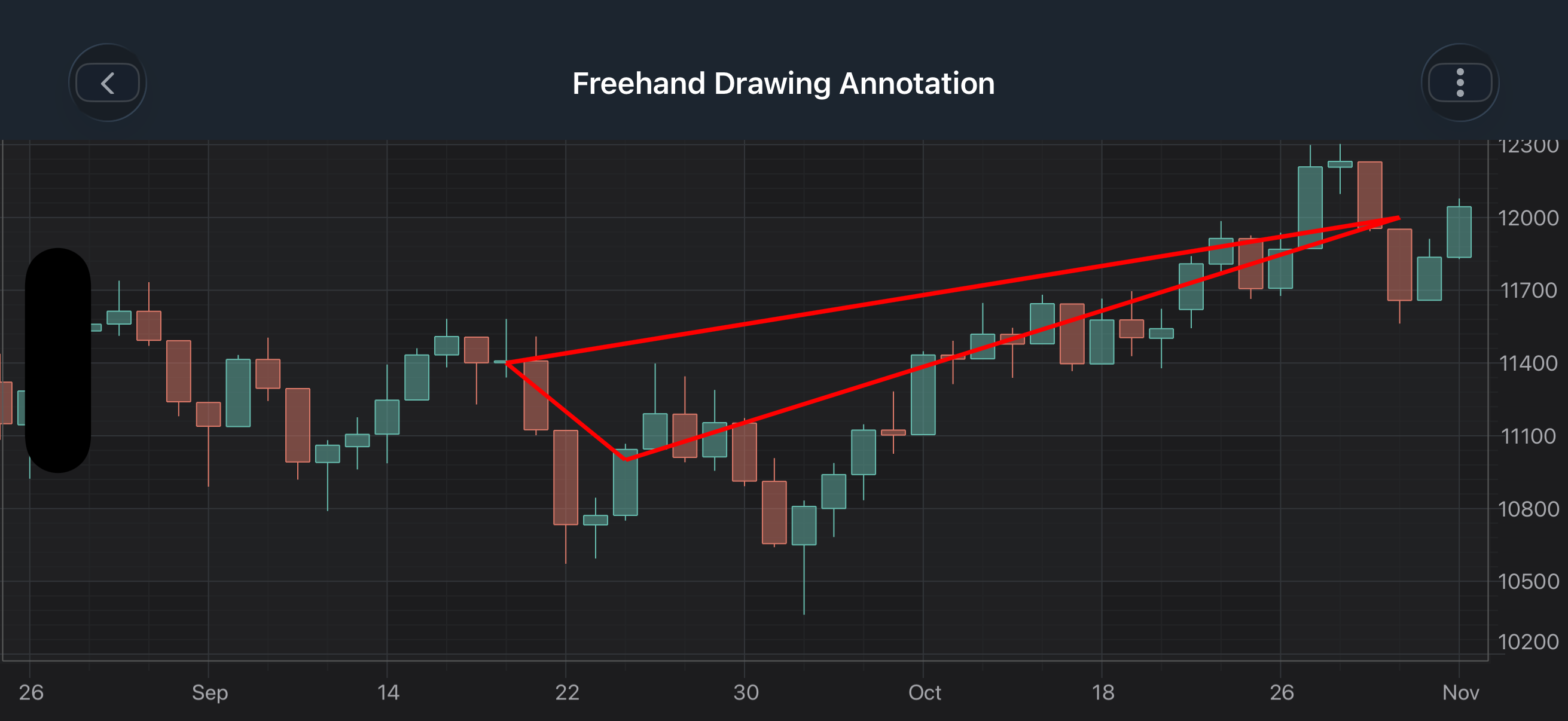
NOTE: Examples of the
Annotationsusage can be found in the SciChart iOS Examples Suite as well as on GitHub:
- Freehand Drawing Annotation - Obj-C/Swift
A SCIFreehandDrawingAnnotation is a multi-point annotation that stores a collection of points to represent a freehand path drawn by the user.
The SCIFreehandDrawingAnnotation can be configured using the properties and method listed in the table below:
| Field | Description |
|---|---|
SCIFreehandDrawingAnnotation.stroke |
Defines the stroke style (color and thickness) of the pen. |
SCIFreehandDrawingAnnotation.drawId |
A unique identifier for the annotation instance. |
SCIFreehandDrawingAnnotation.selectionOffset |
Extra padding applied around the selection bounds. |
To learn more about Pens and Brushes and how to utilize them, please refer to the SCIPenStyle, SCIBrushStyle article.
NOTE: To learn more about Annotations in general - please see the Common Annotation Features article.
Adding Points
Points for a SCIFreehandDrawingAnnotation are defined sequentially using the [appendPointWithX:y:] method, which appends each new coordinate to the existing path to form a continuous freehand stroke.
The clearPoints method can be used to remove all previously added points, resetting the annotation so that it no longer renders until new points are appended.
NOTE: The xAxisId and yAxisId must be supplied if you have axis with non-default Axis Ids, e.g. in multi-axis scenario.
Create a FreehandDrawingAnnotation
A SCIFreehandDrawingAnnotation can be added onto a chart using the following code:
NOTE: For interactive creation of SCIFreehandDrawingAnnotation, use the corresponding annotation creation modifier SCIFreehandDrawingModifier available in SciChart iOS.
NOTE: To learn more about other Annotation Types, available out of the box in SciChart, please find the comprehensive list in the Annotation APIs article.