 View on GitHub

iOS & macOS Charting Documentation - SciChart iOS & macOS Charts SDK v4.x
SCIFibonacciRetracementCreationModifier
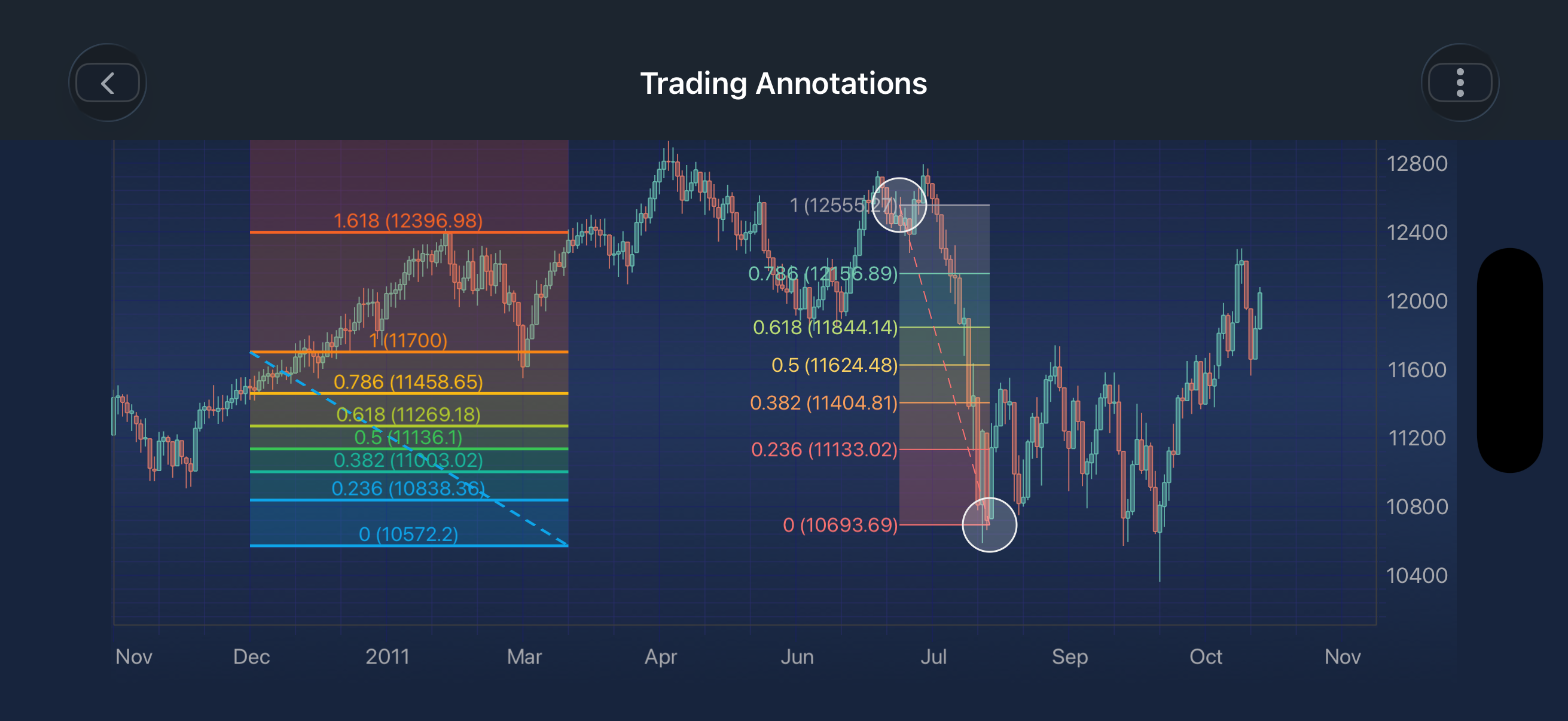
The SCIFibonacciRetracementCreationModifier is a custom gesture modifier used for interactive creation of Fibonacci Retracement annotations on a SciChart surface.
It enables users to place two key points (Start → End) using touch gestures, with real-time visual feedback during placement. Style properties set on the modifier (stroke, levels, regionColors, fillOpacity, connector line, and label options) are applied to each annotation as it is created.
Overview
The modifier handles the full lifecycle of Fibonacci Retracement annotation creation:
- Sequential point placement via touch interaction
- Real-time dragging feedback for each point
- Automatic completion after the final point (End)
- Immediate reset for continuous drawing
Once completed, the annotation remains on the chart and a callback is triggered.
Interaction Behavior
The creation flow follows a structured sequence:
Per Point Interaction (Start → End)
| Gesture | Behavior |
|---|---|
| Touch Down | Places the current point at the touch location |
| Drag | Moves the point dynamically in real-time |
| Touch Up | Locks the point and advances to the next one |
Completion
- After placing the End point, the annotation is finalized
- The
SCIAnnotationCreationModifierBase.annotationCreationCompletionListenercallback is invoked - The modifier resets immediately, ready for a new annotation
Retrieving Annotation Points After Drawing Completion
After an annotation drawing is completed, you can retrieve its underlying points using:
-[ISCITradingAnnotation getBaseDataValues]
-[ISCITradingAnnotation getBasePoints]
Both methods return the annotation’s defining points, but in different coordinate spaces.
-[ISCITradingAnnotation getBaseDataValues]
- X and Y values correspond to the chart’s actual data coordinates
- Independent of pixel resolution or screen scaling
- Useful for storing, analysis, or reloading annotations
-[ISCITradingAnnotation getBasePoints]
- X and Y values correspond to screen pixels
- Useful for rendering overlays or UI alignment
Usage Example
The SCIFibonacciRetracementCreationModifier can be configured using the properties listed in the table below:
| Field | Description |
|---|---|
SCIFibonacciRetracementCreationModifier.stroke |
Defines the SCIPenStyle used to draw the level lines. Supplies thickness and dash pattern; the colour of each level comes from regionColors. |
SCIFibonacciRetracementCreationModifier.levels |
Defines the Fibonacci ratios at which levels are drawn. |
SCIFibonacciRetracementCreationModifier.regionColors |
Defines the colours used to fill the regions between levels, treated as a ramp. |
SCIFibonacciRetracementCreationModifier.fillOpacity |
Defines the opacity applied to the filled regions, in the range 0.0 - 1.0. |
SCIFibonacciRetracementCreationModifier.showConnectorLine |
Determines whether a connector line is drawn between the two base points. |
SCIFibonacciRetracementCreationModifier.connectorLineStroke |
Defines the SCIPenStyle used to draw the connector line between the two base points. |
SCIFibonacciRetracementCreationModifier.fibonacciLabelPlacement |
Determines where the level labels are placed relative to their level line: Left, Top, or Inside. |
SCIFibonacciRetracementCreationModifier.fibonacciLabelColorMode |
Determines how the level labels are coloured: MultiColor (matches each level line) or SingleColor (uses labelStyle‘s text colour). |
SCIFibonacciRetracementCreationModifier.labelStyle |
Defines the SCIFontStyle used by the level labels. |
NOTE: The xAxisId and yAxisId must be supplied if you have axis with non-default Axis Ids, e.g. in multi-axis scenario.
Best Practices
- Disable conflicting gesture modifiers during drawing for better UX
- Use the CompletionListener to validate or store annotations
- Keep
levelsandregionColorsin sync so each region gets an intended colour - Customize
stroke,fillOpacity, andregionColorsfor better visual distinction - Call reset when switching tools or exiting drawing mode
Notes
- The modifier automatically resets after completing the End point
- Only one annotation is created per interaction cycle
- Designed for trend-based Fibonacci retracement analysis on financial charts