
iOS & macOS charts - Examples
Please note! These examples are new to SciChart iOS v4 release! SciChart’s OpenGL ES and Metal iOS and Metal macOS Chart library ships with hundred of Objective-C and Swift iOS & macOS Chart Examples which you can browse, play with and view the source-code. All of this is possible with the new and improved SciChart iOS Examples Suite and demo application for Mac, which ships as part of the SciChart SDK.

Demonstrates the speed and power of SciChart iOS for drawing real-time scientific waveforms in this iOS Oscilloscope Demo App.
The SCIFastLineRenderableSeries can be used to render a high performance iOS Line Chart in either Swift or Objective C. SciChart iOS supports millions of points out of the box, and is suitable for use in real-time scientific, medical and trading applications.
The Swift 4 and Objective-C source code for the iOS Chart Oscilloscope Demo example is included below (Scroll down!).
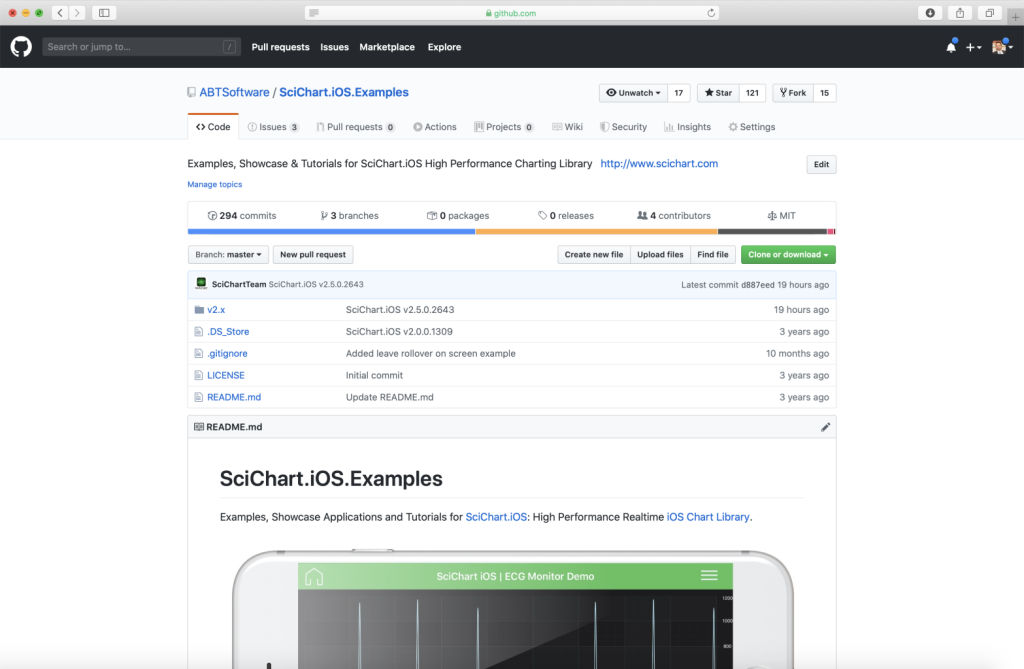
Did you know that we have the source code for all our example available for free on Github?
Clone the SciChart.iOS.Examples from Github.
Also the SciChart iOS and Scichart macOS Trials contain the full source for the examples (link below).
OscilloscopeChartView.m
View source code//******************************************************************************
// SCICHART® Copyright SciChart Ltd. 2011-2019. All rights reserved.
//
// Web: http://www.scichart.com
// Support: support@scichart.com
// Sales: sales@scichart.com
//
// OscilloscopeChartView.m is part of the SCICHART® Examples. Permission is hereby granted
// to modify, create derivative works, distribute and publish any part of this source
// code whether for commercial, private or personal use.
//
// The SCICHART® examples are distributed in the hope that they will be useful, but
// without any warranty. It is provided "AS IS" without warranty of any kind, either
// expressed or implied.
//******************************************************************************
#import "OscilloscopeChartView.h"
#import "SCDDataManager.h"
static double const TimeInterval = 30.0;
@implementation OscilloscopeChartView {
NSTimer *_timer;
DataSourceEnum _selectedSource;
SCIXyDataSeries *_dataSeries1;
SCIXyDataSeries *_dataSeries2;
SCIFastLineRenderableSeries *_rSeries;
double _phase0;
double _phase1;
double _phaseIncrement;
id<ISCIAxis> _xAxis;
id<ISCIAxis> _yAxis;
}
- (void)initExample {
_phaseIncrement = M_PI * 0.1;
_xAxis = [SCINumericAxis new];
_xAxis.autoRange = SCIAutoRange_Never;
_xAxis.axisTitle = @"Time (ms)";
_xAxis.visibleRange = [[SCIDoubleRange alloc] initWithMin:2.5 max:4.5];
_yAxis = [SCINumericAxis new];
_yAxis.autoRange = SCIAutoRange_Never;
_yAxis.axisTitle = @"Voltage (mV)";
_yAxis.visibleRange = [[SCIDoubleRange alloc] initWithMin:-12.5 max:12.5];
_dataSeries1 = [[SCIXyDataSeries alloc] initWithXType:SCIDataType_Double yType:SCIDataType_Double];
_dataSeries1.acceptsUnsortedData = YES;
_dataSeries2 = [[SCIXyDataSeries alloc] initWithXType:SCIDataType_Double yType:SCIDataType_Double];
_dataSeries2.acceptsUnsortedData = YES;
_rSeries = [SCIFastLineRenderableSeries new];
[self.surface.xAxes add:_xAxis];
[self.surface.yAxes add:_yAxis];
[self.surface.renderableSeries add:_rSeries];
_timer = [NSTimer scheduledTimerWithTimeInterval:TimeInterval / 1000.0 target:self selector:@selector(updateOscilloscopeData:) userInfo:nil repeats:YES];
#if TARGET_OS_OSX
if (_timer) {
[[NSRunLoop currentRunLoop] addTimer:_timer forMode:NSRunLoopCommonModes];
}
#endif
}
- (void)updateOscilloscopeData:(NSTimer *)timer {
SCDDoubleSeries *doubleSeries = [SCDDoubleSeries new];
if (_selectedSource == Lissajous) {
[SCDDataManager setLissajousCurve:doubleSeries alpha:0.12 beta:_phase1 delta:_phase0 count:2500];
[_dataSeries1 clear];
[_dataSeries1 appendValuesX:doubleSeries.xValues y:doubleSeries.yValues];
_rSeries.dataSeries = _dataSeries1;
} else {
[SCDDataManager setFourierSeries:doubleSeries amplitude:2.0 phaseShift:_phase0 count:1000];
[_dataSeries2 clear];
[_dataSeries2 appendValuesX:doubleSeries.xValues y:doubleSeries.yValues];
_rSeries.dataSeries = _dataSeries2;
}
_phase0 += _phaseIncrement;
_phase1 += _phaseIncrement * 0.005;
}
- (void)onFourierSeriesSelected {
self->_selectedSource = FourierSeries;
[self.surface.xAxes itemAt:0].visibleRange = [[SCIDoubleRange alloc] initWithMin:2.5 max:4.5];
[self.surface.yAxes itemAt:0].visibleRange = [[SCIDoubleRange alloc] initWithMin:-12.5 max:12.5];
self->_phaseIncrement = M_PI * 0.1;
}
- (void)onLissajousSelected {
self->_selectedSource = Lissajous;
[self.surface.xAxes itemAt:0].visibleRange = [[SCIDoubleRange alloc] initWithMin:-1.2 max:1.2];
[self.surface.yAxes itemAt:0].visibleRange = [[SCIDoubleRange alloc] initWithMin:-1.2 max:1.2];
self->_phaseIncrement = M_PI * 0.2;
}
- (void)onIsDigitalLineChanged:(BOOL)isDigitalLine {
_rSeries.isDigitalLine = isDigitalLine;
}
- (void)viewDidDisappear:(BOOL)animated {
[super viewDidDisappear:animated];
[_timer invalidate];
_timer = nil;
}
@end
OscilloscopeChartView.swift
View source code//******************************************************************************
// SCICHART® Copyright SciChart Ltd. 2011-2019. All rights reserved.
//
// Web: http://www.scichart.com
// Support: support@scichart.com
// Sales: sales@scichart.com
//
// OscilloscopeChartView.swift is part of the SCICHART® Examples. Permission is hereby granted
// to modify, create derivative works, distribute and publish any part of this source
// code whether for commercial, private or personal use.
//
// The SCICHART® examples are distributed in the hope that they will be useful, but
// without any warranty. It is provided "AS IS" without warranty of any kind, either
// expressed or implied.
//******************************************************************************
enum DataSource {
case Fourier
case Lisajous
}
class OscilloscopeChartView: SCDOscilloscopeChartViewControllerBase {
var _selectedSource: DataSource = .Fourier
let _dataSeries1 = SCIXyDataSeries(xType: .double, yType: .double)
let _dataSeries2 = SCIXyDataSeries(xType: .double, yType: .double)
let _rSeries = SCIFastLineRenderableSeries()
let _timeInterval = 30.0;
var _timer: Timer!
var _phase0 = 0.0
var _phase1 = 0.0
var _phaseIncrement = .pi * 0.1
let _xAxis = SCINumericAxis()
let _yAxis = SCINumericAxis()
override func initExample() {
_xAxis.autoRange = .never
_xAxis.axisTitle = "Time (ms)"
_xAxis.visibleRange = SCIDoubleRange(min: 2.5, max: 4.5)
_yAxis.autoRange = .never
_yAxis.axisTitle = "Voltage (mV)"
_yAxis.visibleRange = SCIDoubleRange(min: -12.5, max: 12.5)
_dataSeries1.acceptsUnsortedData = true
_dataSeries2.acceptsUnsortedData = true
surface.xAxes.add(_xAxis)
surface.yAxes.add(_yAxis)
surface.renderableSeries.add(_rSeries)
_timer = Timer.scheduledTimer(timeInterval: _timeInterval / 1000.0, target: self, selector: #selector(updateOscilloscopeData), userInfo: nil, repeats: true)
#if os(OSX)
if let _timer = _timer {
RunLoop.main.add(_timer, forMode: .common)
}
#endif
}
@objc fileprivate func updateOscilloscopeData() {
let doubleSeries = SCDDoubleSeries()
if (_selectedSource == .Lisajous) {
SCDDataManager.setLissajousCurve(doubleSeries, alpha: 0.12, beta: _phase1, delta: _phase0, count: 2500)
_dataSeries1.clear()
_dataSeries1.append(x: doubleSeries.xValues, y: doubleSeries.yValues)
_rSeries.dataSeries = _dataSeries1
} else {
SCDDataManager.setFourierSeries(doubleSeries, amplitude: 2.0, phaseShift: _phase0, count: 1000)
_dataSeries2.clear()
_dataSeries2.append(x: doubleSeries.xValues, y: doubleSeries.yValues)
_rSeries.dataSeries = _dataSeries2
}
_phase0 += _phaseIncrement
_phase1 += _phaseIncrement * 0.005
}
override func onFourierSeriesSelected() {
_selectedSource = .Fourier
surface.xAxes[0].visibleRange = SCIDoubleRange(min: 2.5, max: 4.5)
surface.yAxes[0].visibleRange = SCIDoubleRange(min: -12.5, max: 12.5)
_phaseIncrement = .pi * 0.1
}
override func onLissajousSelected() {
_selectedSource = .Lisajous
surface.xAxes[0].visibleRange = SCIDoubleRange(min: -1.2, max: 1.2)
surface.yAxes[0].visibleRange = SCIDoubleRange(min: -1.2, max: 1.2)
_phaseIncrement = .pi * 0.2
}
override func onIsDigitalLineChanged(_ isDigitalLine: Bool) {
_rSeries.isDigitalLine = isDigitalLine
}
override func viewDidDisappear(_ animated: Bool) {
super.viewDidDisappear(animated)
_timer.invalidate()
_timer = nil
}
}
SCDOscilloscopeChartViewControllerBase.m
View source code//******************************************************************************
// SCICHART® Copyright SciChart Ltd. 2011-2020. All rights reserved.
//
// Web: http://www.scichart.com
// Support: support@scichart.com
// Sales: sales@scichart.com
//
// SCDOscilloscopeChartViewControllerBase.m is part of the SCICHART® Examples. Permission is hereby granted
// to modify, create derivative works, distribute and publish any part of this source
// code whether for commercial, private or personal use.
//
// The SCICHART® examples are distributed in the hope that they will be useful, but
// without any warranty. It is provided "AS IS" without warranty of any kind, either
// expressed or implied.
//******************************************************************************
#import "SCDOscilloscopeChartViewControllerBase.h"
#import "SCDSettingsPresenter.h"
#import "SCDToolbarButtonsGroup.h"
#import "SCDToolbarItem.h"
#import "SCDToolbarPopupItem.h"
#import "SCDLabeledSettingsItem.h"
#import "SCDSwitchItem.h"
#import "SCDConstants.h"
@implementation SCDOscilloscopeChartViewControllerBase {
BOOL _isDigitalLine;
NSArray<NSString *> *_seriesNames;
NSInteger _initialSeriesIndex;
NSArray<SCIAction> *_actions;
SCDSettingsPresenter *_settingsPresenter;
}
- (Class)associatedType { return SCIChartSurface.class; }
- (BOOL)showDefaultModifiersInToolbar {
return NO;
}
- (void)commonInit {
__weak typeof(self) wSelf = self;
_seriesNames = @[@"Fourier", @"Lisajous"];
_actions = @[^{
[wSelf onFourierSeriesSelected];
}, ^{
[wSelf onLissajousSelected];
}];
_isDigitalLine = NO;
_initialSeriesIndex = 0;
}
- (NSArray<id<ISCDToolbarItem>> *)provideExampleSpecificToolbarItems {
__weak typeof(self) wSelf = self;
SCDToolbarButtonsGroup *settingsToolbar = [[SCDToolbarButtonsGroup alloc] initWithToolbarItems:@[
[[SCDToolbarItem alloc] initWithTitle:@"Oscilloscope settings" image:[SCIImage imageNamed:@"chart.settings"] andAction:^{ [wSelf p_SCD_openSettings]; }]
]];
settingsToolbar.identifier = TOOLBAR_MODIFIERS_SETTINGS;
return @[settingsToolbar];
}
- (void)p_SCD_openSettings {
_settingsPresenter = [[SCDSettingsPresenter alloc] initWithSettingsItems:[self p_SCD_createSettingsItems] andIdentifier:TOOLBAR_MODIFIERS_SETTINGS];
}
- (NSArray<id<ISCDToolbarItem>> *)p_SCD_createSettingsItems {
__weak typeof(self) wSelf = self;
SCDToolbarPopupItem *dataSourcePopupItem = [[SCDToolbarPopupItem alloc] initWithTitles:_seriesNames selectedIndex:_initialSeriesIndex andAction:^(NSUInteger selectedIndex) {
self->_actions[selectedIndex]();
}];
return @[
[[SCDLabeledSettingsItem alloc] initWithLabelText:@"Data source:" item:dataSourcePopupItem],
[[SCDSwitchItem alloc] initWithTitle:@"Is step line" isSelected:_isDigitalLine andAction:^(BOOL isYLogAxis) {
[wSelf p_SCD_changeIsDigital];
}]
];
}
- (void)p_SCD_changeIsDigital {
_isDigitalLine = !_isDigitalLine;
[self onIsDigitalLineChanged:_isDigitalLine];
}
- (void)onFourierSeriesSelected { }
- (void)onLissajousSelected { }
- (void)onIsDigitalLineChanged:(BOOL)isDigitalLine { }
@end



