
iOS & macOS charts - Examples
Please note! These examples are new to SciChart iOS v4 release! SciChart’s OpenGL ES and Metal iOS and Metal macOS Chart library ships with hundred of Objective-C and Swift iOS & macOS Chart Examples which you can browse, play with and view the source-code. All of this is possible with the new and improved SciChart iOS Examples Suite and demo application for Mac, which ships as part of the SciChart SDK.

Demonstrates the SciChart iOS Charts Annotations API, which allows UIView elements to be placed over the iOS Chart at specific X and Y data-values.
In this example you can tap and manipulate annotations be dragging the annotation body, or, dragging the annotation corners.
Annotation Types Include:
– AxisMarkerAnnotation
– BoxAnnotation
– CustomAnnotation
– HorizontalLineAnnotation
– LineAnnotation
– LineArrowAnnotation
– TextAnnotation
– VerticalLineAnnotation
Documentation Links
– iOS Annotations API Documentation
– SCIAnnotationCollection
The Swift 4 and Objective-C source code for the iOS Chart Annotations are Easy! example is included below (Scroll down!).
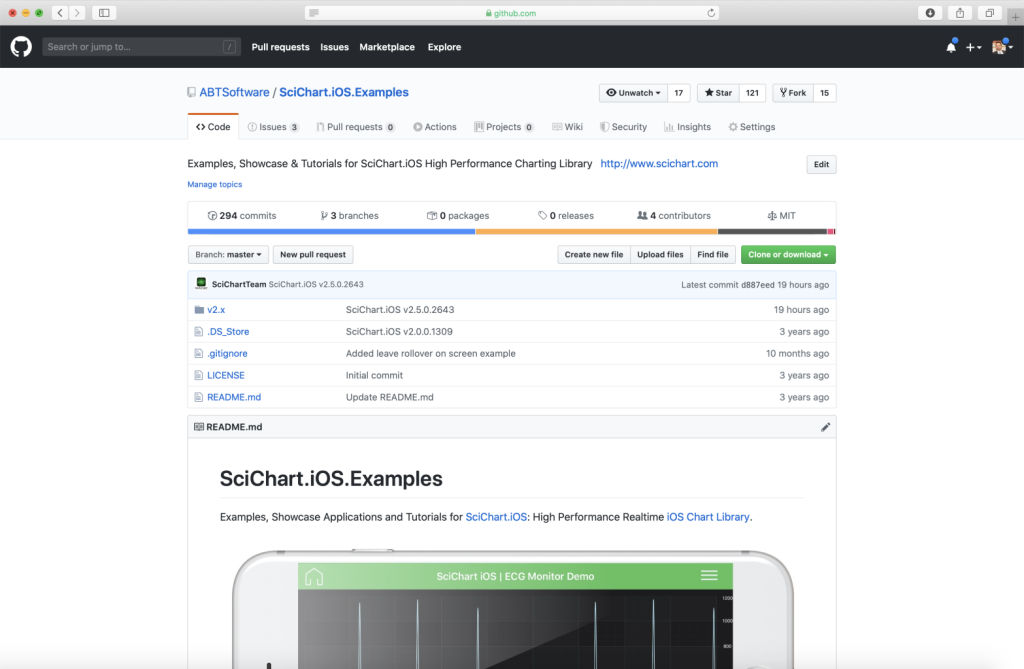
Did you know that we have the source code for all our example available for free on Github?
Clone the SciChart.iOS.Examples from Github.
Also the SciChart iOS and Scichart macOS Trials contain the full source for the examples (link below).
AnnotationsChartView.m
View source code//******************************************************************************
// SCICHART® Copyright SciChart Ltd. 2011-2019. All rights reserved.
//
// Web: http://www.scichart.com
// Support: support@scichart.com
// Sales: sales@scichart.com
//
// AnnotationsAreEasyView.m is part of the SCICHART® Examples. Permission is hereby granted
// to modify, create derivative works, distribute and publish any part of this source
// code whether for commercial, private or personal use.
//
// The SCICHART® examples are distributed in the hope that they will be useful, but
// without any warranty. It is provided "AS IS" without warranty of any kind, either
// expressed or implied.
//******************************************************************************
#import "AnnotationsAreEasyView.h"
@implementation AnnotationsAreEasyView
- (Class)associatedType { return SCIChartSurface.class; }
- (BOOL)showDefaultModifiersInToolbar { return NO; }
- (void)initExample {
SCINumericAxis *xAxis = [SCINumericAxis new];
xAxis.growBy = [[SCIDoubleRange alloc] initWithMin:0.1 max:0.1];
SCINumericAxis *yAxis = [SCINumericAxis new];
yAxis.growBy = [[SCIDoubleRange alloc] initWithMin:0.1 max:0.1];
yAxis.visibleRange = [[SCIDoubleRange alloc] initWithMin:0.0 max:10.0];
SCINumericAxis *yAxis2 = [SCINumericAxis new];
yAxis2.growBy = [[SCIDoubleRange alloc] initWithMin:0.1 max:0.1];
yAxis2.axisId = @"leftAxis";
yAxis2.axisAlignment = SCIAxisAlignment_Left;
[SCIUpdateSuspender usingWithSuspendable:self.surface withBlock:^{
[self.surface.xAxes add:xAxis];
[self.surface.yAxes add:yAxis];
[self.surface.yAxes add:yAxis2];
// Watermark
SCITextAnnotation *watermark = [SCITextAnnotation new];
watermark.x1 = @(0.5);
watermark.y1 = @(0.5);
watermark.coordinateMode = SCIAnnotationCoordinateMode_Relative;
watermark.horizontalAnchorPoint = SCIHorizontalAnchorPoint_Center;
watermark.verticalAnchorPoint = SCIVerticalAnchorPoint_Center;
watermark.text = @"Create \nWatermarks";
watermark.fontStyle = [[SCIFontStyle alloc] initWithFontSize:42 andTextColorCode:0x55FFFFFF];
// Text annotations
SCITextAnnotation *textAnnotation1 = [SCITextAnnotation new];
textAnnotation1.x1 = @(0.3);
textAnnotation1.y1 = @(9.7);
textAnnotation1.text = @"Annotations are Easy!";
textAnnotation1.padding = SCIEdgeInsetsMake(20, 20, 20, 20);
textAnnotation1.backgroundColor = [SCIColor whiteColor];
textAnnotation1.fontStyle = [[SCIFontStyle alloc] initWithFontSize:18 andTextColorCode:0xFFc43360];
SCITextAnnotation *textAnnotation2 = [SCITextAnnotation new];
textAnnotation2.x1 = @(1.0);
textAnnotation2.y1 = @(9.0);
textAnnotation2.text = @"You can create text";
textAnnotation2.fontStyle = [[SCIFontStyle alloc] initWithFontSize:12 andTextColor:SCIColor.whiteColor];
SCITextAnnotation *editableTextAnnotation = [SCITextAnnotation new];
editableTextAnnotation.x1 = @(1.0);
editableTextAnnotation.y1 = @(8.8);
editableTextAnnotation.canEditText = YES;
editableTextAnnotation.text = @"And even edit it ... (tap me)";
editableTextAnnotation.fontStyle = [[SCIFontStyle alloc] initWithFontSize:12 andTextColor:SCIColor.whiteColor];
// Text with Anchor Points
SCITextAnnotation *textAnnotation3 = [SCITextAnnotation new];
textAnnotation3.x1 = @(5.0);
textAnnotation3.y1 = @(8.0);
textAnnotation3.horizontalAnchorPoint = SCIHorizontalAnchorPoint_Center;
textAnnotation3.verticalAnchorPoint = SCIVerticalAnchorPoint_Bottom;
textAnnotation3.text = @"Anchor Center (x1, y1)";
SCITextAnnotation *textAnnotation4 = [SCITextAnnotation new];
textAnnotation4.x1 = @(5.0);
textAnnotation4.y1 = @(8.0);
textAnnotation4.horizontalAnchorPoint = SCIHorizontalAnchorPoint_Right;
textAnnotation4.verticalAnchorPoint = SCIVerticalAnchorPoint_Top;
textAnnotation4.text = @"Anchor Right";
SCITextAnnotation *textAnnotation5 = [SCITextAnnotation new];
textAnnotation5.x1 = @(5.0);
textAnnotation5.y1 = @(8.0);
textAnnotation5.horizontalAnchorPoint = SCIHorizontalAnchorPoint_Left;
textAnnotation5.verticalAnchorPoint = SCIVerticalAnchorPoint_Top;
textAnnotation5.text = @"or Anchor Left";
// Line and line arrow annotations
SCITextAnnotation *textAnnotation6 = [SCITextAnnotation new];
textAnnotation6.x1 = @(0.3);
textAnnotation6.y1 = @(6.1);
textAnnotation6.verticalAnchorPoint = SCIVerticalAnchorPoint_Bottom;
textAnnotation6.text = @"Draw Lines with \nor without Arrows";
textAnnotation6.fontStyle = [[SCIFontStyle alloc] initWithFontSize:12 andTextColor:SCIColor.whiteColor];
SCILineAnnotation *lineAnnotation = [SCILineAnnotation new];
lineAnnotation.x1 = @(1.0);
lineAnnotation.y1 = @(4.0);
lineAnnotation.x2 = @(2.0);
lineAnnotation.y2 = @(6.0);
lineAnnotation.stroke = [[SCISolidPenStyle alloc] initWithColorCode:0xFF555555 thickness:2];
SCILineArrowAnnotation *lineArrowAnnotation = [SCILineArrowAnnotation new];
lineArrowAnnotation.x1 = @(1.2);
lineArrowAnnotation.y1 = @(3.8);
lineArrowAnnotation.x2 = @(2.5);
lineArrowAnnotation.y2 = @(6.0);
lineArrowAnnotation.headLength = 4;
lineArrowAnnotation.headWidth = 8;
lineArrowAnnotation.stroke = [[SCISolidPenStyle alloc] initWithColorCode:0xFF555555 thickness:2];
// Box annotations
SCITextAnnotation *textAnnotation7 = [SCITextAnnotation new];
textAnnotation7.x1 = @(3.5);
textAnnotation7.y1 = @(6.1);
textAnnotation7.verticalAnchorPoint = SCIVerticalAnchorPoint_Bottom;
textAnnotation7.text = @"Draw Boxes";
textAnnotation7.fontStyle = [[SCIFontStyle alloc] initWithFontSize:12 andTextColor:SCIColor.whiteColor];
SCIBoxAnnotation *boxAnnotation1 = [SCIBoxAnnotation new];
boxAnnotation1.x1 = @(3.5);
boxAnnotation1.y1 = @(4.0);
boxAnnotation1.x2 = @(5.0);
boxAnnotation1.y2 = @(5.0);
boxAnnotation1.fillBrush = [[SCILinearGradientBrushStyle alloc] initWithStart:CGPointZero end:CGPointMake(0, 1) startColorCode:0x55274b92 endColorCode:0x55e8c667];
boxAnnotation1.borderPen = [[SCISolidPenStyle alloc] initWithColorCode:0x3368bcae thickness:1.0];
SCIBoxAnnotation *boxAnnotation2 = [SCIBoxAnnotation new];
boxAnnotation2.x1 = @(4.0);
boxAnnotation2.y1 = @(4.5);
boxAnnotation2.x2 = @(5.5);
boxAnnotation2.y2 = @(5.5);
boxAnnotation2.fillBrush = [[SCISolidBrushStyle alloc] initWithColorCode:0x55ae418d];
boxAnnotation2.borderPen = [[SCISolidPenStyle alloc] initWithColorCode:0xFFae418d thickness:1.0];
SCIBoxAnnotation *boxAnnotation3 = [SCIBoxAnnotation new];
boxAnnotation3.x1 = @(4.5);
boxAnnotation3.y1 = @(5.0);
boxAnnotation3.x2 = @(6.0);
boxAnnotation3.y2 = @(6.0);
boxAnnotation3.fillBrush = [[SCISolidBrushStyle alloc] initWithColorCode:0x5568bcae];
boxAnnotation3.borderPen = [[SCISolidPenStyle alloc] initWithColorCode:0xFF68bcae thickness:1.0];
// Custom shapes
SCITextAnnotation *textAnnotation8 = [SCITextAnnotation new];
textAnnotation8.x1 = @(7.0);
textAnnotation8.y1 = @(6.1);
textAnnotation8.verticalAnchorPoint = SCIVerticalAnchorPoint_Bottom;
textAnnotation8.text = @"Or Custom Shapes";
textAnnotation8.fontStyle = [[SCIFontStyle alloc] initWithFontSize:12 andTextColor:SCIColor.whiteColor];
SCICustomAnnotation *customAnnotationGreen = [SCICustomAnnotation new];
customAnnotationGreen.customView = [SCIImageView imageViewWithImage:[SCIImage imageNamed:@"image.arrow.green"]];
customAnnotationGreen.x1 = @(8);
customAnnotationGreen.y1 = @(5.5);
SCICustomAnnotation *customAnnotationRed = [SCICustomAnnotation new];
customAnnotationGreen.customView = [SCIImageView imageViewWithImage:[SCIImage imageNamed:@"image.arrow.red"]];
customAnnotationRed.x1 = @(7.5);
customAnnotationRed.y1 = @(5);
// Horizontal Line Annotations
SCIHorizontalLineAnnotation *horizontalLine = [SCIHorizontalLineAnnotation new];
horizontalLine.x1 = @(5.0);
horizontalLine.y1 = @(3.2);
horizontalLine.horizontalAlignment = SCIAlignment_Right;
horizontalLine.stroke = [[SCISolidPenStyle alloc] initWithColorCode: 0xFFe97064 thickness:2];
[horizontalLine.annotationLabels add:[self createLabelWithText:@"Right Aligned, with text on left" alignment:SCILabelPlacement_TopLeft]];
SCIHorizontalLineAnnotation *horizontalLine1 = [SCIHorizontalLineAnnotation new];
horizontalLine1.y1 = @(7.5);
horizontalLine1.y1 = @(2.8);
horizontalLine1.stroke = [[SCISolidPenStyle alloc] initWithColorCode: 0xFFe97064 thickness:2];
[horizontalLine1.annotationLabels add:[self createLabelWithText:nil alignment:SCILabelPlacement_Axis]];
// Vertical Line annotations
SCIVerticalLineAnnotation *verticalLine = [SCIVerticalLineAnnotation new];
verticalLine.x1 = @(9.0);
verticalLine.y1 = @(4.0);
verticalLine.verticalAlignment = SCIAlignment_Bottom;
verticalLine.stroke = [[SCISolidPenStyle alloc] initWithColorCode:0xFFc43360 thickness:2];
[verticalLine.annotationLabels add:[self createLabelWithText:nil alignment:SCILabelPlacement_Axis]];
SCIVerticalLineAnnotation *verticalLine1 = [SCIVerticalLineAnnotation new];
verticalLine1.x1 = @(9.5);
verticalLine1.y1 = @(10.0);
verticalLine1.stroke = [[SCISolidPenStyle alloc] initWithColorCode:0xFFc43360 thickness:2];
[verticalLine1.annotationLabels add:[self createLabelWithText:nil alignment:SCILabelPlacement_Axis]];
SCIAnnotationLabel *label = [self createLabelWithText:@"Bottom-aligned" alignment:SCILabelPlacement_TopRight];
label.rotationAngle = -90;
[verticalLine1.annotationLabels add:label];
// Image annotation with bounding box
SCIImageAnnotation *boxImageAnnotation = [SCIImageAnnotation new];
SCIImage *image = [SCIImage imageNamed:@"testLandscape"];
if (image) {
boxImageAnnotation.image = image;
}
boxImageAnnotation.x1 = @(0.5);
boxImageAnnotation.y1 = @(0.8);
boxImageAnnotation.x2 = @(5.0);
boxImageAnnotation.y2 = @(2.5);
boxImageAnnotation.annotationSurface = SCIAnnotationSurface_BelowChart;
boxImageAnnotation.contentMode = SCIContentMode_ScaleToFill;
//Custom Axis Marker Annotation
SCIView *vw = [self createAxisCustomView];
SCIAxisMarkerCustomAnnotation *axisMarkerCustom = [SCIAxisMarkerCustomAnnotation new];
axisMarkerCustom.y1 = @(7);
axisMarkerCustom.customView = vw;
SCIImageView *imgVw = [[SCIImageView alloc] initWithFrame:CGRectMake(0, 0, 20, 20)];
imgVw.image = [SCIImage imageNamed:@"image.arrow.right"];
#if TARGET_OS_IOS
imgVw.contentMode = UIViewContentModeScaleAspectFit;
#endif
SCIAxisMarkerCustomAnnotation *axisMarkerCustom2 = [[SCIAxisMarkerCustomAnnotation alloc] init];
[axisMarkerCustom2 setY1:@(9)];
axisMarkerCustom2.yAxisId = @"leftAxis";
axisMarkerCustom2.customView = imgVw;
axisMarkerCustom2.annotationSurface = SCIAnnotationSurface_YAxis;
SCIAxisMarkerCustomAnnotation *axisMarkerCustom3 = [[SCIAxisMarkerCustomAnnotation alloc] init];
[axisMarkerCustom3 setX1:@(6.5)];
axisMarkerCustom3.customView = [self createAxisCustomView2];
axisMarkerCustom3.annotationSurface = SCIAnnotationSurface_XAxis;
self.surface.annotations = [[SCIAnnotationCollection alloc] initWithCollection: @[watermark, textAnnotation1, textAnnotation2, textAnnotation3, editableTextAnnotation, textAnnotation4, textAnnotation5, textAnnotation6, lineAnnotation, lineArrowAnnotation, textAnnotation7, boxAnnotation1, boxAnnotation2, boxAnnotation3, textAnnotation8, customAnnotationGreen, customAnnotationRed, horizontalLine, horizontalLine1, verticalLine, verticalLine1, axisMarkerCustom, axisMarkerCustom2, axisMarkerCustom3, boxImageAnnotation]];
[self.surface.chartModifiers add:[SCDExampleBaseViewController createDefaultModifiers]];
}];
}
- (SCIAnnotationLabel *)createLabelWithText:(NSString *)text alignment:(SCILabelPlacement)labelPlacement {
SCIAnnotationLabel *annotationLabel = [SCIAnnotationLabel new];
if (text != nil) {
annotationLabel.text = text;
}
annotationLabel.labelPlacement = labelPlacement;
return annotationLabel;
}
-(SCIView*)createAxisCustomView {
SCIView *vw = [[SCIView alloc] initWithFrame:CGRectMake(0, 0, 145, 40)];
SCILabel *lbl = [[SCILabel alloc] initWithFrame:CGRectMake(0, 0, vw.frame.size.width, 20)];
lbl.font = [SCIFont systemFontOfSize:12];
lbl.text = @"Custom Axis Annotation";
lbl.textAlignment = NSTextAlignmentCenter;
lbl.textColor = [SCIColor whiteColor];
[vw addSubview:lbl];
SCIImageView *imgVw = [[SCIImageView alloc] initWithFrame:CGRectMake(vw.frame.origin.x + vw.frame.size.width / 2 - 10, CGRectGetMaxY(lbl.frame), 20, 20)];
imgVw.image = [SCIImage imageNamed:@"chart.modifier.rotate"];
#if TARGET_OS_IOS
imgVw.contentMode = UIViewContentModeScaleAspectFit;
imgVw.tintColor = [SCIColor whiteColor];
vw.backgroundColor = [SCIColor.yellowColor colorWithAlphaComponent:0.4];
#else
if (@available(macOS 10.14, *)) {
imgVw.contentTintColor = [SCIColor whiteColor];
} else {
// Fallback on earlier versions
}
vw.wantsLayer = YES;
vw.layer.backgroundColor = [SCIColor.yellowColor colorWithAlphaComponent:0.4].CGColor;
#endif
[vw addSubview:imgVw];
return vw;
}
-(SCIView*)createAxisCustomView2 {
SCIView *myVw = [[SCIView alloc] initWithFrame:CGRectMake(0, 0, 145, 30)];
SCIImageView *imgVw = [[SCIImageView alloc] initWithFrame:CGRectMake(0, 0, myVw.frame.size.width, myVw.frame.size.height)];
imgVw.image = [SCIImage imageNamed:@"Image.label.bg"];
#if TARGET_OS_IOS
imgVw.contentMode = UIViewContentModeScaleAspectFill;
imgVw.alpha = 0.6;
#else
imgVw.imageScaling = NSImageScaleAxesIndependently;
imgVw.layer.opacity = 0.6;
#endif
[myVw addSubview:imgVw];
SCILabel *lbl = [[SCILabel alloc] initWithFrame:CGRectMake(0, 0, myVw.frame.size.width, myVw.frame.size.height)];
lbl.text = @"Custom Axis Annotation";
lbl.font = [SCIFont italicSystemFontOfSize:12];
lbl.textColor = [SCIColor whiteColor];
lbl.textAlignment = NSTextAlignmentCenter;
[myVw addSubview:lbl];
return myVw;
}
@end
AnnotationsChartView.swift
View source code//******************************************************************************
// SCICHART® Copyright SciChart Ltd. 2011-2019. All rights reserved.
//
// Web: http://www.scichart.com
// Support: support@scichart.com
// Sales: sales@scichart.com
//
// AnnotationsAreEasyView.swift is part of the SCICHART® Examples. Permission is hereby granted
// to modify, create derivative works, distribute and publish any part of this source
// code whether for commercial, private or personal use.
//
// The SCICHART® examples are distributed in the hope that they will be useful, but
// without any warranty. It is provided "AS IS" without warranty of any kind, either
// expressed or implied.
//******************************************************************************
class AnnotationsAreEasyView: SCDSingleChartViewController<SCIChartSurface> {
override var associatedType: AnyClass { return SCIChartSurface.self }
override var showDefaultModifiersInToolbar: Bool { return false }
override func initExample() {
let xAxis = SCINumericAxis()
xAxis.growBy = SCIDoubleRange(min: 0.1, max: 0.1)
let yAxis = SCINumericAxis()
yAxis.growBy = SCIDoubleRange(min: 0.1, max: 0.1)
let yAxis2 = SCINumericAxis()
yAxis2.growBy = SCIDoubleRange(min: 0.1, max: 0.1)
yAxis2.axisId = "leftAxis"
yAxis2.axisAlignment = .left
SCIUpdateSuspender.usingWith(surface) {
self.surface.xAxes.add(xAxis)
self.surface.yAxes.add(yAxis)
self.surface.yAxes.add(yAxis2)
// Watermark
let watermark = SCITextAnnotation()
watermark.set(x1: 0.5)
watermark.set(y1: 0.5)
watermark.coordinateMode = .relative
watermark.horizontalAnchorPoint = .center
watermark.verticalAnchorPoint = .center
watermark.text = "Create \nWatermarks"
watermark.fontStyle = SCIFontStyle(fontSize: 42, andTextColorCode:0x55FFFFFF)
// Text annotations
let textAnnotation1 = SCITextAnnotation()
textAnnotation1.set(x1: 1)
textAnnotation1.set(y1: 9.7)
textAnnotation1.text = "Annotations are Easy!"
textAnnotation1.padding = SCIEdgeInsets(top: 20, left: 20, bottom: 20, right: 20)
textAnnotation1.backgroundColor = SCIColor.white
textAnnotation1.fontStyle = SCIFontStyle(fontSize: 18, andTextColorCode: 0xFFc43360)
let textAnnotation2 = SCITextAnnotation()
textAnnotation2.set(x1: 1.0)
textAnnotation2.set(y1: 9.0)
textAnnotation2.text = "You can create text"
textAnnotation2.fontStyle = SCIFontStyle(fontSize: 12, andTextColor: .white)
let editableTextAnnotation = SCITextAnnotation()
editableTextAnnotation.set(x1: 1.0)
editableTextAnnotation.set(y1: 8.7)
editableTextAnnotation.canEditText = true
editableTextAnnotation.text = "And even edit it ... (tap me)"
editableTextAnnotation.fontStyle = SCIFontStyle(fontSize: 12, andTextColor: .white)
// Text with Anchor Points
let textAnnotation3 = SCITextAnnotation()
textAnnotation3.set(x1: 5.0)
textAnnotation3.set(y1: 8.0)
textAnnotation3.horizontalAnchorPoint = .center
textAnnotation3.verticalAnchorPoint = .bottom
textAnnotation3.text = "Anchor Center (x1, y1)"
let textAnnotation4 = SCITextAnnotation()
textAnnotation4.set(x1: 5.0)
textAnnotation4.set(y1: 8.0)
textAnnotation4.horizontalAnchorPoint = .right
textAnnotation4.verticalAnchorPoint = .top
textAnnotation4.text = "Anchor Right"
let textAnnotation5 = SCITextAnnotation()
textAnnotation5.set(x1: 5.0)
textAnnotation5.set(y1: 8.0)
textAnnotation5.horizontalAnchorPoint = .left
textAnnotation5.verticalAnchorPoint = .top
textAnnotation5.text = "or Anchor Left"
// Line and line arrow annotations
let textAnnotation6 = SCITextAnnotation()
textAnnotation6.set(x1: 0.3)
textAnnotation6.set(y1: 6.1)
textAnnotation6.verticalAnchorPoint = .bottom
textAnnotation6.text = "Draw Lines with \nor without Arrows"
textAnnotation6.fontStyle = SCIFontStyle(fontSize: 12, andTextColor: .white)
let lineAnnotation = SCILineAnnotation()
lineAnnotation.set(x1: 1.0)
lineAnnotation.set(y1: 4.0)
lineAnnotation.set(x2: 2.0)
lineAnnotation.set(y2: 6.0)
lineAnnotation.stroke = SCISolidPenStyle(color: 0xFF555555, thickness: 2)
let lineArrowAnnotation = SCILineArrowAnnotation()
lineArrowAnnotation.set(x1: 1.2)
lineArrowAnnotation.set(y1: 3.8)
lineArrowAnnotation.set(x2: 2.5)
lineArrowAnnotation.set(y2: 6.0)
lineArrowAnnotation.headLength = 4
lineArrowAnnotation.headWidth = 8
lineArrowAnnotation.stroke = SCISolidPenStyle(color: 0xFF555555, thickness: 2)
// Box annotations
let textAnnotation7 = SCITextAnnotation()
textAnnotation7.set(x1: 3.5)
textAnnotation7.set(y1: 6.1)
textAnnotation7.text = "Draw Boxes"
textAnnotation7.verticalAnchorPoint = .bottom
textAnnotation7.fontStyle = SCIFontStyle(fontSize: 12, andTextColor: .white)
let boxAnnotation1 = SCIBoxAnnotation()
boxAnnotation1.set(x1: 3.5)
boxAnnotation1.set(y1: 4.0)
boxAnnotation1.set(x2: 5.0)
boxAnnotation1.set(y2: 5.0)
boxAnnotation1.fillBrush = SCILinearGradientBrushStyle(start: CGPoint(x: 0.0, y: 0.5), end: CGPoint(x: 1.0, y: 0.5), startColor: 0x55274b92, endColor: 0x55e8c667)
boxAnnotation1.borderPen = SCISolidPenStyle(color: 0x3368bcae, thickness: 1.0)
let boxAnnotation2 = SCIBoxAnnotation()
boxAnnotation2.set(x1: 4.0)
boxAnnotation2.set(y1: 4.5)
boxAnnotation2.set(x2: 5.5)
boxAnnotation2.set(y2: 5.5)
boxAnnotation2.fillBrush = SCISolidBrushStyle(color: 0x55ae418d)
boxAnnotation2.borderPen = SCISolidPenStyle(color: 0xFFae418d, thickness: 1.0)
let boxAnnotation3 = SCIBoxAnnotation()
boxAnnotation3.set(x1: 4.5)
boxAnnotation3.set(y1: 5.0)
boxAnnotation3.set(x2: 6.0)
boxAnnotation3.set(y2: 6.0)
boxAnnotation3.fillBrush = SCISolidBrushStyle(color: 0x5568bcae)
boxAnnotation3.borderPen = SCISolidPenStyle(color: 0xFF68bcae, thickness: 1.0)
// Custom shapes
let textAnnotation8 = SCITextAnnotation()
textAnnotation8.set(x1: 7.0)
textAnnotation8.set(y1: 6.1)
textAnnotation8.verticalAnchorPoint = .bottom
textAnnotation8.text = "Or Custom Shapes"
textAnnotation8.fontStyle = SCIFontStyle(fontSize: 12, andTextColor: .white)
let customAnnotationGreen = SCICustomAnnotation()
customAnnotationGreen.customView = SCIImageView.init(image: #imageLiteral(resourceName: "image.arrow.green"))
customAnnotationGreen.set(x1: 8)
customAnnotationGreen.set(y1: 5.5)
let customAnnotationRed = SCICustomAnnotation()
customAnnotationRed.customView = SCIImageView.init(image: #imageLiteral(resourceName: "image.arrow.red"))
customAnnotationRed.set(x1: 7.5)
customAnnotationRed.set(y1: 5)
// Horizontal Line Annotations
let horizontalLine = SCIHorizontalLineAnnotation()
horizontalLine.set(x1: 5.0)
horizontalLine.set(y1: 3.2)
horizontalLine.horizontalAlignment = .right
horizontalLine.stroke = SCISolidPenStyle(color: 0xFFe97064, thickness: 2)
horizontalLine.annotationLabels.add(self.createLabelWith(text: "Right Aligned, with text on left", labelPlacement: .topLeft))
let horizontalLine1 = SCIHorizontalLineAnnotation()
horizontalLine1.set(y1: 7.5)
horizontalLine1.set(y1: 2.8)
horizontalLine1.stroke = SCISolidPenStyle(color: 0xFFe97064, thickness: 2)
horizontalLine1.annotationLabels.add(self.createLabelWith(text: nil, labelPlacement: .axis))
// Vertical Line annotations
let verticalLine = SCIVerticalLineAnnotation()
verticalLine.set(x1: 9.0)
verticalLine.set(y1: 4.0)
verticalLine.verticalAlignment = .bottom;
verticalLine.stroke = SCISolidPenStyle(color: 0xFFc43360, thickness: 2)
verticalLine.annotationLabels.add(self.createLabelWith(text: nil, labelPlacement: .axis))
let verticalLine1 = SCIVerticalLineAnnotation()
verticalLine1.set(x1: 9.5)
verticalLine1.set(y1: 10.0)
verticalLine1.stroke = SCISolidPenStyle(color: 0xFFc43360, thickness: 2)
verticalLine1.annotationLabels.add(self.createLabelWith(text: nil, labelPlacement: .axis))
let label = self.createLabelWith(text: "Bottom-aligned", labelPlacement: .topRight)
label.rotationAngle = -90
verticalLine1.annotationLabels.add(label)
/// Image within the given anchor points box.
let boxImageAnnotation = SCIImageAnnotation()
if let image = SCIImage(named: "testLandscape") {
boxImageAnnotation.image = image
}
boxImageAnnotation.set(x1: 0.5)
boxImageAnnotation.set(y1: 0.8)
boxImageAnnotation.set(x2: 5)
boxImageAnnotation.set(y2: 2.5)
boxImageAnnotation.annotationSurface = .belowChart
boxImageAnnotation.contentMode = .scaleToFill
//Custom Axis Marker Annotation
let vw = self.createAxisCustomView()
let axisMarkerCustom = SCIAxisMarkerCustomAnnotation()
axisMarkerCustom.set(y1: 7)
axisMarkerCustom.customView = vw
axisMarkerCustom.isEditable = true
var imgVw = SCIImageView.init(frame: CGRect(origin: CGPoint(x: 0, y: 0), size: CGSize.init(width: 20, height: 20)))
imgVw.image = SCIImage(named: "image.arrow.right")
#if os(OSX)
#else
imgVw.contentMode = .scaleAspectFit
#endif
let axisMarkerCustom2 = SCIAxisMarkerCustomAnnotation()
axisMarkerCustom2.set(y1: 9)
axisMarkerCustom2.yAxisId = "leftAxis"
axisMarkerCustom2.customView = imgVw
axisMarkerCustom2.annotationSurface = .yAxis
axisMarkerCustom2.isEditable = true
let axisMarkerCustom3 = SCIAxisMarkerCustomAnnotation()
axisMarkerCustom3.set(x1: 6.5)
axisMarkerCustom3.customView = self.createAxisCustomView2()
axisMarkerCustom3.annotationSurface = .xAxis
axisMarkerCustom3.isEditable = true
self.surface.annotations = SCIAnnotationCollection(collection: [watermark, textAnnotation1, textAnnotation2, textAnnotation3, editableTextAnnotation, textAnnotation4, textAnnotation5, textAnnotation6, lineAnnotation, lineArrowAnnotation, textAnnotation7, boxAnnotation1, boxAnnotation2, boxAnnotation3, textAnnotation8, customAnnotationGreen, customAnnotationRed, horizontalLine, horizontalLine1, verticalLine, verticalLine1, axisMarkerCustom, axisMarkerCustom2, axisMarkerCustom3, boxImageAnnotation])
self.surface.chartModifiers.add(SCDExampleBaseViewController.createDefaultModifiers())
}
}
fileprivate func createLabelWith(text: String?, labelPlacement: SCILabelPlacement) -> SCIAnnotationLabel {
let annotationLabel = SCIAnnotationLabel()
if (text != nil) {
annotationLabel.text = text!
}
annotationLabel.labelPlacement = labelPlacement
return annotationLabel
}
fileprivate func createAxisCustomView() -> SCIView {
let vw = SCIView.init(frame: CGRect(origin: .zero, size: CGSize.init(width: 145, height: 40)))
let lbl = SCILabel.init(frame: CGRect(origin: CGPoint(x: 0, y: 0), size: CGSize.init(width: vw.frame.width, height: 20)))
lbl.font = SCIFont.systemFont(ofSize: 12)
lbl.textColor = SCIColor.white
lbl.text = "Custom Axis Annotation"
lbl.textAlignment = .center
vw.addSubview(lbl)
let imgVw = SCIImageView.init(frame: CGRect(origin: CGPoint(x: vw.center.x - 10, y: lbl.frame.height), size: CGSize.init(width: 20, height: 20)))
#if os(OSX)
if #available(macOS 10.14, *) {
imgVw.contentTintColor = SCIColor.white
} else {
// Fallback on earlier versions
}
vw.wantsLayer = true
vw.layer?.backgroundColor = SCIColor.yellow.withAlphaComponent(0.4).cgColor
#else
imgVw.tintColor = SCIColor.white
vw.backgroundColor = SCIColor.yellow.withAlphaComponent(0.4)
#endif
imgVw.image = SCIImage(named: "chart.modifier.rotate")
vw.addSubview(imgVw)
return vw
}
fileprivate func createAxisCustomView2() -> SCIView {
let myVw = SCIView.init(frame: CGRect(origin: .zero, size: CGSize.init(width: 145, height: 30)))
let imgVw = SCIImageView.init(frame: CGRect(origin: .zero, size: myVw.frame.size))
imgVw.image = SCIImage(named: "Image.label.bg")
#if os(OSX)
imgVw.layer?.opacity = 0.6
imgVw.imageScaling = .scaleAxesIndependently
#else
imgVw.contentMode = .scaleAspectFill
imgVw.alpha = 0.6
#endif
myVw.addSubview(imgVw)
let lbl = SCILabel.init(frame: CGRect(origin: .zero, size: myVw.frame.size))
lbl.text = "Custom Axis Annotation"
lbl.font = SCIFont.italicSystemFont(ofSize: 12)
lbl.textColor = SCIColor.white
lbl.textAlignment = .center
myVw.addSubview(lbl)
return myVw
}
}



