
iOS & macOS charts - Examples
Please note! These examples are new to SciChart iOS v4 release! SciChart’s OpenGL ES and Metal iOS and Metal macOS Chart library ships with hundred of Objective-C and Swift iOS & macOS Chart Examples which you can browse, play with and view the source-code. All of this is possible with the new and improved SciChart iOS Examples Suite and demo application for Mac, which ships as part of the SciChart SDK.

This example presents how Camera 3D work in SciChart for iOS. It shows how different properties define the view port as seen by the camera.
Read more in our documentation article about SciChart iOS SciChart Surface Camera.
The Swift and Objective-C source code for the iOS and macOS Modify Camera3D Properties example is included below (Scroll down!).
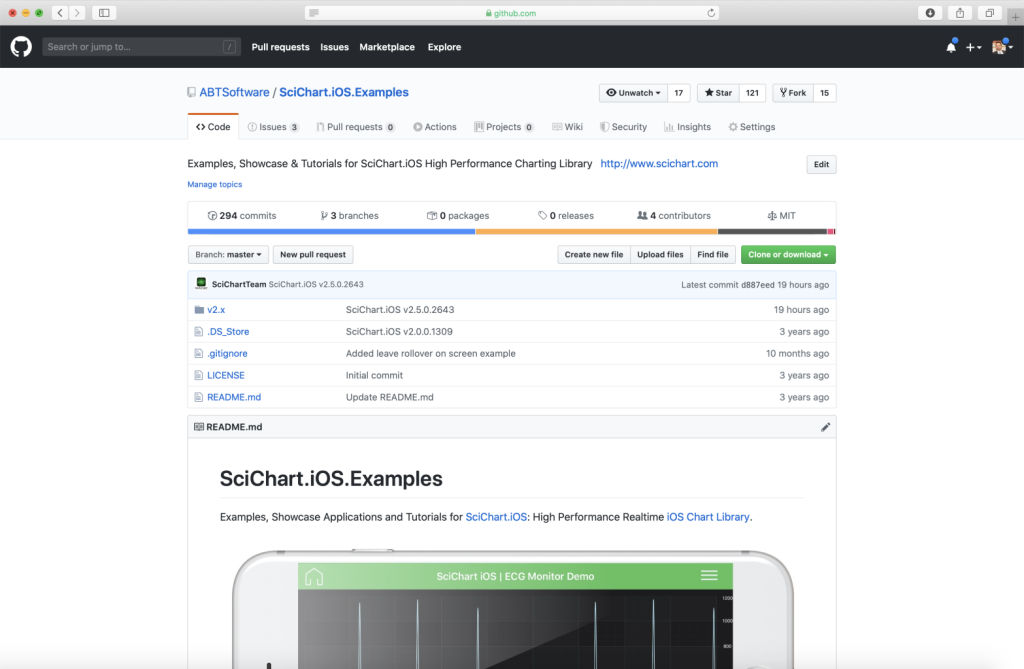
Did you know that we have the source code for all our example available for free on Github?
Clone the SciChart.iOS.Examples from Github.
Also the SciChart iOS and Scichart macOS Trials contain the full source for the examples (link below).
ModifyCameraProperties3DChartView.m
View source code//******************************************************************************
// SCICHART® Copyright SciChart Ltd. 2011-2019. All rights reserved.
//
// Web: http://www.scichart.com
// Support: support@scichart.com
// Sales: sales@scichart.com
//
// ModifyCameraProperties3DChartView.m is part of the SCICHART® Examples. Permission is hereby granted
// to modify, create derivative works, distribute and publish any part of this source
// code whether for commercial, private or personal use.
//
// The SCICHART® examples are distributed in the hope that they will be useful, but
// without any warranty. It is provided "AS IS" without warranty of any kind, either
// expressed or implied.
//******************************************************************************
#import "ModifyCameraProperties3DChartView.h"
#import "SCDCamera3DControlPanelView.h"
@implementation ModifyCameraProperties3DChartView {
SCDCamera3DControlPanelView *_panel;
}
- (Class)associatedType { return SCIChartSurface3D.class; }
- (void)initExample {
[SCIUpdateSuspender usingWithSuspendable:self.surface withBlock:^{
self.surface.xAxis = [SCINumericAxis3D new];
self.surface.yAxis = [SCINumericAxis3D new];
self.surface.zAxis = [SCINumericAxis3D new];
[self.surface.chartModifiers add:[SCDExampleBaseViewController createDefaultModifiers3D]];
[self.surface.camera setCameraUpdateListener:self];
}];
[self updatePanelFromCamera];
}
- (SCIView *)providePanel {
SCDCamera3DControlPanelView *panel = [SCDCamera3DControlPanelView new];
[panel.pitchSlider addTarget:self valueChangeAction:@selector(updateCameraFromControlPanelValues)];
[panel.yawSlider addTarget:self valueChangeAction:@selector(updateCameraFromControlPanelValues)];
[panel.radiusSlider addTarget:self valueChangeAction:@selector(updateCameraFromControlPanelValues)];
[panel.fovSlider addTarget:self valueChangeAction:@selector(updateCameraFromControlPanelValues)];
[panel.orthoWidthSlider addTarget:self valueChangeAction:@selector(updateCameraFromControlPanelValues)];
[panel.orthoHeightSlider addTarget:self valueChangeAction:@selector(updateCameraFromControlPanelValues)];
[panel.projectionModeSegmentControl addTarget:self valueChangeAction:@selector(updateCameraFromControlPanelValues)];
[panel.coordinateSystemModeSegmentControl addTarget:self valueChangeAction:@selector(updateCameraFromControlPanelValues)];
_panel = panel;
return panel;
}
- (void)updateCameraFromControlPanelValues {
__weak typeof(self) wSelf = self;
[SCIUpdateSuspender usingWithSuspendable:self.surface withBlock:^{
wSelf.surface.camera.orbitalPitch = self->_panel.pitchSlider.doubleValue;
wSelf.surface.camera.orbitalYaw = self->_panel.yawSlider.doubleValue;
wSelf.surface.camera.radius = self->_panel.radiusSlider.doubleValue;
wSelf.surface.camera.fieldOfView = self->_panel.fovSlider.doubleValue;
wSelf.surface.camera.orthoWidth = self->_panel.orthoWidthSlider.doubleValue;
wSelf.surface.camera.orthoHeight = self->_panel.orthoHeightSlider.doubleValue;
wSelf.surface.camera.projectionMode = self->_panel.projectionModeSegmentControl.selectedSegment == 0
? SCICameraProjectionMode_Perspective
: SCICameraProjectionMode_Orthogonal;
wSelf.surface.viewport.isLeftHandedCoordinateSystem = self->_panel.coordinateSystemModeSegmentControl.selectedSegment == 0;
}];
[self updatePanelFromCamera];
}
- (void)onCameraUpdated:(id<ISCICameraController>)camera {
[self updatePanelFromCamera];
}
- (void)updatePanelFromCamera {
id<ISCICameraController> camera = self.surface.camera;
_panel.pitchSlider.doubleValue = camera.orbitalPitch;
_panel.yawSlider.doubleValue = camera.orbitalYaw;
_panel.radiusSlider.doubleValue = camera.radius;
_panel.fovSlider.doubleValue = camera.fieldOfView;
_panel.orthoHeightSlider.doubleValue = camera.orthoHeight;
_panel.orthoWidthSlider.doubleValue = camera.orthoWidth;
_panel.projectionModeSegmentControl.selectedSegment = camera.projectionMode == SCICameraProjectionMode_Perspective ? 0 : 1;
_panel.coordinateSystemModeSegmentControl.selectedSegment = self.surface.viewport.isLeftHandedCoordinateSystem ? 0 : 1;
_panel.postionLabel.text = [NSString stringWithFormat:@"X: %.1f, Y: %.1f, Z: %.1f", camera.position.x, camera.position.y, camera.position.z];
[_panel updateUI];
}
@end
ModifyCameraProperties3DChartView.swift
View source code//******************************************************************************
// SCICHART® Copyright SciChart Ltd. 2011-2019. All rights reserved.
//
// Web: http://www.scichart.com
// Support: support@scichart.com
// Sales: sales@scichart.com
//
// ModifyCameraProperties3DChartView.swift is part of the SCICHART® Examples. Permission is hereby granted
// to modify, create derivative works, distribute and publish any part of this source
// code whether for commercial, private or personal use.
//
// The SCICHART® examples are distributed in the hope that they will be useful, but
// without any warranty. It is provided "AS IS" without warranty of any kind, either
// expressed or implied.
//******************************************************************************
class ModifyCameraProperties3DChartView: SCDSingleChartWithTopPanelViewController<SCIChartSurface3D>, ISCICameraUpdateListener {
override var associatedType: AnyClass { return SCIChartSurface3D.self }
let panel = SCDCamera3DControlPanelView()
override func initExample() {
SCIUpdateSuspender.usingWith(surface) {
self.surface.xAxis = SCINumericAxis3D()
self.surface.yAxis = SCINumericAxis3D()
self.surface.zAxis = SCINumericAxis3D()
self.surface.chartModifiers.add(SCDExampleBaseViewController.createDefaultModifiers3D())
self.surface.camera.setCameraUpdateListener(self)
}
updatePanelFromCamera()
}
override func providePanel() -> SCIView? {
panel.pitchSlider.addTarget(self, valueChangeAction: #selector(updateCameraFromControlPanelValues))
panel.yawSlider.addTarget(self, valueChangeAction: #selector(updateCameraFromControlPanelValues))
panel.radiusSlider.addTarget(self, valueChangeAction: #selector(updateCameraFromControlPanelValues))
panel.fovSlider.addTarget(self, valueChangeAction: #selector(updateCameraFromControlPanelValues))
panel.orthoHeightSlider.addTarget(self, valueChangeAction: #selector(updateCameraFromControlPanelValues))
panel.orthoWidthSlider.addTarget(self, valueChangeAction: #selector(updateCameraFromControlPanelValues))
panel.projectionModeSegmentControl.addTarget(self, valueChangeAction: #selector(updateCameraFromControlPanelValues))
panel.coordinateSystemModeSegmentControl.addTarget(self, valueChangeAction: #selector(updateCameraFromControlPanelValues))
return panel
}
@objc fileprivate func updateCameraFromControlPanelValues() {
SCIUpdateSuspender.usingWith(surface) { [weak self] in
guard let surface = self?.surface, let panel = self?.panel else { return }
surface.camera.orbitalPitch = Float(panel.pitchSlider.doubleValue)
surface.camera.orbitalYaw = Float(panel.yawSlider.doubleValue)
surface.camera.radius = Float(panel.radiusSlider.doubleValue)
surface.camera.fieldOfView = Float(panel.fovSlider.doubleValue)
surface.camera.orthoWidth = Float(panel.orthoWidthSlider.doubleValue)
surface.camera.orthoHeight = Float(panel.orthoHeightSlider.doubleValue)
surface.camera.projectionMode = panel.projectionModeSegmentControl.selectedSegment == 0
? .perspective
: .orthogonal
surface.viewport.isLeftHandedCoordinateSystem = panel.coordinateSystemModeSegmentControl.selectedSegment == 0
}
updatePanelFromCamera()
}
func onCameraUpdated(_ camera: ISCICameraController) {
updatePanelFromCamera()
}
fileprivate func updatePanelFromCamera() {
let camera = surface.camera
panel.pitchSlider.doubleValue = Double(camera.orbitalPitch)
panel.yawSlider.doubleValue = Double(camera.orbitalYaw)
panel.radiusSlider.doubleValue = Double(camera.radius)
panel.fovSlider.doubleValue = Double(camera.fieldOfView)
panel.orthoHeightSlider.doubleValue = Double(camera.orthoHeight)
panel.orthoWidthSlider.doubleValue = Double(camera.orthoWidth)
panel.projectionModeSegmentControl.selectedSegment = camera.projectionMode == .perspective ? 0 : 1
panel.coordinateSystemModeSegmentControl.selectedSegment = surface.viewport.isLeftHandedCoordinateSystem == true ? 0 : 1
panel.postionLabel.text = String(format: "X: %.1f, Y: %.1f, Z: %.1f", arguments: [camera.position.x, camera.position.y, camera.position.z])
panel.updateUI()
}
}



