
WPF Chart - Examples
SciChart WPF ships with hundreds of WPF Chart Examples which you can browse, play with, view the source-code and even export each WPF Chart Example to a stand-alone Visual Studio solution. All of this is possible with the new and improved SciChart WPF Examples Suite, which ships as part of the SciChart WPF SDK.
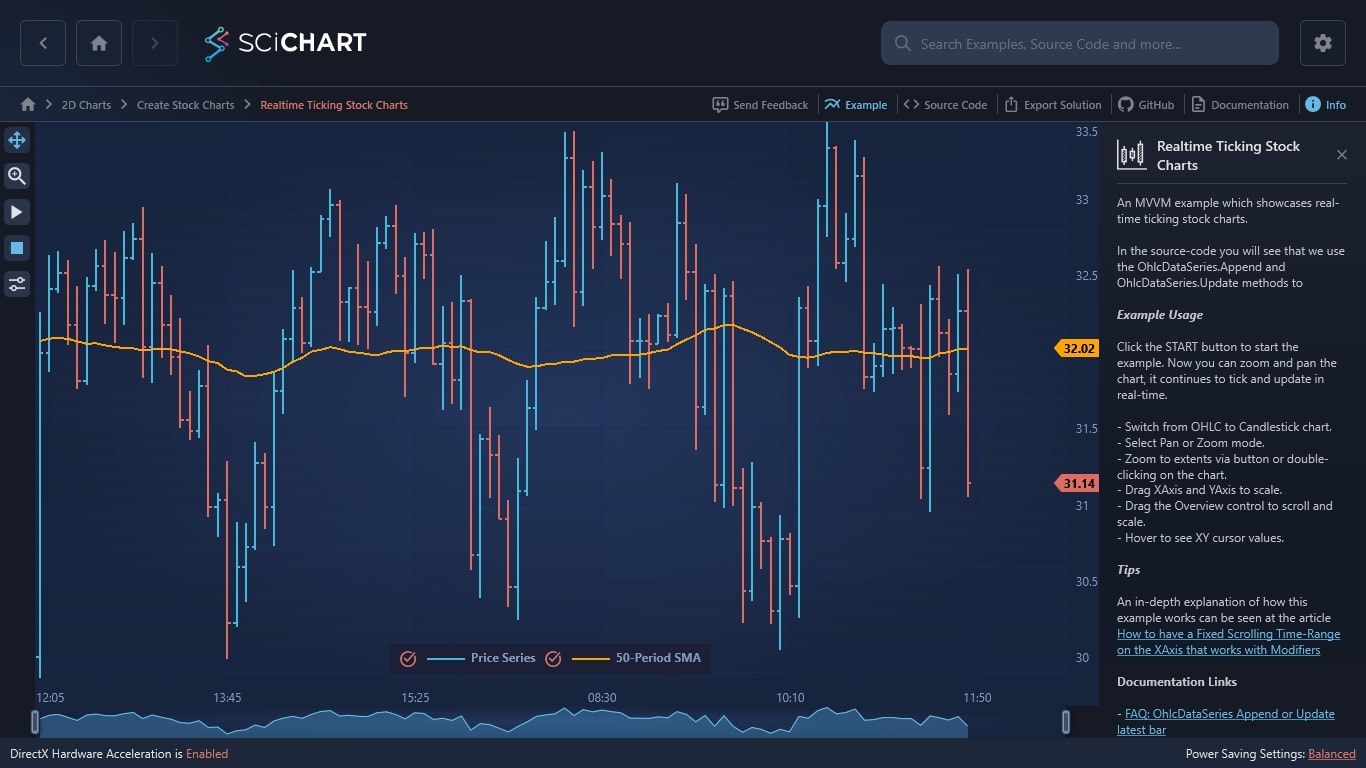
An MVVM example which showcases real-time ticking stock charts.
In the source-code you will see that we use the OhlcDataSeries.Append and OhlcDataSeries.Update methods to
Example Usage
Click the START button to start the example. Now you can zoom and pan the chart, it continues to tick and update in real-time.
– Switch from OHLC to Candlestick chart.
– Select Pan or Zoom mode.
– Zoom to extents via button or double-clicking on the chart.
– Drag XAxis and YAxis to scale.
– Drag the Overview control to scroll and scale.
– Hover to see XY cursor values.
Tips
An in-depth explanation of how this example works can be seen at the article How to have a Fixed Scrolling Time-Range on the XAxis that works with Modifiers
Documentation Links
– FAQ: OhlcDataSeries Append or Update latest bar
– How to have a Fixed Scrolling Time-Range on the XAxis that works with Modifiers
– FastCandlestickRenderableSeries Type
– OhlcDataSeries Type
– CategoryDateTimeAxis vs. NumericAxis
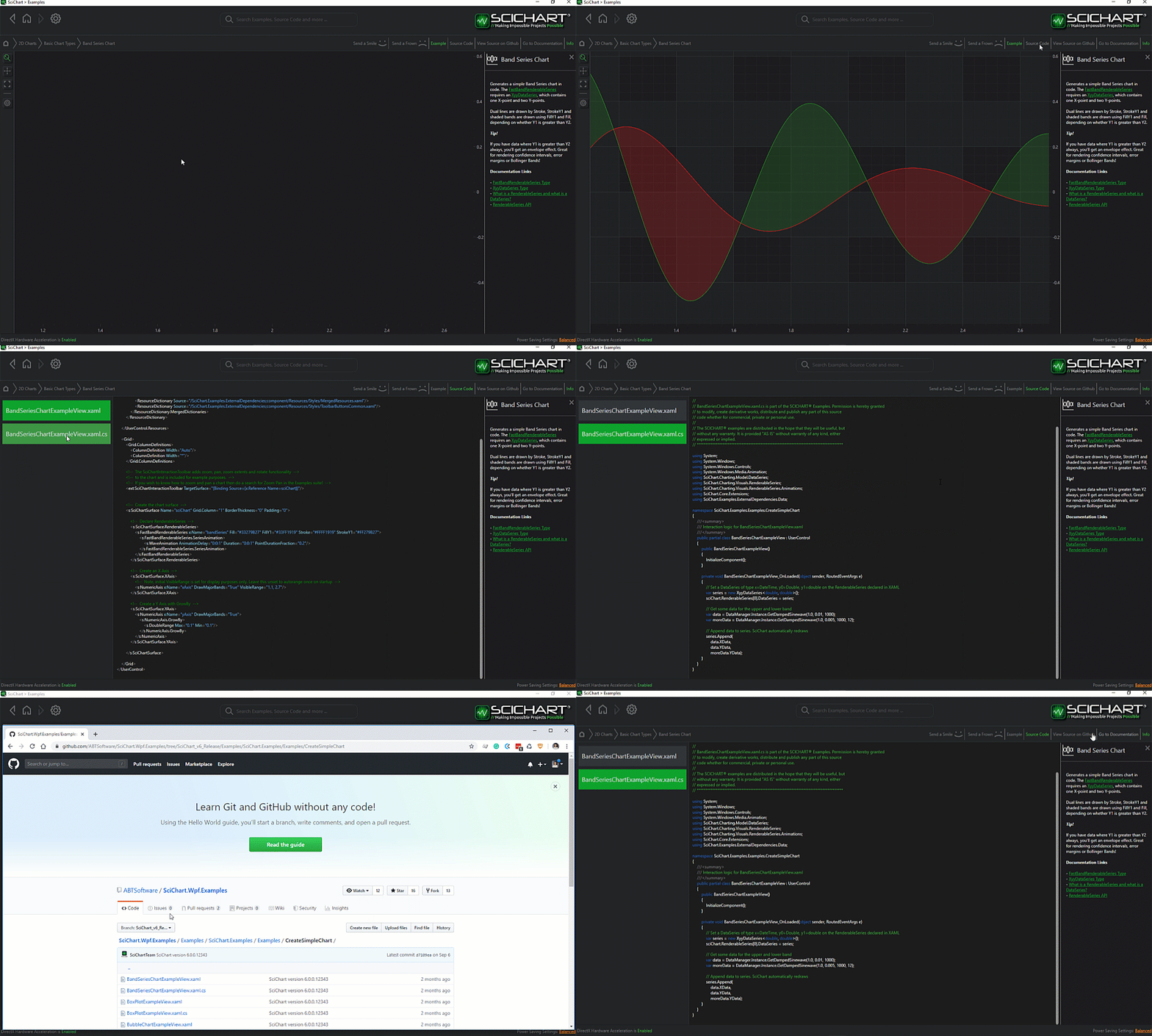
The C#/WPF source code for the WPF Realtime Ticking Stock Charts example is included below (Scroll down!).
Did you know you can also view the source code from one of the following sources as well?
- Clone the SciChart.WPF.Examples from Github.
- Or, view source in the SciChart WPF Examples suite.
- Also the SciChart WPF Trial contains the full source for the examples (link below).
CreateRealTimeTickingStockChart.xaml
View source code<UserControl x:Class="SciChart.Examples.Examples.CreateStockCharts.RealtimeMvvm.CreateRealTimeTickingStockChart"
xmlns="http://schemas.microsoft.com/winfx/2006/xaml/presentation"
xmlns:x="http://schemas.microsoft.com/winfx/2006/xaml"
xmlns:d="http://schemas.microsoft.com/expression/blend/2008"
xmlns:ext="http://schemas.abtsoftware.co.uk/scichart/exampleExternals"
xmlns:i="http://schemas.microsoft.com/xaml/behaviors"
xmlns:mc="http://schemas.openxmlformats.org/markup-compatibility/2006"
xmlns:s="http://schemas.abtsoftware.co.uk/scichart"
d:DesignHeight="400"
d:DesignWidth="600"
mc:Ignorable="d">
<UserControl.Resources>
<ext:DoubleToGridLengthConverter x:Key="DoubleToGridLengthConverter" />
<Style x:Key="LegendStyle" TargetType="s:LegendModifier">
<Setter Property="Margin" Value="5" />
<Setter Property="LegendPlacement" Value="Inside" />
<Setter Property="HorizontalAlignment" Value="Center" />
<Setter Property="VerticalAlignment" Value="Bottom" />
<Setter Property="Orientation" Value="Horizontal" />
<Setter Property="ShowSeriesMarkers" Value="True" />
<Setter Property="ShowVisibilityCheckboxes" Value="True" />
</Style>
</UserControl.Resources>
<Grid>
<Grid.ColumnDefinitions>
<ColumnDefinition Width="Auto" />
<ColumnDefinition Width="*" />
</Grid.ColumnDefinitions>
<Grid.RowDefinitions>
<RowDefinition Height="*" />
<RowDefinition Height="Auto" />
</Grid.RowDefinitions>
<Border Grid.RowSpan="2"
Background="#FF232426"
BorderBrush="#FF323539"
BorderThickness="0,0,2,0"
Canvas.ZIndex="9999">
<StackPanel Orientation="Vertical">
<ToggleButton x:Name="IsZoomEnabled"
Style="{StaticResource ZoomButtonStyle}"
ToolTipService.ToolTip="Toggle Rubber-Band Zoom"
s:ToggleButtonExtensions.GroupName="RealtimeTickingStockChart_Modifiers" />
<ToggleButton x:Name="IsPanEnabled"
IsChecked="True"
Style="{StaticResource PanButtonStyle}"
ToolTipService.ToolTip="Toggle Zoom-Pan"
s:ToggleButtonExtensions.GroupName="RealtimeTickingStockChart_Modifiers" />
<ext:FlyoutSeparator />
<ToggleButton Command="{Binding StartUpdatesCommand}"
Style="{StaticResource PlayButtonStyle}"
s:ToggleButtonExtensions.GroupName="RealtimeTickingStockChart_StartStop" />
<ToggleButton Command="{Binding StopUpdatesCommand}"
Style="{StaticResource PauseButtonStyle}"
s:ToggleButtonExtensions.GroupName="RealtimeTickingStockChart_StartStop" />
<ext:FlyoutSeparator />
<ext:FlyoutMenuButton Content="CTRL"
Padding="0"
Style="{StaticResource FlyoutMenuButtonStyle}">
<ext:FlyoutMenuButton.PopupContent>
<StackPanel MinWidth="150" Orientation="Vertical">
<TextBlock Text="RenderableSeries Controls" />
<ext:FlyoutSeparator />
<TextBlock Text="Stroke Thickness:" />
<ComboBox Margin="4"
ItemsSource="{Binding StrokeThicknesses}"
SelectedItem="{Binding SelectedStrokeThickness, Mode=TwoWay}" >
<ComboBox.ItemTemplate>
<DataTemplate>
<TextBlock Text="{Binding}" Foreground="#FFF"/>
</DataTemplate>
</ComboBox.ItemTemplate>
</ComboBox>
<TextBlock Text="Series Styles:" />
<ComboBox Margin="4"
ItemsSource="{Binding SeriesStyles}"
SelectedItem="{Binding SelectedSeriesStyle, Mode=TwoWay}"/>
<CheckBox x:Name="UseAntiAliasing"
Margin="4"
Content="Use Antialiasing?"
IsChecked="False" />
</StackPanel>
</ext:FlyoutMenuButton.PopupContent>
</ext:FlyoutMenuButton>
</StackPanel>
</Border>
<!-- Define the StockChart control, binding to PriceData -->
<s:SciStockChart x:Name="PriceChart"
Grid.Row="0"
Grid.Column="1"
IsPanEnabled="{Binding Source={x:Reference Name=IsPanEnabled}, Path=IsChecked, Mode=TwoWay}"
IsRubberBandZoomEnabled="{Binding Source={x:Reference Name=IsZoomEnabled}, Path=IsChecked, Mode=TwoWay}"
LegendStyle="{StaticResource LegendStyle}"
RenderableSeries="{s:SeriesBinding SeriesViewModels}">
<s:SciStockChart.Resources>
<Style x:Key="BaseRenderableSeriesStyle" TargetType="s:BaseRenderableSeries">
<Setter Property="AntiAliasing" Value="{Binding Source={x:Reference Name=UseAntiAliasing}, Path=IsChecked, Mode=OneWay}" />
<Setter Property="StrokeThickness" Value="{Binding Source={x:Reference Name=PriceChart}, Path=DataContext.SelectedStrokeThickness}" />
</Style>
<Style x:Key="LineStyle" TargetType="s:FastLineRenderableSeries">
<Setter Property="Stroke" Value="#FFFFA500" />
<Setter Property="AntiAliasing" Value="{Binding Source={x:Reference Name=UseAntiAliasing}, Path=IsChecked, Mode=OneWay}" />
<Setter Property="StrokeThickness" Value="{Binding Source={x:Reference Name=PriceChart}, Path=DataContext.SelectedStrokeThickness}" />
</Style>
</s:SciStockChart.Resources>
<!-- Override any properties of the built-in CategoryDateTimeAxis -->
<s:SciStockChart.XAxisStyle>
<Style TargetType="s:CategoryDateTimeAxis">
<Setter Property="GrowBy" Value="0, 0.1" />
<Setter Property="DrawMinorGridLines" Value="False" />
<Setter Property="DrawMajorBands" Value="True" />
<Setter Property="BarTimeFrame" Value="{Binding BarTimeFrame, Mode=OneWay}" />
<Setter Property="VisibleRange" Value="{Binding XVisibleRange, Mode=TwoWay}" />
</Style>
</s:SciStockChart.XAxisStyle>
<!-- Override any properties of the built-in NumericAxis -->
<s:SciStockChart.YAxisStyle>
<Style TargetType="s:NumericAxis">
<Setter Property="AutoRange" Value="Always" />
</Style>
</s:SciStockChart.YAxisStyle>
</s:SciStockChart>
<!-- This grid is used to space Overview Control so its width matches parent chart XAxis -->
<Grid Grid.Row="1"
Grid.Column="1"
Height="32">
<!-- The grid is used to set the padding on the Overview, so that the size of the Overview matches the size of the XAxis on the parent chart -->
<Grid.ColumnDefinitions>
<ColumnDefinition Width="*" />
<ColumnDefinition Width="{Binding Source={x:Reference Name=Proxy}, Path=ActualWidthValue, Mode=OneWay, Converter={StaticResource DoubleToGridLengthConverter}}" />
</Grid.ColumnDefinitions>
<ext:ActualSizePropertyProxy x:Name="Proxy" Element="{Binding Source={x:Reference Name=PriceChart}, Path=YAxis}" />
<!-- Define the Overview control, binding to XVisibleRange, which is shared between this and the SciStockChart control -->
<s:SciChartOverview Grid.Column="0"
DataSeries="{Binding SeriesViewModels[0].DataSeries, Mode=OneWay}"
ParentSurface="{Binding Source={x:Reference Name=PriceChart}, Mode=OneWay}"
SelectedRange="{Binding XVisibleRange, Mode=TwoWay}"/>
</Grid>
</Grid>
<!-- Used for the example only. On user switching example, stop the timer -->
<!-- You shouldn't need this for your code -->
<i:Interaction.Triggers>
<i:EventTrigger EventName="Unloaded">
<i:InvokeCommandAction Command="{Binding StopUpdatesCommand}" />
</i:EventTrigger>
</i:Interaction.Triggers>
</UserControl>CreateRealTimeTickingStockChart.xaml.cs
View source code// *************************************************************************************
// SCICHART® Copyright SciChart Ltd. 2011-2022. All rights reserved.
//
// Web: http://www.scichart.com
// Support: support@scichart.com
// Sales: sales@scichart.com
//
// CreateRealTimeTickingStockChart.xaml.cs is part of the SCICHART® Examples. Permission is hereby granted
// to modify, create derivative works, distribute and publish any part of this source
// code whether for commercial, private or personal use.
//
// The SCICHART® examples are distributed in the hope that they will be useful, but
// without any warranty. It is provided "AS IS" without warranty of any kind, either
// expressed or implied.
// *************************************************************************************
using System.Windows.Controls;
namespace SciChart.Examples.Examples.CreateStockCharts.RealtimeMvvm
{
public partial class CreateRealTimeTickingStockChart : UserControl
{
public CreateRealTimeTickingStockChart()
{
InitializeComponent();
}
}
}
CreateRealTimeTickingStockChartViewModel.cs
View source code// *************************************************************************************
// SCICHART® Copyright SciChart Ltd. 2011-2022. All rights reserved.
//
// Web: http://www.scichart.com
// Support: support@scichart.com
// Sales: sales@scichart.com
//
// CreateRealTimeTickingStockChartViewModel.cs is part of the SCICHART® Examples. Permission is hereby granted
// to modify, create derivative works, distribute and publish any part of this source
// code whether for commercial, private or personal use.
//
// The SCICHART® examples are distributed in the hope that they will be useful, but
// without any warranty. It is provided "AS IS" without warranty of any kind, either
// expressed or implied.
// *************************************************************************************
using System;
using System.Collections.Generic;
using System.Collections.ObjectModel;
using System.Linq;
using System.Windows.Input;
using SciChart.Charting.Common.Helpers;
using SciChart.Charting.Model.ChartSeries;
using SciChart.Charting.Model.DataSeries;
using SciChart.Data.Model;
using SciChart.Examples.ExternalDependencies.Common;
using SciChart.Examples.ExternalDependencies.Data;
namespace SciChart.Examples.Examples.CreateStockCharts.RealtimeMvvm
{
public class CreateRealTimeTickingStockChartViewModel : BaseViewModel
{
private readonly object _tickLocker = new object();
private readonly IMarketDataService _marketDataService;
private readonly MovingAverage _sma50 = new MovingAverage(50);
private PriceBar _lastPrice;
private IndexRange _xVisibleRange;
private int _selectedStrokeThickness;
private string _selectedSeriesStyle;
private ObservableCollection<IRenderableSeriesViewModel> _seriesViewModels;
public CreateRealTimeTickingStockChartViewModel()
{
_seriesViewModels = new ObservableCollection<IRenderableSeriesViewModel>();
// Market data service simulates live ticks. We want to load the chart with 150 historical bars
// then later do real-time ticking as new data comes in
_marketDataService = new MarketDataService(new DateTime(2000, 08, 01, 12, 00, 00), 5, 20);
// Add ChartSeriesViewModels for the candlestick and SMA series
var ds0 = new OhlcDataSeries<DateTime, double> {SeriesName = "Price Series"};
_seriesViewModels.Add(new OhlcRenderableSeriesViewModel {DataSeries = ds0, StyleKey = "BaseRenderableSeriesStyle"});
var ds1 = new XyDataSeries<DateTime, double> {SeriesName = "50-Period SMA"};
_seriesViewModels.Add(new LineRenderableSeriesViewModel {DataSeries = ds1, StyleKey = "LineStyle"});
// Append 150 historical bars to data series
var prices = _marketDataService.GetHistoricalData(100);
ds0.Append(prices.Select(x => x.DateTime),
prices.Select(x => x.Open),
prices.Select(x => x.High),
prices.Select(x => x.Low),
prices.Select(x => x.Close));
ds1.Append(prices.Select(x => x.DateTime), prices.Select(y => _sma50.Push(y.Close).Current));
StrokeThicknesses = new[] {1, 2, 3, 4, 5};
SeriesStyles = new[] {"OHLC", "Candlestick", "Line", "Mountain"};
SelectedStrokeThickness = 2;
SelectedSeriesStyle = "OHLC";
}
public ObservableCollection<IRenderableSeriesViewModel> SeriesViewModels
{
get => _seriesViewModels;
set
{
_seriesViewModels = value;
OnPropertyChanged("SeriesViewModels");
}
}
public double BarTimeFrame { get; } = TimeSpan.FromMinutes(5).TotalSeconds;
public ICommand TickCommand => new ActionCommand(() => OnNewPrice(_marketDataService.GetNextBar()));
public ICommand StartUpdatesCommand => new ActionCommand(() => _marketDataService.SubscribePriceUpdate(OnNewPrice));
public ICommand StopUpdatesCommand => new ActionCommand(() => _marketDataService.ClearSubscriptions());
public IEnumerable<string> SeriesStyles { get; }
public IEnumerable<int> StrokeThicknesses { get; }
public int SelectedStrokeThickness
{
get => _selectedStrokeThickness;
set
{
_selectedStrokeThickness = value;
OnPropertyChanged("SelectedStrokeThickness");
}
}
public string SelectedSeriesStyle
{
get => _selectedSeriesStyle;
set
{
_selectedSeriesStyle = value;
OnPropertyChanged("SelectedSeriesStyle");
if (_selectedSeriesStyle == "OHLC")
{
SeriesViewModels[0] = new OhlcRenderableSeriesViewModel
{
DataSeries = SeriesViewModels[0].DataSeries,
StyleKey = "BaseRenderableSeriesStyle"
};
}
else if (_selectedSeriesStyle == "Candlestick")
{
SeriesViewModels[0] = new CandlestickRenderableSeriesViewModel
{
DataSeries = SeriesViewModels[0].DataSeries,
StyleKey = "BaseRenderableSeriesStyle"
};
}
else if (_selectedSeriesStyle == "Line")
{
SeriesViewModels[0] = new LineRenderableSeriesViewModel
{
DataSeries = SeriesViewModels[0].DataSeries,
StyleKey = "BaseRenderableSeriesStyle"
};
}
else if (_selectedSeriesStyle == "Mountain")
{
SeriesViewModels[0] = new MountainRenderableSeriesViewModel
{
DataSeries = SeriesViewModels[0].DataSeries,
StyleKey = "BaseRenderableSeriesStyle"
};
}
OnPropertyChanged("SeriesViewModels");
}
}
public IndexRange XVisibleRange
{
get => _xVisibleRange;
set
{
if (!Equals(_xVisibleRange, value))
{
_xVisibleRange = value;
OnPropertyChanged("XVisibleRange");
}
}
}
private void OnNewPrice(PriceBar price)
{
// Ensure only one update processed at a time from multi-threaded timer
lock (_tickLocker)
{
// Update the last price, or append?
var ds0 = (IOhlcDataSeries<DateTime, double>) _seriesViewModels[0].DataSeries;
var ds1 = (IXyDataSeries<DateTime, double>) _seriesViewModels[1].DataSeries;
if (_lastPrice != null && _lastPrice.DateTime == price.DateTime)
{
ds0.Update(price.DateTime, price.Open, price.High, price.Low, price.Close);
ds1.Update(price.DateTime, _sma50.Update(price.Close).Current);
}
else
{
ds0.Append(price.DateTime, price.Open, price.High, price.Low, price.Close);
ds1.Append(price.DateTime, _sma50.Push(price.Close).Current);
// If the latest appending point is inside the viewport (i.e. not off the edge of the screen)
// then scroll the viewport 1 bar, to keep the latest bar at the same place
if (XVisibleRange.Max > ds0.Count)
{
var existingRange = _xVisibleRange;
var newRange = new IndexRange(existingRange.Min + 1, existingRange.Max + 1);
XVisibleRange = newRange;
}
}
_lastPrice = price;
}
}
}
}


