WPF Polar Uniform Heatmap
This chart example demonstrates a WPF Polar Uniform Heatmap using SciChart for visualizing scalar values in polar coordinates. It’s ideal for directional data analysis, antenna radiation patterns, or circular heat distribution studies. Discover the key features, code samples, and links to the documentation below.
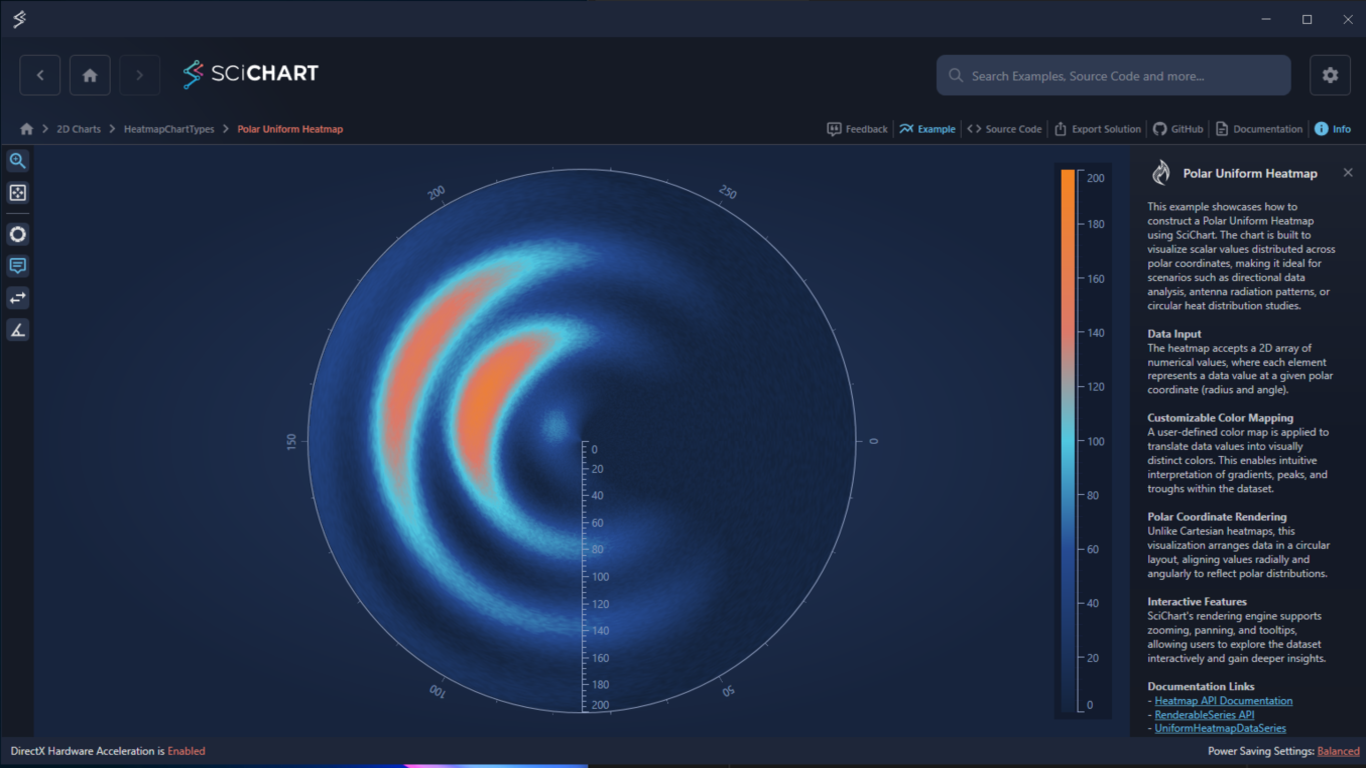
Key Features of SciChart’s WPF Polar Uniform Heatmap
- Accepts a 2D array where each element represents a value at a given polar coordinate (radius and angle).
Customizable Color Mapping
- A user-defined color map translates data values into visually distinct colors.
- Enables intuitive interpretation of gradients, peaks, and troughs within the dataset.
Polar Coordinate Rendering:
- Unlike Cartesian heatmaps, data is arranged in a circular layout, aligning values radially and angularly.
Interactive Features:
- Zooming, panning, and tooltips supported via SciChart’s rendering engine.
Try the Example for Yourself
Give the WPF Polar Uniform Heatmap a try for yourself today. You can view the documentation or head straight to GitHub via the source code.
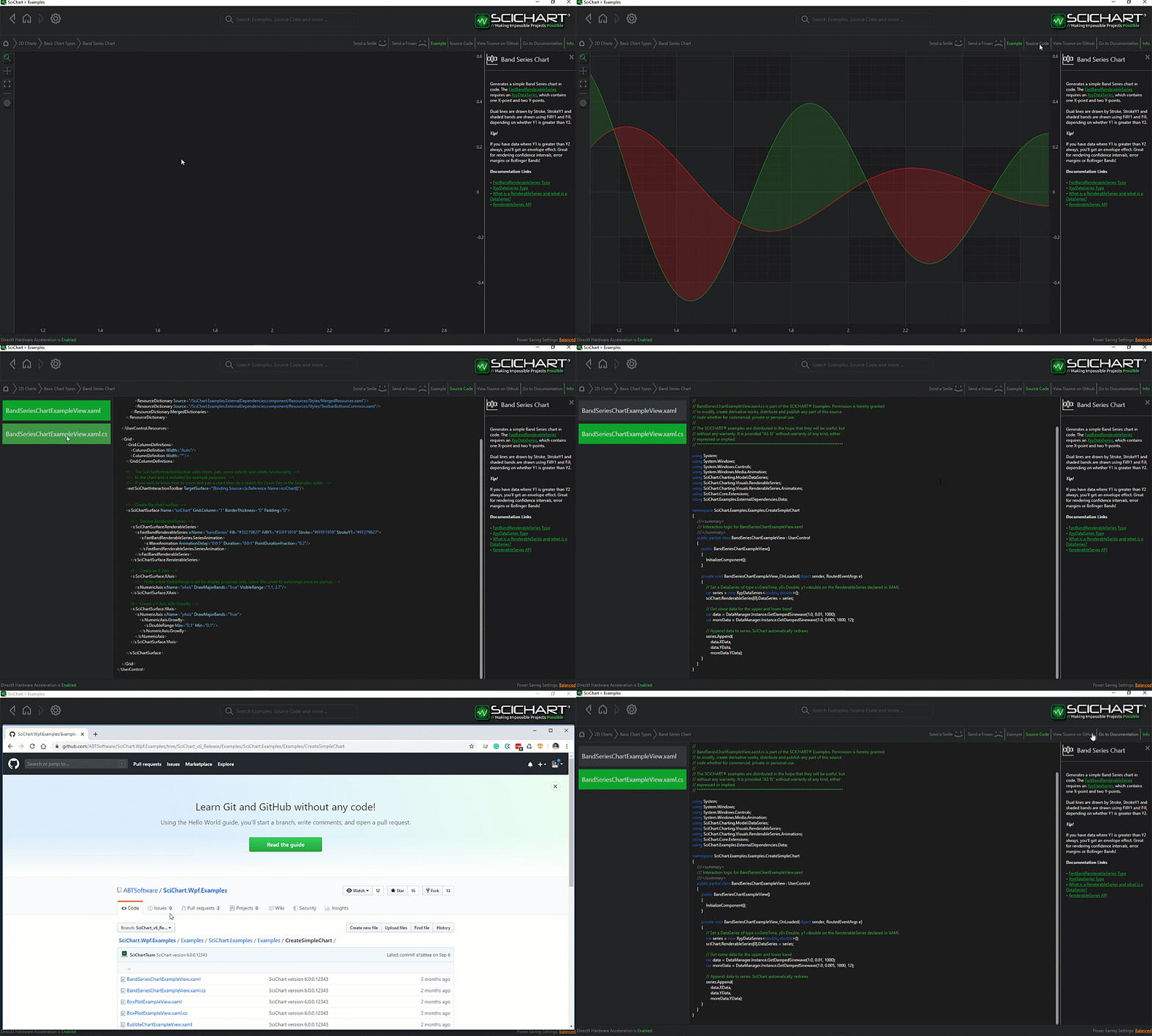
The C#/WPF source code for the WPF Polar Uniform Heatmap Demo example is included below (Scroll down!).
Did you know you can also view the source code from one of the following sources as well?
- Clone the SciChart.WPF.Examples from GitHub.
- Or, view source in the SciChart WPF Examples suite.
- Also the SciChart WPF Trial contains the full source for the examples (link below).
PolarUniformHeatmap.xaml
View source code<UserControl x:Class="SciChart.Examples.Examples.HeatmapChartTypes.PolarUniformHeatmap.PolarUniformHeatmap"
xmlns="http://schemas.microsoft.com/winfx/2006/xaml/presentation"
xmlns:x="http://schemas.microsoft.com/winfx/2006/xaml"
xmlns:s="http://schemas.abtsoftware.co.uk/scichart"
xmlns:ext="http://schemas.abtsoftware.co.uk/scichart/exampleExternals">
<UserControl.Resources>
<!-- Style for axis ticks -->
<Style x:Key="AxisTickStyle" TargetType="Line">
<Setter Property="Stroke" Value="#93A3C5" />
<Setter Property="StrokeThickness" Value="1" />
</Style>
</UserControl.Resources>
<Grid>
<Grid.ColumnDefinitions>
<ColumnDefinition Width="Auto" />
<ColumnDefinition Width="*" />
</Grid.ColumnDefinitions>
<!-- The SciChartInteractionToolbar adds configuration options for zoom, pan, zoom extents functionality. -->
<!-- Included for example purposes. -->
<ext:SciChartInteractionToolbar TargetSurface="{Binding Source={x:Reference Name=SciChartSurface}}">
<ext:FlyoutMenuButton>
<ext:ToolbarIcon Kind="SwapHorizontal" Style="{StaticResource ToolbarButtonIconStyle}"/>
<ext:FlyoutMenuButton.PopupContent>
<StackPanel Margin="5,5,5,10" Width="150" Orientation="Vertical">
<TextBlock Text="Flip Axis" Style="{StaticResource FlyoutMenuHeaderStyle}"/>
<CheckBox Margin="0,5" Content="Flip X-Axis Coordinates" IsChecked="{Binding Source={x:Reference Name=AngularAxis}, Path=FlipCoordinates, Mode=TwoWay}"/>
<CheckBox Margin="0,5" Content="Flip Y-Axis Coordinates" IsChecked="{Binding Source={x:Reference Name=RadialAxis}, Path=FlipCoordinates, Mode=TwoWay}" />
</StackPanel>
</ext:FlyoutMenuButton.PopupContent>
</ext:FlyoutMenuButton>
<ext:FlyoutMenuButton>
<ext:ToolbarIcon Kind="AngleAcute" Width="16" Height="16" Style="{StaticResource ToolbarButtonIconStyle}"/>
<ext:FlyoutMenuButton.PopupContent>
<StackPanel Margin="5" Width="150" Orientation="Vertical">
<TextBlock Text="X-Axis Angle" Style="{StaticResource FlyoutMenuHeaderStyle}"/>
<Slider Maximum="500"
Minimum="-500"
Value="{Binding Source={x:Reference Name=AngularAxis},
Path=RotationAngle,
Mode=TwoWay,
UpdateSourceTrigger=PropertyChanged}" />
<TextBlock Text="Y-Axis Angle" Margin="0,10,0,5" Style="{StaticResource FlyoutMenuHeaderStyle}"/>
<Slider Maximum="360"
Minimum="0"
Value="{Binding Source={x:Reference Name=RadialAxis},
Path=Angle,
Mode=TwoWay,
UpdateSourceTrigger=PropertyChanged}" />
</StackPanel>
</ext:FlyoutMenuButton.PopupContent>
</ext:FlyoutMenuButton>
</ext:SciChartInteractionToolbar>
<!-- Polar Surface configuration -->
<s:SciChartSurface Name="SciChartSurface" Grid.Column="1">
<s:SciChartSurface.RenderableSeries>
<!-- PolarUniformHeatmapRenderableSeries is used to render heatmap data -->
<s:PolarUniformHeatmapRenderableSeries x:Name="HeatmapRenderSeries"
UseLinearTextureFiltering="True">
<s:PolarUniformHeatmapRenderableSeries.ColorMap>
<s:HeatmapColorPalette Minimum="0" Maximum="200">
<GradientStop Offset="0.0" Color="{StaticResource ColorMapColor_1}"/>
<GradientStop Offset="0.3" Color="{StaticResource ColorMapColor_2}"/>
<GradientStop Offset="0.5" Color="{StaticResource ColorMapColor_3}"/>
<GradientStop Offset="0.7" Color="{StaticResource ColorMapColor_5}"/>
<GradientStop Offset="1.0" Color="{StaticResource ColorMapColor_6}"/>
</s:HeatmapColorPalette>
</s:PolarUniformHeatmapRenderableSeries.ColorMap>
</s:PolarUniformHeatmapRenderableSeries>
</s:SciChartSurface.RenderableSeries>
<!-- Angular axis configuration -->
<s:SciChartSurface.XAxis>
<s:PolarXAxis Name="AngularAxis"
BorderBrush="#93A3C5"
RotationAngle="0"
TitleFontSize="20"
FlipCoordinates="False"
MajorTickLineStyle="{StaticResource AxisTickStyle}"
MinorTickLineStyle="{StaticResource AxisTickStyle}"/>
</s:SciChartSurface.XAxis>
<!-- Radial axis configuration -->
<s:SciChartSurface.YAxis>
<s:PolarYAxis Name="RadialAxis"
FlipCoordinates="False"
BorderBrush="#93A3C5"
BorderThickness="1,0,0,0"
MajorTickLineStyle="{StaticResource AxisTickStyle}"
MinorTickLineStyle="{StaticResource AxisTickStyle}"/>
</s:SciChartSurface.YAxis>
<!-- Interactivity via Chart Modifiers -->
<s:SciChartSurface.ChartModifier>
<s:ModifierGroup>
<s:RubberBandXyZoomModifier />
<s:ZoomExtentsModifier />
<s:MouseWheelZoomModifier />
<s:TooltipModifier />
</s:ModifierGroup>
</s:SciChartSurface.ChartModifier>
</s:SciChartSurface>
<!-- Color Map Legend for the heatmap -->
<s:HeatmapColorMap Grid.Column="1"
HorizontalAlignment="Right"
VerticalAlignment="Stretch"
BorderThickness="0"
Background="{StaticResource ThemedTransparentChartBackground}"
ColorPalette="{Binding ColorMap, Source={x:Reference HeatmapRenderSeries}}"
Maximum="{Binding ColorMap.Maximum, Source={x:Reference HeatmapRenderSeries}}"
Minimum="{Binding ColorMap.Minimum, Source={x:Reference HeatmapRenderSeries}}"
Orientation="Vertical"
EnableAxisDrag="True"
TextFormatting="0"
Margin="20">
<s:HeatmapColorMap.AxisStyle>
<Style TargetType="s:AxisBase">
<Setter Property="BorderThickness" Value="1,0,0,0" />
<Setter Property="BorderBrush" Value="#93A3C5"/>
<Setter Property="MajorTickLineStyle" Value="{StaticResource AxisTickStyle}"/>
</Style>
</s:HeatmapColorMap.AxisStyle>
</s:HeatmapColorMap>
</Grid>
</UserControl>
PolarUniformHeatmap.xaml.cs
View source code// *************************************************************************************
// SCICHART® Copyright SciChart Ltd. 2011-2026. All rights reserved.
//
// Web: http://www.scichart.com
// Support: support@scichart.com
// Sales: sales@scichart.com
//
// PolarUniformHeatmap.xaml.cs is part of the SCICHART® Examples. Permission is hereby granted
// to modify, create derivative works, distribute and publish any part of this source
// code whether for commercial, private or personal use.
//
// The SCICHART® examples are distributed in the hope that they will be useful, but
// without any warranty. It is provided "AS IS" without warranty of any kind, either
// expressed or implied.
// *************************************************************************************
using SciChart.Charting.Model.DataSeries.Heatmap2DArrayDataSeries;
using System;
using System.Windows.Controls;
namespace SciChart.Examples.Examples.HeatmapChartTypes.PolarUniformHeatmap
{
public partial class PolarUniformHeatmap : UserControl
{
private readonly Random _random = new Random(0);
public PolarUniformHeatmap()
{
InitializeComponent();
// Generate 2D scalar field composed of sinusoidal spatial waves with added noise
var data = GenerateHeatmapData(300, 200);
// Create a UniformHeatmapDataSeries and assign it to PolarUniformHeatmapRenderableSeries defined in XAML
var dataSeries = new UniformHeatmapDataSeries<int, int, double>(data, 0, 1, 0, 1) { SeriesName = "PolarUniformHeatmap" };
HeatmapRenderSeries.DataSeries = dataSeries;
}
private double[,] GenerateHeatmapData(int heatmapWidth, int heatmapHeight)
{
double angle = Math.Round(Math.PI * 2 * 1 / 30, 3);
var data = new double[heatmapHeight, heatmapWidth];
// Generate 2D scalar field composed of sinusoidal spatial waves with added noise
for (int x = 0; x < heatmapWidth; x++)
{
for (int y = 0; y < heatmapHeight; y++)
{
var v = (1 + Math.Round(Math.Sin(x * 0.04 + angle), 3)) * 50 + (1 + Math.Round(Math.Sin(y * 0.1 + angle), 3)) * 50 * (1 + Math.Round(Math.Sin(angle * 2), 3));
var cx = 150; var cy = 100;
var r = Math.Sqrt((x - cx) * (x - cx) + (y - cy) * (y - cy));
var exp = Math.Max(0, 1 - r * 0.008);
data[y, x] = (v * exp + _random.NextDouble() * 10);
}
}
return data;
}
}
}